Showing posts with label JSF. Show all posts

Friday, January 7, 2022

F-35 FREQUENTLY ASKED QUESTIONS


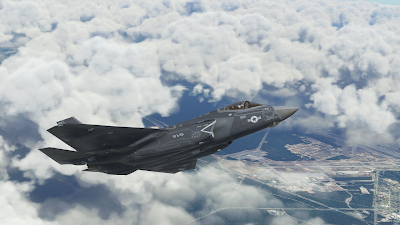
First, we'd like to thank you for the purchase of our F-35 LIGHTNING II aircraft for Microsoft Flight Simulator. We have received very positive feedback from most users, and we have also received a strong and very encouragig support from the community.

Still, the F-35 is a very complex project and, as expected we, are receiving a lot of questions. This document is intended to provide a reply to the most common ones.

Aside, unfortunately, the current Flight Simulator (“SU7 Update” build 1.21.18.0) is prone to Crash To Desktop (CTD) issues, which does not help.

While we had good reasons to believe that, by and large, any CTD you will experience flying the F-35 is due to the simulator and not to the aircraft, we understand that this may be frustrating and disappointing - and it is an undeniable fact that CTDs are way more frequent if you fly the F-35 than the default aircraft.

In the worst case, please bear in mind that we have a very flexible refund policy – managed via Paypal - that typically goes beyond the rights granted by your distributors and purchase contract, and even the applicable law.

If your experience is so bad that you wish to apply for a refund, please write an email to indiafoxtecho@gmail.com with:

- System details: CPU, GPU, RAM, OS
- Description of the problem
- Exact version of the simulator you are running
- Proof of purchase
- Paypal address for refund

...and we'll get back to you as soon as possible.

Question/Problem: I cannot even fly the plane! IMMEDIATE CRASH TO DESKTOP AS SOON AS THE PLANE LOADS!!!!

Answer: This is typically due to Direct X 12. Please understand tha DirectX 12 implementation in Microsoft Flight Simulator Sim Update 7 is still a Beta, and in particular does not support some programming technicques uses in the F-35. In general, we do not recommend using DirectX 12 – which, by the way, does not generate a significant performance improvement.

Suggested action: Please DISABLE DirectX 12


Question/Problem: I am experiencing random Crash To Desktop problems! And it is definitely a problem of the F-35 since no other aircraft does that!


We understand this can be frustrating and we are sorry for that, but unfortunately Sim Update 7 is prone to Crash to Desktop issues with a number of different aircrafts and add-ons. A quick seach with Google or in the MSFS forums should convince you that CTDs are a common occurrence for SU7.

Most users are flying the F-35 without many problems, which should already be a proof that the aircraft code is OK, but we have even had Microsoft/Asobo to test the aircraft before releasing it.

Still, we understand you may not be convinced so let's go through some of the causes that may contribute to CTDs.

First... here is the official Microsoft “Basic Troubleshooting” guide:

https://flightsimulator.zendesk.com/hc/en-us/articles/4406280399250-All-versions-Crashing-CTDs-issues-Basic-Troubleshooting

Out-of-Date Content: make sure that all the add-ons you have installed are up-to-date and compatible with your version of the simulator. Out-of-date content may cause crash to desktop (e.g. flying not too far from a problematic airport can cause CTD even if you cannot see the airport yet)

DirectX12 Beta: as stated above, DX12 implementation is a Beta and is not compatible with the F-35. Please do not use DX12

nVidia drivers and GeForce Experience: some versions of the nVidia drivers are known to generate CTD problems with MSFS. In particular 497.09 were problematic.
In general most users have a good experience with 497.29 or 496.76. Some users also needed to unistall GeForce Experience.

https://forums.flightsimulator.com/t/ctd-with-build-1-21-18-0-nvidia-drivers/479985/7

HAGS (on AMD graphic cards): it is recommended to disable HAGS, especially on AMD graphic cards.

https://forums.flightsimulator.com/t/tested-game-mode-and-hardware-accelerated-gpu-scheduling-hags/389677


English (US) Language Pack Installation: this seems to generate some problems for some users...

https://www.avsim.com/forums/topic/587760-ctd-zendesk-response/


Rolling Cache: some users had CTD problems due to the rolling cache:

https://flightsimulator.zendesk.com/hc/en-us/articles/360019202439-All-versions-How-to-delete-the-Rolling-Cache-and-the-Manual-Cache


Realtek Audio Drivers: these seem to be problematic on some installations, and they are listed in the Microsoft Zendesk guide... in any case here is a discussion on the Microsoft forums:

https://forums.flightsimulator.com/t/solved-my-ctds-after-months-of-being-down/470916

.NET framework and C++ redistributable out of date: some users reported getting rid of the CTDs after updating the .NET and C++ redistributables - however there is not a strong evidence this is a factor.

Live Weather (and other server-side problems): sometimes MSFS has CTDs just because of problems on the MS servers side – for example, recently Live Weather feature was causing CTDs for some users:

https://forums.flightsimulator.com/t/current-issue-with-live-weather-and-associated-ctd-and-possibly-black-screen-on-xbox/486177

Incompatible add-ons: some users reported that their CTDs have been solved by removing/disabling certain add-ons, such as NXi G1000. However this is anecdoctal information only, and in theory it should not happen.

...and the list goes on.

Thank being said, if your experience with the F-35 is not satisfactory and you regret your purchase, please contact us to discuss a refund.

Suggested action: Please see above for possible causes of CTDs.

IMPORTANT – FOR ADVANCED USERS! IF YOU KNOW HOW TO CREATE A CRASH DUMP FOR MICROSOFT FLIGHT SIMULATOR YOU MAY WANT TO PROVIDE IT TO US – WE WILL FORWARD IT TO MICROSOFT FOR ANALYSIS.

Question/Problem: My thottle is not working! It happens only on the F-35! Why is this happening?

This is typically a problem due to 1.21.18.0. At the moment of the release, the official MSFS version is 1.21.13.0, but there is the possibility to download 1.21.18.0 (via Steam Beta program or Microsoft Insider).
There seems to be a bug in 1.21.18.0 so that aircrafts that the throttle lever does not work for aircrafts do not use Asobo templates.

This is typically solved by changing the changing the axis assignment to THORTTLE AXIS 1 (instead of generic THOTTLE AXIS).

Suggested action: Please assign the throttle lever to THROTTLE AXIS 1

NOTE: you can assign the same slider/lever to multiple axis for multiengine aircrafts.


Question/Problem: I cannot get the plane to hover! And can it do vertical take-offs?


First thing, which may be obvious for most, please make sure you are flying with the F-35B, which is the only version.

To get the plane to hover, you must first be in the STOVL mode which can only be engaged in certain conditions (limited bank and roll angles, speed lower than 220kts) – this can be enabled by pressing the HOOK STOVL button or by the wing lights control.

Once in STOVL mode you can HOVER by clicking the HOVER caption or by using the AUTOPILOT HEADING HOLD key, but only if the aircraft is lighter than 40000 lbs.

If you enable HOVER mode on the ground, you can also perform a Vertical takeoff, but this is rarely done in reality due to weight constraints.

See manual for detailed instructions.

Question/Problem: I cannot see the aircraft in game! I am sure I have followed the instructions... help?


This is most likely due to an error during the manual installation process (in most cases the user has either picked the wrong folder, or has pasted the zip file instead of the unzipped folder).

Here is a video that shows the process of installing add-ons in the community folder.


Question/Problem: The landing light cycles on and off continuously during flight...very annoying? What can I do to fix that?

This is likely due to the fact that the user has a phisical switch assigned to the landing light switch. The F-35 code has provisions to turn off the landing lights if the gear is retracted... but this can create conflicts if there is a phisical switch. The physical switch must be either disabled or operated only when the landing gear is down and the light must be off when the landing gear is up.


Question/Problem: Is it possible to undock the primary control display to a separate screen?

No. The primary control display is coded in XML, and at the moment MSFS does not support 2D windows in XML.

Tuesday, April 14, 2020

F-35 Version 3.67 for Prepar3D V5 - New Installer


************************************************
EDIT - A small glitch has been detected in the F-35A PBR models (both in payware P3Dv4 and v5, v5 stock aircraft) so that if spoilers are deployed and rudder is fully deflected to the left, the right rudder detaches from the vertical stabilizer.
You can download a fix by clicking HERE - this is an XML file that goes into the panel/FCS subfolder of the F-35A - whatever version you have - and limits the movement of the rudder. SimMarket installer will be updated to V3.67.
*************************************************
Prepar3D V5 is launching today and will include a (somewhat simplified) version of my F-35A/B/C models. However there are some changes in the default file names that generate an filename incompatibility with the payware version.
I have therefore created a new installer that will both change the names of the files affected and will also change their cross reference.
The new installer contains ALL the previous patches/updated.

IMPORTANT: the new installer embraces the "ADD-ON" approach of Prepar3D, that is the files of the add-on are NOT placed in the simulator folders, but rather are stored in a separate addo-on folder.
The default location of this add-on folder is \Documents\Prepar3D v5 Add-ons - this is where you should point your installer to.
All add-ons in this folder will be discovered automatically by the simulator and can be switched on and off at will.

PREPAR3D V4 USERS: despite its label, the new installer will also work with Prepar3D v4 and some users may prefer to use it as it also installs all the patches. You can do that, but, if you have previous versions of the F-35 installer, before doing that you should MANUALLY DELETE the F-35A, F-35B and F-35C folders in your SimObjects\Airplanes folder

SimMarket customer should have received an email notification. All the other major distributors of the F-35 are now out of business: if you were one of their customers and wish to receive the new installer drop me an email at indiafoxtecho@gmail.com with proof of purchase and (if you have one) your SimMarket account references (at it may be easier for me to provide a download link through their servers).

NOTE - IN MY INTENTIONS, THIS IS THE FINAL UPGRADE OF THE VERSION 3.00 F-35. I AM WORKING TO SEE IF IT IS POSSIBLE TO BRING THE F-35 TO THE NEW MICROSOFT FLIGHT SIMULATOR.

Sunday, November 17, 2019

F-35 Lightning II - Update to version 3.65.1 and thoughts


NOTE 1: version 3.65 had a small glitch that prevented correct indication of the CEX Tacan direction in the HUD heading tape in some cases… This has been fixed and the release has been updated to version 3.65.1

NOTE 2: updated to version 3.65.2 to fix incorrect BK-17 squadron assignment

The momentum of the real F-35 program keeps on growing and the plane is achieving a number of milestones around the world. So I decided to release yet another update to my virtual rendition which fixes a couple of bugs and introduces two meaningful repaints, specifically the livery of the No.617 Squadron RAF "the Dambusters" that made history being the first british squadron operating from the deck of the Queen Elizabeth, and VMFA-314 "Black Knights" that is the first USMC squadron flying with the "C" model of the Lightning II.

This is likely to be the last update for the F-35 for Prepar3D v4. I have some ideas to improve the models and I am looking forward to port it to the new Microsoft Flight Simulator… although it is more than likely that many functions, like STOVL flight and XML based MFD/HUDs, will not work in the new Platform (which is also unlikely to support any kind of weapon).
While I am trying to port some of my projects to X-Plane, at the moment I do not plan to convert the F-35 as I do not have the skill to bring it to the same level of functionality of the one done by AoA Simulations.

Anyway here is the change log of this update:

IMPORTANT! THIS UPDATE WILL WORK ONLY WITH P3Dv4.4 and is preconfigured to work with PBR models (so P3Dv4.4 / v4.5)

Version 3.65.1 - 18/11/2019
- Fixed glitch in TACAN direction flag in HUD, causing incorrect indication of the ship direction in some cases
- Fixed version number during MFD startup

Version 3.65 - 17/11/2019
- Added CEX navaids compatibility
- Added VMFA-314 "Black Knights" F-35C livery
- Added no.617 Squadron RAF "Dambusters" F-35B livery
- Fixed glitch in F-35C landing gear door animation on PBR models
- Fixed bug in TACAN to MHz conversion
- Fixed bug that allowed to continue flying in STOVL mode if out of fuel.
  When the engine stops running and the plane is not on the ground, STOVL mode will be deactivated.

SEE VERSION 3.60 FOR INSTALLATION

As usual, the upgrade can be downloaded from the side bar as usual or by clicking HERE.

Wednesday, August 7, 2019

Minor Updates for the Eurofighter Typhoon and the F-35


Here are two small updated to my payware frontline fighters… VERY MINOR tweaks, so, unless you are extremely bothered by one of the issues listed below or have not updated your aircrafts at all, downloading these patches is not really necessary IMHO.

Eurofighter Typhoon

The main reason to update the Eurofighter Typhoon was that, in the lastest FSX build, I used the wrong compiler...this caused some controls in the VC not to work as intended. I took the chance to add some 3D details and fix a couple of minor things.

To install the update, you must have the payware Eurofighter Typhoon version 1.1X or later. The update will work either if you just used the latest full installer (version 1.10 - you can get it from your distributor of choice) or if you had already updated the aircraft to any later version.

This is the list of changes:

Version 1.30 - 07/08/2019
- Fixed a minor issue in ejection seat textures
- Replaced detail textures with 3D objects in VC (screws, rivets)
- Fixed minor 3D object misplacements in VC
- Fixed mouse area bug preventing some knobs from working correctly in FSX
- Fixed bug preventing keyboard release mode selection from working
- Restored mouse clicks and animations for some (non functional) switches

The update must be installed manually (see the README file) and is provided in both 32bit (for FSX:A, FSX:Gold, FSX:SE and any version of P3D prior to v4) and in 64 bit (for P3Dv4.4 and v4.5) formats. Note that P3Dv4.0 to P3Dv4.3 are NOT supported by the 64 bit version (as it uses PBR).
The patch is available from the side bar.

F-35 Lightning IIIf the Eurofighter patch is a very minor one, the one for the F-35 is negligible: basically I spotted some duplicate airframe geometry in the F-35B PBR cockpit model. This causes some minor visual glitches when looking over your shoulders in VC (apart from an unnecessary waste of video resources).

To install the update, you must have the payware F-35 Lightning II version 3.5X or later. The update will work either if you just used the latest full installer (version 3.50 - you can get it from your distributor of choice) or if you had already updated the aircraft to any later version.

This is the (very long) list of changes:

Version 3.62 - 07/08/2019
- Removed duplicate geometry from F-35B cockpit causing unnecessary video memory consumption and visual glitches.


The update must be installed manually (see the README file) and will work ONLY with P3Dv4.4 or above (as it is a PBR model).  The patch is available from the side bar.

Sunday, March 3, 2019

F-35 Lightning II - Version 3.61 PBR Update (Prepar3D v4.4)


***EDIT - FILES UPDATE TO VERSION 3.61 TO ADDRESS A BUG PREVENTING THE REFUEL PROBE TO DEPLOY IN THE F-35B EXTERNAL MODEL***

Here is the PBR update for the F-35 package. In order to implement this, I had to rebuild the source models as they had been lost to a ransomware attack years ago... this was quite a big work, and a lot of things had to be redone. Still I think the plane looks much better now and it was worth it - however, please beware that some minor bugs or glitches may be present.

Model files were compiled with P3Dv4.4 tools, so they cannot be used with FSX or prior versions of P3D - however, I have also included non-PBR model variants for those who may prefer them (they should provide slightly better frame rates and lower memory consumption).
Aside, compiling the model for P3Dv4 made it so that some graphic glitches were fixed.

Initially I thought this could be the baseline for version 4.00, big given that the aircraft functionalities are pretty much the same as previous iterations, I thought it was unfair to make it a new, full price version - or even a paid update.
However, supporting different variants and options is quickly becoming impossible to manage - so from now on this project will only be updated for Prepar3D v4.4 (sorry for that).

Here is the list of changes in version 3.60 and 3.61

Version 3.61 - 20/03/2019
- Fixed bug preventing refuel probe to deploy on F-35B external model
- Fixed typo in aircraft.cfg suggesting that gun should be mounted on STA5 instead of STA6
SEE VERSION 3.60 NOTES FOR INSTALLATION


CHANGE LOG
Version 3.60 - 02/03/2019

- Rebuilt all external and internal models to support PBR textures
- All models recompiled using P3Dv4.4 tools
- Updated landing gear model
- Fixed minor UVW coordinates error on F-35C external model
- Fixed minor graphic glitches in F-35B and F-35C external models
- Major rewrite of MFD code with reduced memory footprint and (marginal) performance improvement
- New .air files to provide better, more linear throttle vs. thrust curve
- Fixed several glitches in the FCS code
- FCS Animation code rewritten
- Fixed bug that caused the first radar track not to show in some screens


* - This update by default is configured to use PBR models and work with P3Dv4.4.
You can use this update also with P3Dv4.0 to P3Dv4.3 by deleting the model.cfg files in the model folder of each aircraft and rename the "model.cfg.BackupNonPBR" to "model.cfg".


Download the update by clicking HERE or from the link on the side bar...

Wednesday, December 26, 2018

F-35 UPDATE TO VERSION 3.55 (P3D ONLY)

A small belated Christmas present for the F-35 users: here is version 3.55 which is most probably the last update for the "Version 3" of the F-35.
Most likely the next iteration will be a new product, with models rebuilt for PBR support and compatible only with Prepar3D version 4.4 and above (and will require a new purchase). I am sorry to ask for a new admission ticket, but the work needed is too much. I'll try to implement discounts for existing users if the distributors will allow that.
This 3.55 update applies to P3D (version 2.0 to 4.4): latest version for FSX will be 3.53. The zip file includes both the 3.55 version for P3D and the 3.53 FSX, and the simplified MFD and the low res textures as well. Note that using the simplified MFD will disrupt some of the features of this update.
Here is the features list:

Version 3.55 - 26/12/2018
THIS UPDATE APPLIES ONLY TO P3D - LATEST FSX VERSION IS 3.53
  • Changed default load to "NO WEAPONS" for all aircrafts
  • AoA indication limit on HMD is now 50° (was 30°)
  • Slight change to toe-brake effectiveness
  • Added special color livery for Koninklijke Luchtmacht
  • Added special color livery for Aeronautica Militare
  • Changed implementation of TFLIR imagery which hopefully solves/mitigates aircraft visibility for some users
  • All air-to-air radar tracks are now shown on the Head Mounted Display:
    - symbol size is scaled depending on the target distance (small over 20Nm, medium from 20Nm to 10Nm, big below 10Nm)- symbols will park on the edge of the visibility area both in the vHUD and Free Look mode
  • Implemented fine control of the air to surface target via Az/El TFLIR control:- fine control works only of TOO targets when the aircraft is in A/S mode- a TOO target must be assigned first (via TSD, ASR or HMD) to enable fine control- fine control allows the adjustment of TFLIR Az/El- fine control can be operated via the TFLIR screen (by clicking on the crosshair) or via keyboard shortcut
  • Implemented following key shortcuts:
  • ARROW KEYS:- In NAV mode: UP/DOWN control TSD1 zoom level; LEFT/RIGHT select previous/next waypoint- In A/A mode: UP/DOWN control Air-to-Air radar range; LEFT/RIGHT command UNDESIGNATE/DESIGNATE target- In A/S mode, with valid TOO: UP/DOWN control TFLIR El; LEFT/RIGHT control TFLIR Az; both will update target locationSHIFT+ARROW KEYS -> TFLIR CONTROL- UP/DOWN control TFLIR El; - LEFT/RIGHT control TFLIR Az; both will update target location
  • CONTROL+ARROW KEYS -> ASR CURSOR CONTROL
    - UP/DOWN/LEFT/RIGHT control the position of the cursor in the ASR screen
  • CONTROL+SHIFT+ARROW KEYS -> SENSOR CONTROL
    - UP -> DESIGNATE ASR CURSOR POSITION AS A/S TARGET
    - DOWN -> CHANGE ASR RADAR ZOOM
    - LEFT -> CHANGE TFLIR MODE
    - RIGHT -> CHANGE DAS MODE
As usual, you can download the update from the side bar or by clicking HERE.


Friday, November 2, 2018

F-35 LIGHTNING II UPDATE TO VERSION 3.53


While debugging the E-2/C-2 Package I have discovered a nasty bug in the TACAN system that affects also other planes… so I took the chance for a quick update to the F-35. Here are the details of the update:


CHANGE LOG
Version 3.53 - 02/11/2018
- Fixed major bug in NAV1/TACAN frequency conversion causing generating incorrect TACAN channels in some instances.
- Fixed bug preventing NAV1 frequency tuning once a TACAN channel has been entered
- Fixed graphic glitch in MFD TSD1 screen
- Fixed minor graphic glitch in BFI Baro setting window
- Updated Koninklijke Luchtmacht F-35A livery
- Added F-35C VFA-147 Argonauts USN livery
- Fixed wrong entry in F-35C configuration file

NOTE: THE UPDATE WILL RESET THE MFD TO "FULL FEATURE" MODE. IF YOU WANT TO USE THE SIMPLIFIED MFD YOU MUST RE-APPLY THE SIMPLIFIED MFD PATCH OVER THE UPDATES FILES.

NOTE: THIS UPDATE WILL WORK WITH ALL PREVIOUS VERSION STARTING FROM V3.50. WHICH MUST BE DOWNLOADED BY YOUR DISTRIBUTOR OF CHOICE.

The update can be dowloaded from the sidebar or by clicking HERE.


Monday, October 15, 2018

F-35 LIGHTNING II - PAINTKIT FOR V3.XX


As some of you have requested it, here is the paint kit for the payware F-35 Lightning II.

Files are provided in layered PSD format as follows (layer structure top to bottom):
- Ambient Occlusion: multiply layer that superimposed the precalculated ambient occlusion shadows
- GreyToneForMarkings: darken layer to set the brightest grey tone in the livery. This was introduced to dim all the markings as they were too bright.
- Nation specific color: normal layer with the full livery; a sample for each nation is provided. All layers are blanked by default. You can delete the portions you do not need and merge it with the base color layer below.
- Base color: clean livery with only base markings for servicing.

These files are provided for free to repainters ONLY to create new liveries for the F-35.
Any other usage of these files, included but not limited to, applying these texture to other F-35 models is prohibited.
Repaints created with this package can be freely distributed

As usual you can download it by clicking HERE or from the menu on the side bar.

Monday, August 20, 2018

F-35 Lightning II update to version 3.52


NOTE - DOWNLOADS WERE SUSPENDED FOR TECHNICAL PROBLEMS (broken links/pointing to wrong files) - NOW EVERYTHING SHOULD BE OK! SORRY FOR THE INCONVENIENCE!

Here is yet another update to the payware F-35, which will bring the release version to 3.52.
I am taking the chance to clarify a couple of things:

- Customers of "older" versions of the F-35 (meaning V1.X and V2.X, now freeware) are not entitled to the free upgrade to version 3.50. Only customers who have purchased version 3.X will get the update. So please do not ask distributors for the download links.

- AFAIK all the distributors have updated their links to version 3.50. If you still have difficulties in downloading the new installers from them, please let me know by dropping an email to indiafoxtecho@gmail.com

- Version 3.50 is the new "FULL INSTALL" baseline. Further updates, like this one, will be deployed through this blog and will require manual installation. So, please do not ask to distributors for version 3.51 or 3.52.

That being said, here is what is new in this release:

Version 3.52 - 20/08/2018
- Minor refinements to flight model
- Added MAP modes also in extended and full-screen portal modes for TSD1, TSD2 and TSD3 (courtesy of Roberto Leonardo)

- Added missing code for automatic anti-skid engagement
- Fixed graphic glitch in A-A target symbology
- Added possibility to enter negative values for VV in AP mode
- Miscellaneous code fix
- Better alignment of TSD symbology (but still far off in some cases)
- Added optional "Simplified" MFD:
  This is a simpler MFD that will occupy less memory and may generate a (minimal) increase in performance.
  To install this, open the SimplifiedMFDforP3D.zip file and drag and drop the F-35_MFD folder in your F-35A\Panel folder.
  You may want to backup the F-35_MFD folder first.
  This will eliminate some pages (WPNA, WPNS, CHCKLST, TSD2, TSD3 and PHM) and restrict the functionality of Others.


You can download the update by clicking HERE or from the side bar.


PS - I also noticed that, for a mistake, version 1.13 of the Eurofighter did not include the intended code for the antiskid...the mistake was rectified, so you may want to download the update again.

Sunday, August 5, 2018

F-35 Lightning II - update from v3.50 to v3.51


Following the release of F-35 version 3.50, a couple of minor bugs have been detected, so here is a small patch that should fix them. Also, lower resolution textures for canopy reflection and scratches textures are provide, for user that may want to trade some minor details for a lower video memory consumption.
The plan was to establish version 3.50 as baseline, and the build upon it with patches like this one.
Here is the list of changes.

*********************************
F-35 LIGHTNING II UPDATE
from version 3.50 to version 3.51
Released on 05/08/2018
*********************************

CHANGE LOG
Version 3.51 - 05/08/2018
- Fixed major bug in CNI page which caused the keypad to be inoperative
- Fixed bug in CNI causing NAV frequency to stick to the TACAN channel once a Tacan channel was set
- Fixed wrong terrain color entry (for to to 1000ft altitude - light grey intead of green)
- Fixed bug in the control of the TSD3 page while in full screen
- Added optional low res textures to reduce video memory usage

FSX (unsupported)
- Fixed bug in CNI causing NAV frequency to stick to the TACAN channel once a Tacan channel was set
- Fixed wrong coordinates ADF mouse area in the CNI page

See the installation instruction in the README.txt file in the zip.
The update can be downloaded HERE or from the side bar.

Thursday, July 5, 2018

F-35 Lightning II version 3.50 for Prepar3D v2.5, V3.x and v4.x


As some of you are aware of, I have been working on a further update to the payware F-35 Lightning II project. Unfortunately the source files for this project have been lost two years ago due to a malware attack (and because I was stupid enough to have left the backup drive connected to the PC). As result, it took quite a while to make some significant progress with this project: to implement some of the functionalities I had to rebuild the source models for the virtual cockpits and it was not an easy task.

As result, version 3.50 is different enough from its predecessors to require some further testing. A quick Beta test is planned and test version have been sent to selected testers.

Here is a (non comprehensive) list of the changes so far:

- New, more realistic flight models by Roy Holmes. These should match all the data publicly known so far, and provide a more realistic behavior.
- Implemented load-dependent drag for more realistic performance
- Implemented Ambient Occlusion mapping to all the external models
- Added South Korean, Japanese and Turkish repaints to F-35A
- Added Italian Navy and miscellaneous USMC repaints to F-35B
- Added VFA-125 and VX-9 repaints to F-35C
- Rebuilt and improved 3D vitual cockpit geometry
- Improved textures of virtual cockpit
- Added specular mapping to virtual cockpit
- Improved brightness and readability of Head Mounted Display
- Added "roll" degree of freedom to Head Mounted Display
- Brightess of MFD can be controlled manually
- Implemented digital indicator for remaining parking brake applications
- Backup Tacan now works
- Improved night lighting of virtual cockpit
- Implemented functionality of Emergency Jettison Knob
- Solved bug preventing digital imagery to appear on subportals in some instances
- Implemented Team Selection (Tacpack) through Mode 4 in CNI page
- Implemented Tacan input in CNI page
- Redone Generator/Started knob (now it should work as IRL).
- New full installers for P3Dv2 and v3, and P3v4 (full install). An installer for FSX is now provided, too.

Other changes planned but not implemented yet:

- Addition of MAP mode to TSD screens (actually it was left out as it is quite a frame rate killer on older systems…)
- Possibility to manually select, edit, delete and add waypoints through the DTM page
- Possibility to enter PP target coordinates in the DTM page
- Addition of WHOT option to TFLIR
- Addition of alternate radar presentation to SRCH page

Instruction to testers

This is not a full Beta test - the F-35 is a consolidated product, and there are no plans to massively upgrade it at least in the short term. The key points of this updates are the new flight model and the new VC models. As for the flight model, Roy Holmes has provided (as usual) an extremely refined flight model with a very realistic behavior… still it is possible that there are issues we could not detect. As for the VC, I had to rebuild the geometry source code...so there may be bugs. Here is a list of things I'd like you to check

- Check installers functionality: separate installers are provided for P3dv4, P3dv2.5 and v3 and FSX.
- Check flight models
- Check Virtual Cockpit geometry/functionality and animations
- Check the new liveries for (big) inaccuracies (e.g. reversed letters or macroscopic things like these)

Again, this is just a quick check to verify that there are no major issues. Please submit feedback either by email or by adding a comment to this post (preferred).


BUGS FOUND SO FAR (and improvements):
Updated 18/07/2018 - 01:00 CET

External Model
EXT001 - "NO STEP" markings reversed on the slats: review all liveries and all models and check. Note:.F-35B and C are OK. This is an issue with the F-35A model, as the slat is mirrored. Possible solutions: get rid of the "NO STEP" marking on the F-35A slats, or replace it with generic graphics. Otherwise leave situation as is. Mitigated by replacing "NO STEP" with generic graphic sign.
EXT002 - VX-9 livery VX-9 marking reversed on right side. Fixed.
EXT03 - "NO STEP" markings reversed on tailerons. Incorrect texturing on F-35A and B. -C model seems OK. Fixed for all A and C liveries.

Flight Model
FM001 - F-35A cannot not deploy the speed brake -> Fixed: improper entry in the aicraft.cfg
FM002 - Gear impact thresholds were incorrect - particularly on the F-35C. Fixed on all models.
FM003 - F-35A had much higher landing speeds than intended. Investigation in progress. It seems that an incorrect aicraft.cfg was packed in the Beta files for a mistake. Fixed. Added missing entry in the F-35A configuration file.
FM004 - Tailhook on F-35C cannot deploy completely when on the ground. Investigation in progress.
FM005 - Fuel burn rate is slightly off the mark. Reported range about 1400 NM versus the supposed 1200 NM range of the F-35A.
FM006 - Contact point instability (drift and rotation over time): This is a contact point instability due to FSX/P3D engine. Was already present in the previous iterations. It is possible to reduce it by changing the gear parameters, but previous attempts led to unsatisfactory gear dynamics.
FM007 - Engine trust at idle is high (will cause the a/c to model even at idle) - Note, general engine performance is otherwise good, so any change should be done carefully.


Virtual Cockpit Model
VC001 - Spotted a "rogue" 3D bolt in the 3D model (all versions) nearby the left pedal - Fixed, removed from all models. 
VC002 - Minor shadowing/smoothing issue with HOOK/STOVL button (all models) - Fixed, redone button smoothing on all models.
VC003 - Suggestion to implement separate guard animation for EMERG GEAR. - Fixed, EMERG GEAR guard animation is now separate, and so is the Mouse Area click (two clicks required to animate the EMERG GEAR switch).

Avionics
AV001 - New functionality: implemented selectable WHOT/BLOT modes for TFLIR Imagery
AV002 - BFI airspeed ladder was limited to 350kts. Increased to 600 kts.
AV003 - Different airspeed data sources for MFD/HMD/BFI - Fixed. All gauges will now point to a local variable. Data source will be selectable from the pilot in the DTM page.
AV004 - ENG Page: EGT needle rotation is out of scale. - Fixed. Proper rotation and scale. 
AV005 - ENG Page: Throttle setting has no value. - Fixed. Added throttle setting reading.
AV006 - ENG Page:  N1 RPM needle rotation out of scale - Fixed. Redone ENG page code.
AV007 - Top bar, engine status report: verify rotation/settings.
AV008 - ENG Page: Oil needle always in red area, suggestion to add it.  Fixed. Redone ENG page code.
AV009 - Missing audible gear warning.
AV010 - TSD: suggestion to add waypoint controls to this page
AV011 - TSD suggestion to add map/terrain layer here (note: due to GPS mapping limitations, adding the mao mode is possible only in 3-views portal)
AV012 - A/P suggestion to add possibility to engagé A/T with current airspeed (note: FSX autothrottle will point to IAS, not EAS - possible inconsistency if air data source is not IAS)
AV013 - A/P suggestion to add possibility to set negative V/S for descent.
AV014 - TACAN ON/OFF - double click needed to switch it on/off? Fixed bug in switch animation, however the switch itself is not meant operational as in this implementation the TACAN is basically a duplicate of the NAV1 radio. Also, rejected bug report stating that X/Y button does not work. X/Y button does work as intended, however the code will not turn to Y if the Y frequencies are not supported by FSX/P3D.
AV015 - CNI PAGE - evaluate possibility to introduce volume controls.
AV016 - Autopilot: tends to overshoot waypoints
AV017 - Suggestion to add the possibility to read flight plans from file (note: it is possible to do it in XML by storing data in an XML file)
AV018 - Suggestion to add the possibility to upload user-selected graphic images to DTM (ofr target identification etc. real F-35 can Exchange videos/images/etc. through datalink)
AV019 - Planned addition of WPT controls (including addition and deletion) to DTM page. Done: it is now possible to manage waypoints in the DTM page.
AV020 - Planned addition of PP target coordinates inut in DTM page. Done: it is now possible to enter PP target coordinates in the DTM page.
AV021 - Suggestion to add the CAGE/UNCAGE option to HUD (for example in HUD page). Added CAGE switch to HUD page.
AV022 - ENG Page: Thrust scale reading was offset, also did not report the actual percentage of thrust, but rather N1. Fixed
AV023 - HMD Visibility does not work as intended in FSX (duplicate graphics). Fixed. Default HMD code for P3Dv4 does not work with FSX. A custom HMD.xml had to be created.
AV024 - New functionality for FSX: updated TFLIR interface (still no imagery available, but at least you can type-in laser codes and check if the laser is functional)
AV025 - New functionality for FSX: updated CNI page to the same functionality as P3D.
AV026 - New functionality: added possibility to switch between EAS and KIAS as air data sources in the DTM page.
AV027 - Jettison knob and button do not work. Fixed: variable mismatch between avionics code and virtual cockpit model, now works as intended.
AV028 - Battery and lights switches missing custom sound - Only non standard FSX assigments have custom sounds...working to see if it is possible to add them quickly. Fixed: reworked Modeldef.xml to add them.

AV029 - Miscellaneous controls missing custom sound - Only non standard FSX assigments have custom sounds...working to see if it is possible to add them quickly.
AV030 - Wrong scale of superimposed symbology (e.g. targets and vehicles) in all TSD screens and modes above 40Nm range. Fixed: mismatch between scale and pixel per mile factor in TSD.XML.
AV031 - Evaluate altenate association of "X-Ray" vision - function was already present: control+shift+x
AV032 - Check autopilot functionality, tester reported it is not possible to set altitude below 10000ft in FSX. Fixed: issue in visualization of A/P otions (FSX ONLY) - redone FSX AP interface (now same as P3D).
AV033 - Evaluate "cold and dark" option.
AV034 - HMD in free-look mode reports targeting information even when the landing gear is down (contrary to virtual HUD)
AV035 - Fixed minor bug in A/P window showing incorrectly entries when typing in altitude.
AV036 - Newly introduced input option require the user to actively press the ENT key, contrary to the older functions - harmonization would be better.

AV037 - Add a UNDESIGNATE command - Fixed. Control+shift+U acts as undesignate (cancels A/A and A/S targets)
AV038 - Designate command should also work in place of the trigger in A/A mode. Fixed.
AV039 - It is possible to select AIM-9X or AIM-120 missiles even if none is loaded. Fixed.
AV040 - Speed variation index visible as fixed symbol when HMD is in free look mode. Fixed
AV041 - Improve readability of EFI page while in subportal mode. Fixed
AV042 - Improve color contrast of EFI ladder. Fixed
AV043 - Radio height visible even if above 5000ft - Fixed
AV044 - Misplaced TFLIR position on the F-35B - Fixed
AV045 - Change SRCH mode visualization in AZ vs range (B-scope) - Done
AV046 - One user experienced issues with TFLIR imaging (sees ownship) - Under investigation
AV047 - BARO/RAD setting added to HUD page.


Others
MISC001 - New functionality: you can now partially add/remove fuel in the configurator, as well as repair the Aircraft.
MISC002 - Preview images need to be updated (needed only for FSX) - added new thumbnails for all variants
MISC003 - Incorrect Aircraft.cfg entry for USAF 11-5050 - Fixed
MISC004 - Add better stall warning sound - Fixed
MISC005 - Configurator graphic is incorrect (missing one slash) - Fixed
MISC006 - Maximum load configuration renamed "Beast mode"
MISC007 - Changed default load to LGB to all models.
MISC008 - VRS Tacpack multiplayer signature - Fixed, signed all aircrafts.


Tuesday, June 26, 2018

F-35 V3.50 Update - Testers needed


As some of you are aware of, I am working on a further (and quite extensive) update of the F-35 package.
Also, you may recall that the source files of the F-35 were lost due to a malware attack (and me being stupid having the backup files stores in an fixed HDD which was wiped out too), so it took quite a while to make significant progress - actually I had to rebuild the source files for the virtual cockpits to make some significant progress. The external models have not been rebuilt/changed...just because it would take months.
Big thing is a completely new flight models by Roy Holmes - which closely mimic the (scarce) publicly available data.

Now, I have working working models of the improved Virtual Cockpits - and I'd need some Beta testers to double check they work.

The v3.50 Beta will be deployed in two steps: in the first we'll just check that the models are OK and work as intended, however the avionic suite will be identical to the previously release version (3.23). In the second, we'll have a round of new avionic features/improvements.

In detail, the current version I have on my HD (3.50 Beta 1) features the following changes:

External model:
- Introduced Ambient Occlusion mapping to all liveries and models
- Added Japanese, South Korean and Turkish liveries to F-35A
- Added Italian Navy and miscellaeneous USMC liveries to F-35B
- Added VX-9 and VFA-125 liveries to F-35C

Flight model:
- Completely new flight model for all variants: more realistic handling and engine performance
- External loads now create additional drag

Virtual cockpit
- Complete rebuild of the source files
- Improved 3D geometry in several areas
- Improved textures in several areas
- Added specular reflection effects
- New BFI indicator courtesy of IRIS Flight Simulations
- Improved HMD general readability and better drawing distance for bad weather
- Moved canopy opening control to the opposite side (I was told this is the current location)
- Jettison mode knob now works as intended
- Remaining brake applications counter is now digital (and works)
- MFD has now two selectable brightness levels
- Added night lighting map
- Backup TACAN now works
- Combined Generator/Starter knob should now work as intended
- General visibility optimization
….and a number of small improvements which are too many to mention.

If you are willing to have a quick test of the latest build, to help me make sure it works as intended, here are the prerequisites:

- Have a good knowledge of my latest F-35 payware build
- Have 3.30 GHz quad-core processor and a good video card (better if 960 or above)
- Have P3D (any version) with Tacpack. I may be interested in a small number of FSX users, but please beware that NO AVIONICS UPDATES are planned for FSX. As before, a patch that simplifies avionics to achieve FSX compatibility will be provided.

If you meet all the prerequisites, you may drop me an email at indiafoxtecho@gmail.com with:
- Your system (just CPU, video card and RAM)
- The simulator you intend to use for the testing
- Proof of purchase (unless you have a complimentary copy - if so please let me know)
- Any special reason why you want to help

Thanks in advance!


Wednesday, December 6, 2017

P3Dv4 x64 COMPATIBILITY PATCH FOR PAYWARE F-35 LIGHTING II PACKAGE


Here is an "interim" patch to solve the compatibility issues of the payware F-35 with P3Dv4.
In the long term, I'd like to release an upgrade version of the F-35 which will include a number of improvements and minor bug fixes... but at the moment I do not have the time for that.

The payware F-35 can be installed in P3Dv4 simply pointing at P3Dv4 main folder during the installation process. However, the F-35 uses some special x86 dlls which will not work in P3Dv4.
This patch will fix the outstanding incompatibility issues of the payware F-35 with P3Dv4, namely:
- STOVL functions not working
- Miscellaneous sound effects missing
- ICAWS audio alerts missing
- Miscellaneous issues with the fuel system

TO INSTALL THE PATCH:

1) If you have not done it already, install the F-35 into P3Dv4 (just point to P3Dv4 instead of P3Dv4 when prompted to indicate the installation folder)

2) Take the "panel" folder contained in this .zip file and paste it in the F-35A folder. Allow files to be overwritten if asked (NOTE - to do this you must be an Administrator).
The operation most ONLY be done on the F-35A folder. The -B and -C version read the code from there.

3) ...that is it. To verify the installation is OK, just cause any event that triggers the ICAWS and hear the alert, or try the STOVL mode.
 Note that the STOVL green copyright notice will not appear anymore.

CREDITS
*******
X64 Sound module and x64 Fuel Dump module are copyright of Doug Dawson
Maryadi, for the X64 STOVL module (see rcb-gauges subfolder for full readme on this module)

The patch can be loaded from Google Drive by either clicking HERE or from the side bar (payware section).

Monday, May 29, 2017

Prepar3D Version 4 compatibility statement...and screenshots ;-) !


First, my apologies for the lack of replies and updates both on the blog and on the facebook page... I do not have much spare time for flight simming lately, but rest assured I read all your message and value your feedback.

Second, here is the a brief recap of the status of my projects for what concerns the compatibility with the upcoming Prepar3D V4 release (I had a quick look at the release candidate over the weekend and, you have a good, modern hardware, I highly recommed).

In general, the compatibility of P3Dv4 with addons native to FSX and P3D is quite high, as long as there are no external C++ modules involved in the aicraft systems. For what concerns my aicrafts, they often use Doug Dawson's fuel dump and sound effects gauges respectively to manage some fuel system functions (such as external fuel tanks loading/unloading, in flight refuel etc.). These gauges are currently not compatible with P3Dv4, hence:

- In-flight refuel will not work. Aicrafts with external fuel tanks will have minor issues (such as enabling to refuel non-existent external tanks).

- Custom sounds such as voice warnings and other sounds (e.g. the SideWinder growl) will not be played.

...apart from that EVERYTHING else seems to work (except the F-35B STOVL...see below), so by and large I'd say my aicrafts are compatible with P3Dv4. I will update my aicrafts if/when updated versions of these modules become available.

Also, at present Tacpack is not compatible with P3DV4 - so none of the aircrafts will have tacpack functionality.

F-35 Lightning II

As per the general notes, no custom sounds and minor issue with the fuel system. The F-35B STOVL function will not work - however, as soon as the new version of FSUIPC.dll is released, it is possible that the function is restored by using the alternate STOVL gauge which relies on it (the gauge is already present in the package as a backup solution and it is commented out).

Aside, P3Dv4 will include an updated version of the F-35A - which includes many of the enhancements of the payware version (and a new livery). Note that the bundled version has NO Tacpack functionality.


Eurofighter Typhoon

Same as above... no voice warnings and issues with the fuel system, but pretty much everything else works.


Military Avatars Package

There is an issue with the contact points, so that the Avatars will appear to be literally "knee-deep" into the runway. A small patch to correct this will be released soon.
Anyway, as you know, this package has been withdrawn from sales - it will be re-released as freeware soon (and the release will include the fix).


Aermacchi MB-326

Works fine - except the "phantom fuel tank" syndrome.
By the way, since some of you asked, YES the porting to AF2 is proceeding (veeeery slowly).


 Boeing T-45C Goshawk

Works fine - no issues at all. :-) !
...and, sooner or later, it might get an update with a new avionic suite by MilViz and AO textures (as soon as I can find the time).


Grumman F-14D Tomcat

Same story - minor issues to the fuel system... but in general works fine!


S-3B Viking

Last but not least... and again minor issues with the fuel system, but in general works fine.
By the way, the AI-Tanker version is almost finished!


Wednesday, March 29, 2017

F-35 AVIONICS UPDATE TO V3.23 (P3D ONLY)


During the development of my new project, the Eurofighter Typhoon, some issues with the F-35 have been identified. Most notably, an issue with V3.20 and V3.21 caused the A-A missile seekers not to work as intended if slaved to a radar track.
This patch should solve the issue as a temporary fix, and bring some other minor improvements.
I have a middle-term plan to release an official update to the installer, which will bring also new features - but in the meantime you may want to install this patch.

CHANGE LOG
**********
Version 3.23
- Fixed a bug that prevented A-A missiles to work correctly in radar-slaved mode
- Fixed a bug in reporting FAB fuel quantities
- Increased in-flight refuel rate
- Changed visibiliy condition of landing light (light turns off when gear is retracted)
- Fixed a bug which prevented IFF Mode 4 automatic activation

As usual the update can be downloaded from the side bar, or by clicking HERE

Tuesday, December 20, 2016

F-35 LIGHTNING II AVIONICS UPDATE TO VERSION 3.21 (P3D ONLY) *UPDATE*


* UPDATE *
****
I have identified a small bug in v3.20 so that the right MFD was not completely functional. Also, power up sequence of the MFD restored to left first, right second. Patch files updated to v3.21
****

As some of you are aware of, some months ago I lost all the source files of my flight simulation projects - this makes very difficult for me to update them as frequently as I would like to - but still I am doing my best in order to fix as many bugs as possible, and increase the overall quality of my projects.

Specifically, for the F-35 I am (slowly) rebuilding the cockpit models  - so that I can make some significant improvements to the VC enviroment. I have no firm schedule for this, as the Eurofighter Project has the priority. Still, I am not abandoning the F-35 and here is another update to the avionics.

As for the previous avionics updates, this is for P3D only. I will try to find the time to apply some of these changes to the FSX version too - although it is not officially supported as you know.

CHANGE LOG

Version 3.21
- Fixed bug in version 3.20 which prevented the right MFD to work as intended
- Restores MFD power up sequence: left first, right second.
- Fixed minor bug in the MFD Power up sequence

Version 3.20 (from version 3.16)
- Fixed a bug in all previous version that made it so that Air-to-air track no.3 was rendered in a wrong position on the radar screen
- As reported by user Ariel, changed the power up order of the MFD screens. Now the RIGHT MFD will power up first (on Battery power only) and the LEFT MFD will power up second (on generator power).
- Changed ENG page so that FF, HYD1 and HYD2 are reported as digits rather than "bars" - this should be the same as real life (reported by user Ariel)
- Changed FUEL page so that fuel quantities in tanks are reported in pounds rather than in gallons - again this should be the way it works in real life (reported by user Ariel)

Other changes already present in version 3.16 (with comparison to version 3.11)
- Fixed minor bug in FCS code
- Solved minor graphic flaw when the Function Access Buttons are SWAPped
- Restored "virtual speed brakes" indication in FCS page
- Implemented FAB-fuel function - fuel quantity, is now reported as magenta bars in the FAB section, Joker and Bingo are reported as white lines.
- Fixed position of transfer pumps in the FUEL page
- IPP switch now also drives engine starter (in reality, the switch has three positions: OFF-AUTO-START and should be spring loaded to the AUTO, in the sim it is just OFF or START)
- Left half of the MFD works on battery power only, Right half does not (as in reality) - when the generator is not working, the right MFD will turn off
- Increased startup time for both halves of the MFD to 15 seconds (as in reality)
- TFLIR and DAS now require generator power to run
- A/S and Tacpack radars will not work unless engine is running

You can download the update from Google Drive from the side bar on this blog or by clicking HERE.
The patch must be manually installed - to do so, simply drag and drop the folders in the zip file(namely F-35_MFD, FCS an Tactical) into the F-35A\panel folder.
Note that this must be done only in the F-35A folder BUT will affect also the -B and -C variants: the avionic code is aliased from the -A version for all the variants.

Thursday, October 20, 2016

F-35 Avionics Update to version 3.16 (PREPAR3D ONLY)


* UPDATE *
A FURTHER UPDATE TO VERSION 3.20 IS AVAILABLE

Following user feedback I have been working on small updates to the F-35 project. As some of you are aware of, the source files have been lost, so - while I am slowly rebuilding them - some of the cahnges requested cannot be implemented.
I will not have much time to work on the F-35 for a little while, so here is a small .zip file that contains some minor improvements to the F-35 avionics:

F-35 AVIONICS UPDATE v3.20
***************************

Installation: the .zip file contains two folders (F-35_MFD and Tactical) - copy and paste these folders included in the .zip file into the F-35A\panel folder and allow the existing files to be overwritten
The typical location is C:\Program Files (x86)\Lockheed Martin\Prepar3D v3\SimObjects\Airplanes\F-35A\Panel\

NOTES: THIS UPDATE APPLIES ONLY TO THE PAYWARE F-35 VERSION FOR P3D - Do not use it on other versions, or in FSX!

Changes are as follows:

Version 3.20
- Fixed a bug in all previous version that made it so that Air-to-air track no.3 was rendered in a wrong position on the radar screen
- As reported by user Ariel, changed the power up order of the MFD screens. Now the RIGHT MFD will power up first (on Battery power only) and the LEFT MFD will power up second (on generator power).
- Changed ENG page so that FF, HYD1 and HYD2 are reported as digits rather than "bars" - this should be the same as real life (reported by user Ariel)
- Changed FUEL page so that fuel quantities in tanks are reported in pounds rather than in gallons - again this should be the way it works in real life (reported by user Ariel)

Version 3.16
- Fixed a bug in version 3.15 which prevented the air-to-air radar functions to work as intended in Tacpack
- Fixed minor bug in FCS code

Version 3.15
Oct-2016

- Solved minor graphic flaw when the Function Access Buttons are SWAPped
- Restored "virtual speed brakes" indication in FCS page
- Implemented FAB-fuel function - fuel quantity, is now reported as magenta bars in the FAB section, Joker and Bingo are reported as white lines.
- Fixed position of transfer pumps in the FUEL page
- IPP switch now also drives engine starter (in reality, the switch has three positions: OFF-AUTO-START and should be spring loaded to the AUTO, in the sim it is just OFF or START)
- Left half of the MFD works on battery power only, Right half does not (as in reality) - when the generator is not working, the right MFD will turn off
- Increased startup time for both halves of the MFD to 15 seconds (as in reality)
- TFLIR and DAS now require generator power to run
- A/S and Tacpack radars will not work unless engine is running

You can download the .zip file by clicking HERE