Showing posts with label FAQs. Show all posts

Friday, January 7, 2022

F-35 FREQUENTLY ASKED QUESTIONS


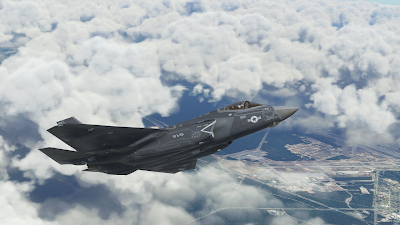
First, we'd like to thank you for the purchase of our F-35 LIGHTNING II aircraft for Microsoft Flight Simulator. We have received very positive feedback from most users, and we have also received a strong and very encouragig support from the community.

Still, the F-35 is a very complex project and, as expected we, are receiving a lot of questions. This document is intended to provide a reply to the most common ones.

Aside, unfortunately, the current Flight Simulator (“SU7 Update” build 1.21.18.0) is prone to Crash To Desktop (CTD) issues, which does not help.

While we had good reasons to believe that, by and large, any CTD you will experience flying the F-35 is due to the simulator and not to the aircraft, we understand that this may be frustrating and disappointing - and it is an undeniable fact that CTDs are way more frequent if you fly the F-35 than the default aircraft.

In the worst case, please bear in mind that we have a very flexible refund policy – managed via Paypal - that typically goes beyond the rights granted by your distributors and purchase contract, and even the applicable law.

If your experience is so bad that you wish to apply for a refund, please write an email to indiafoxtecho@gmail.com with:

- System details: CPU, GPU, RAM, OS
- Description of the problem
- Exact version of the simulator you are running
- Proof of purchase
- Paypal address for refund

...and we'll get back to you as soon as possible.

Question/Problem: I cannot even fly the plane! IMMEDIATE CRASH TO DESKTOP AS SOON AS THE PLANE LOADS!!!!

Answer: This is typically due to Direct X 12. Please understand tha DirectX 12 implementation in Microsoft Flight Simulator Sim Update 7 is still a Beta, and in particular does not support some programming technicques uses in the F-35. In general, we do not recommend using DirectX 12 – which, by the way, does not generate a significant performance improvement.

Suggested action: Please DISABLE DirectX 12


Question/Problem: I am experiencing random Crash To Desktop problems! And it is definitely a problem of the F-35 since no other aircraft does that!


We understand this can be frustrating and we are sorry for that, but unfortunately Sim Update 7 is prone to Crash to Desktop issues with a number of different aircrafts and add-ons. A quick seach with Google or in the MSFS forums should convince you that CTDs are a common occurrence for SU7.

Most users are flying the F-35 without many problems, which should already be a proof that the aircraft code is OK, but we have even had Microsoft/Asobo to test the aircraft before releasing it.

Still, we understand you may not be convinced so let's go through some of the causes that may contribute to CTDs.

First... here is the official Microsoft “Basic Troubleshooting” guide:

https://flightsimulator.zendesk.com/hc/en-us/articles/4406280399250-All-versions-Crashing-CTDs-issues-Basic-Troubleshooting

Out-of-Date Content: make sure that all the add-ons you have installed are up-to-date and compatible with your version of the simulator. Out-of-date content may cause crash to desktop (e.g. flying not too far from a problematic airport can cause CTD even if you cannot see the airport yet)

DirectX12 Beta: as stated above, DX12 implementation is a Beta and is not compatible with the F-35. Please do not use DX12

nVidia drivers and GeForce Experience: some versions of the nVidia drivers are known to generate CTD problems with MSFS. In particular 497.09 were problematic.
In general most users have a good experience with 497.29 or 496.76. Some users also needed to unistall GeForce Experience.

https://forums.flightsimulator.com/t/ctd-with-build-1-21-18-0-nvidia-drivers/479985/7

HAGS (on AMD graphic cards): it is recommended to disable HAGS, especially on AMD graphic cards.

https://forums.flightsimulator.com/t/tested-game-mode-and-hardware-accelerated-gpu-scheduling-hags/389677


English (US) Language Pack Installation: this seems to generate some problems for some users...

https://www.avsim.com/forums/topic/587760-ctd-zendesk-response/


Rolling Cache: some users had CTD problems due to the rolling cache:

https://flightsimulator.zendesk.com/hc/en-us/articles/360019202439-All-versions-How-to-delete-the-Rolling-Cache-and-the-Manual-Cache


Realtek Audio Drivers: these seem to be problematic on some installations, and they are listed in the Microsoft Zendesk guide... in any case here is a discussion on the Microsoft forums:

https://forums.flightsimulator.com/t/solved-my-ctds-after-months-of-being-down/470916

.NET framework and C++ redistributable out of date: some users reported getting rid of the CTDs after updating the .NET and C++ redistributables - however there is not a strong evidence this is a factor.

Live Weather (and other server-side problems): sometimes MSFS has CTDs just because of problems on the MS servers side – for example, recently Live Weather feature was causing CTDs for some users:

https://forums.flightsimulator.com/t/current-issue-with-live-weather-and-associated-ctd-and-possibly-black-screen-on-xbox/486177

Incompatible add-ons: some users reported that their CTDs have been solved by removing/disabling certain add-ons, such as NXi G1000. However this is anecdoctal information only, and in theory it should not happen.

...and the list goes on.

Thank being said, if your experience with the F-35 is not satisfactory and you regret your purchase, please contact us to discuss a refund.

Suggested action: Please see above for possible causes of CTDs.

IMPORTANT – FOR ADVANCED USERS! IF YOU KNOW HOW TO CREATE A CRASH DUMP FOR MICROSOFT FLIGHT SIMULATOR YOU MAY WANT TO PROVIDE IT TO US – WE WILL FORWARD IT TO MICROSOFT FOR ANALYSIS.

Question/Problem: My thottle is not working! It happens only on the F-35! Why is this happening?

This is typically a problem due to 1.21.18.0. At the moment of the release, the official MSFS version is 1.21.13.0, but there is the possibility to download 1.21.18.0 (via Steam Beta program or Microsoft Insider).
There seems to be a bug in 1.21.18.0 so that aircrafts that the throttle lever does not work for aircrafts do not use Asobo templates.

This is typically solved by changing the changing the axis assignment to THORTTLE AXIS 1 (instead of generic THOTTLE AXIS).

Suggested action: Please assign the throttle lever to THROTTLE AXIS 1

NOTE: you can assign the same slider/lever to multiple axis for multiengine aircrafts.


Question/Problem: I cannot get the plane to hover! And can it do vertical take-offs?


First thing, which may be obvious for most, please make sure you are flying with the F-35B, which is the only version.

To get the plane to hover, you must first be in the STOVL mode which can only be engaged in certain conditions (limited bank and roll angles, speed lower than 220kts) – this can be enabled by pressing the HOOK STOVL button or by the wing lights control.

Once in STOVL mode you can HOVER by clicking the HOVER caption or by using the AUTOPILOT HEADING HOLD key, but only if the aircraft is lighter than 40000 lbs.

If you enable HOVER mode on the ground, you can also perform a Vertical takeoff, but this is rarely done in reality due to weight constraints.

See manual for detailed instructions.

Question/Problem: I cannot see the aircraft in game! I am sure I have followed the instructions... help?


This is most likely due to an error during the manual installation process (in most cases the user has either picked the wrong folder, or has pasted the zip file instead of the unzipped folder).

Here is a video that shows the process of installing add-ons in the community folder.


Question/Problem: The landing light cycles on and off continuously during flight...very annoying? What can I do to fix that?

This is likely due to the fact that the user has a phisical switch assigned to the landing light switch. The F-35 code has provisions to turn off the landing lights if the gear is retracted... but this can create conflicts if there is a phisical switch. The physical switch must be either disabled or operated only when the landing gear is down and the light must be off when the landing gear is up.


Question/Problem: Is it possible to undock the primary control display to a separate screen?

No. The primary control display is coded in XML, and at the moment MSFS does not support 2D windows in XML.

Sunday, May 17, 2020

How to have Tacpack weapons to show without Tacpak


One of the most frequently asked question I receive is: "I do not have Tacpack and I do not plan to buy it… can I get the weapons to show all the same in your planes?"

Them this question usually gets even more frequent when we have a P3D update (which ALWAYS breaks the compatibility with Tacpack)

Well… the answer is YES, you can - ALTHOUGH, OF COURSE, WEAPONS WILL NOT BE OPERATIONAL. I sometimes put that information on the documentation or on Facebook… or written as a note in the aircraft.cfg, but I thought it would be better to explain the general case so that you can hava a method that will work for (almost) every Tacpack aircraft.

The first thing is to tell you the way Tacpack works in terms of weapon attachment.
In the folder of each Tacpack aircraft there is a text file called "tacpack.ini" which contains, along with other information, the list of allowable stores for each station and links the store to a specific load station of your aircraft.cfg.

When a weapon is loaded in Tacpack, a specific weight is applied to the station. Then it is the aircraft model which visualizes the weapon depending on the weight. So, the WEAPONS ARE PART OF THE AIRCRAFT MODEL. They are just hidden and they become visible when a specific weight is applied - this is done either with logic only in the aircraft model or though a proxy variable (triggered by a piece of code somewhere else).

The developer can associate an arbitrary weight to each weapon and to each station. This can either be a "token" weight or the proper weight of the weapon.
So, unless there is additional code somewhere else, in general, by applying the right way to the right load station you can have the weapon to show.

Let's take the my Eurofighter as an example:

1) Go to the main folder of the aicraft and locate the TACPACK.INI file and open it with Notepad.

2) Scroll down to the following section:

[Store_Station.0]
offset=-43.1,-14.9,-5.03
num_entries=5
store.0=AIM-9X,188,0,1,0,0
store.1=IRIS-T,192,0,1,0,0
store.2=AIM-132,194,0,1,0,0
store.3=PYLON.SMOKEWINDER,150,0,-1,0,0
store.4=PYLON.SRAAM,1,0,-1,0,0

Store_Station.0 means this is the first load station managed by Tacpack. This MAY NOT be the first station in your list (you can read what is the fust by looking a the StoresFirst parameter in the .ini file  - in this case it is StoresFirst=1 which means the second load station in the list, as the first is zero).

So for the the Typhoon, Store_Station.0 is the second store station in the aircraft.cfg (marked with STA1).

Then… just look at the numbers in red. 188 is the weight associated to AIM-9X, 194 is the weight associated to IRIS-T and so on.
So if you put 194 lbs on STA 1 in the game (you can do this in the VEHICLE -> FUEL and PAYLOAD Menu) you will make the AIM-132 to appear.

The stores starting with "PYLON" are just inhert for Tacpack. They may represent weapon pylons, unsupported weapons or other kind of equipment.

Let's move to Store_Station.1 (which is STA2 in the game...remember, they start from 0).

[Store_Station.1]
offset=-42,-12,-4.8
num_entries=11
store.0=AIM-9X,588,0,400,0,0
store.1=IRIS-T,592,0,400,0,0
store.2=AIM-132,596,0,400,0,0
store.3=AIM-120C,748,0,400,0,0
store.4=METEOR,807,0,400,0,0
store.5=AGM-88C,1133,0,400,0,0
store.6=GBU-10,2464,0,350,0,0
store.7=GBU-12,960,0,350,0,0
store.8=PYLON.EMPTY,350,0,-1,0,0
store.9=GBU-31,2475,0,350,0,0
store.10=AGM-65E,508,0,401,0,0

Note that here we have the AGM-65E listed...but it is not used in the plane. This is because the Brimstone missiles are actually simulated with an AGM-65E as the Brimstone is not supported.
Note also that the weight associated to the A-A missiles are much higher! This is because they take in account that, on the Eurofighter, you also need to attach a pylon and an adapter for this stations.
Hance, to show the AIM-132 we should put 596 lbs on STATION 2.

One last example is STA 3.

[Store_Station.2]
offset=-41,-8.8,-5.5
num_entries=7
store.0=GBU-10,2464,0,350,0,0
store.1=GBU-12,960,0,350,0,0
store.2=FPU-11,731,0,350,0,0
store.3=AGM-154C,3216,0,350,0,0
store.4=PYLON.EMPTY,350,0,-1,0,0
store.5=GBU-31,2475,0,350,0,0
store.6=AGM-65E,508,0,401,0,0

Here we can see that AGM-154C is used as replacement of the Storm Shadow and the FPU-11 is used for the external tanks. Let's use the external tanks...so 731 lbs on STA 3.

….and so on. You will see that there are stations allocated for the GUN and the TFLIR system (which the code uses as PIRATE or LITENING depending on the case) and there are "dummy" stations for multiple racks (like the Brimstone).

So, let's try this to get the configuration in the picture at the beginning of the post:


STA1 - 194lbs -> AIM-132

STA2 - 596lbs -> AIM-132

STA3 - 731lbs -> FUEL TANK

STA4 - 960lbs -> GBU-12

STA5 - 408lbs -> METEOR

STA6 - 408lbs -> METEOR

STA7 - 440lbs -> LITENING POD

STA8 - 408lbs -> METEOR

STA9 - 408lbs -> METEOR

STA10 - 960lbs -> GBU-12

STA11 - 731lbs -> FUEL TANK


STA12 - 596lbs -> AIM-132


STA13 - 194lbs -> AIM-132

The configuration is saved along with your flight, so if you save the scenario you do not need to change it again next time you load it.
Also, you can enter these weights in the aircraft.cfg and they will become the default for that aircraft.

This procedure will work with my F-35, Eurofighter, F-14 and S-3 Aircrafts….and presumably other aicrafts too.
It is not needed by the Skyhawk and the M-346 as they use proxy variables which make the loads to appear even if not weight is applied to a station.


Saturday, April 20, 2019

Which Simulator Should You Buy (April 2019)?

Whenever I talk to people about my hobby, sooner or later during the conversation I always receive the same question: which simulator should I buy (and will my computer be able to run it)?
This is not an easy question, as it vastly depends on which kind of person you are talking to. He or she may be a gamer, an aviation enthusiast or an experienced pilot...and may prefer a long peaceful flight in an airliner, a scenic bush-flight over a wild region or an historically accurate air battle.
Therefore I typically reply with another question: what would you like to do in the simulator?
Depending on the question I will try and direct them to the simulator that may be the best fit between the ones I know (relatively) well.

So, as a quick recap and a go-to reference for the people I speak with, here is what I think of the simulators I use the most, and what I believe to be their strong and weak points as of today April 20th 2019.

But first, a word about the hardware:
In general you need a fast computer (I'd say a 3.0 GHz quad core minimum) and a good graphic card (by today standards a GTX 960 is probably the bare minimum). Some simulators run better than others, but running a modern flight simulator without a good computer is an exercise in frustration. A Windows PC is preferred over an Apple computer since not all the simulators are available on the latter.

Along with a fast computer with a good graphic card, you'll need memory (some sims can run with 4Gb but 8Gb should be the standard) and a sizeable available space in your hard drive. The required space will depend on the add-ons you will use, but I'd say that 256 Gbyte is the bare minimum...but be warned that many simmers typically have dedicated hard disks with 1 Terabyte or more: some add-ons (and in particular high detail photoreal sceneries) take a lot of space.

One last thing before we start: you'll need a flight stick. You do not necessarily need a replica of a real one, and you can buy a decent one for 40-50 Euros or less. But trying to use a flight simulator without one will drive you crazy. Be sure that it features a throttle control and a "twist" motion for the rudder.

Prepar3D v4
Published by: Lockheed Martin
Latest version: 4.5
Price: USD 59.95 (Academic); USD 199,95 (Professional)
Available on: Windows (64 bit)


Several years ago, Lockheed Martin acquired the rights to the Microsoft ESP platform, which was basically a tentative to market Flight Simulator X for professional simulation / visualization purposes. Lockheed Martin has constantly upgraded this simulator, adding a new rendering engine and a 64 bit code and maintaning a good backward compatibility with FSX. With the failure of Microsoft Flight and Dovetail Flight Simulator World, Prepar3D is the "de facto" heir to the venerable Flight Simulator legacy.
Disregard the incredibly expensive "Professional Plus" version which is meant for military use.

Strong Points:
- Backward compatibility with many FSX add-ons means that there are literally thousands of good quality add-ons, either free and payware. It is highly likely that a good rendition of your favourite plane or airport alreadyt exist for this simulator.
- Very flexible experience: you can fly anything from a glider up to a 747 anywhere around the world.

Weak Points:
- Default content is not great and the base scenery is outdated (looks a lot like Flight Simulator X). You'll need some add-ons to make it look good.
- Needs a very powerful computer to run well.

Recommended to:
Basically anyone who has an interest in flight simulation...but be warned: the default content is not great and you'll need to get some add-ons: there are some great freeware ones, but the best ones are typically payware.

Not recommended to:
Users who have no will to look for (and eventually buy) add-ons to improve the simulator.
Users interested in air warfare simulation: while P3D has a wide choice of (excellent) military aicraft, it does not support weapon functionalities by default (unless you buy the professional plus edition - which I do not recommend) although it can do that with packages such as vACMI, Tacpack or others. If you are interested in air combat you should first check DCS.

X-Plane 11
Published by: Laminar Research
Latest version: 11.33
Price: € 64,99
Available on: PC, MacOS, Linux


Strong Points:
- Simulation engines is based on an actual fluid dynamics model: arguably a superior approach with respect to table-driven engines like the one of FSX/P3D.
- Graphic engine runs well and does an excellent job in portraying small scale details.
- Some of the default aicrafts are really well done.
- Fantastic night lighting effects.

Weak Points:
- Default terrain textures are quite bland and repetitive. You'll need add-ons to make it look good.
- During the day, the default lighting engine is not great (poor water rendition, bland daylight brightness and shadows, poor cloud rendition).
- While there are some excellent add-ons out there, P3D in my opinion still has the lead with a wider selection of better quality add-ons (but the tide is changing).

Recommended to:
Basically anyone who has an interest in flight simulation. It is a great simulation and does a lot of things better than P3D (but not everything). If you have an Apple or Linux system, this is the best flight simulator you can buy. If you have a PC, choosing this over P3D may depend on your computer and which add-ons you would like to use.

Not recommended to:

Users interested in air warfare simulation: while XP-11 has a limited support for weapon functionalities, DCS is the simulator your should check first if you are looking for military flight operations

Aerofly Flight Simulator 2
Published by: IPACS
Latest Version: 2.
Price: € 59,99
Available on: Windows (64 bit), MacOS, Android


Aerofly FS 2 started as an attempt to bring a decent flight simulation experience to high end mobile devices and then was scaled up to a fully-fledged desktop experience. While its heritage still shows in the user interface, the fact that the simulator was designed for the limited resources of a mobile device makes it so that it runs really well on desktop computers, providing exceptionally good frame rates even if your hardware is not the latest and greatest. However there is no traffic, no multiplayer, no ATC and basically no weather system. It is just you, your plane and the photoreal scenery.

Strong Points:
- Exceptionally efficient graphic engine: runs really well and provides a fantastic performance in Virtual Reality.
- Very sharp photoreal textures (default scenery covers the majority of the western United States).
- Excellent choice of good quality default aircrafts. Both external and internal models are done really well.

Weak Points:
- No ATC, no traffic, no multiplayer: it is just your aicraft and the scenery.
- No water shaders, no cloud shadows, very basic clouds and almost non-existent weather system.
- Scenery coverage is limited to some areas of the world (coverage is slowly being expanded through add-ons).

Recommended to:
Anyone who would like to fly over a super-sharp phoreal rendition of the State of California or over the Grand Canyon. Flying in Virtual Reality is very impressive in terms of immersion and "feeling" due to the exceptionally high frame rate.

Not Recommended to:
Anyone looking into something more than basic flying: absence of traffic, ATC or multiplayer is a big drawback. And needless to say there are no military functionalities.

Digital Combat Simulator (DCS)
Published by: Eagle Dynamics
Latest version 2.5.4
Price: base software is FREE (one map, two planes)
Available on: Windows (64 bit)


Starting from the heritage of a successful combat flight simulator like Lock-On Modern Air Combat, Digital Combat Simulator (DCS) has become arguably the best air combat simulator available on an home computer. You can download the base software for free but it only features one map (Caucasus) and two planes (SU-25 Frogfoot and the TF-51 Mustang) - then you can buy a number of sceneries such as the Persian Gulf or the Nevada training range, and a growing selection of excellent aircrafts (including the F-14 Tomcat, the F/A-18 Hornet, the A-10 Thunderbolt and the AV-8B Harrier II). These add-ons are not cheap...but they are extremely realistic and detailed. WWII and Korean War warbirds are available too. DCS also includes a detailed simulation of ground vehicles and ships. 

Strong Points:
- Excellent rendering engine providing good performance and great scalability to small details
- The general quality of the add-ons is outstanding: while some of the planes are a little expensive, they are typically the best rendition available of the machine they depict.
- Arguably the best combat environment you can play on your PC

Weak Points:
- Some ground texture repetitions
- Weather engine is not great in some instances
- Scenery is divided in "maps" you need to buy. While they are large, you cannot fly anywhere in the world.

Recommended to:
Anyone interested in digital military simulations. DCS is the best combat simulator on the market.

Not Recommended to:
Anyone not interested in air combat. You may also want to check in advance if your favourite plane is or will be available for the platform, since the current selection of vehicles is somewhat limited.

Other Simulators:

The simulators listed above are the ones I know and use on a regular basis. But there are many Others you may want to consider… here are some of the most popular:

Flight Simulator X is still available on STEAM for 24,99 euros, although I think it is outdated and I do not recommend buying it. You may still consider it as an option if you do not own a high end PC.

Flight Gear is a collaborative effort to create an alternate, open source flight simulator platform - I have not checked it in a while but it seems way behind the simulations I have mentioned above.

If you are looking to WWII combat simulator, IL-2 Sturmovik is still considered by many the best simulator in that niche. I have to confess I have not tried it.

Believe it or not, Falcon 4.0 has still a large dedicated community that over the years has improved it considerably. Frankly I have not checked it in years and I think it is outdated.

...and then there are a many other simulators I have not played. But again these were just my two cents.


Tuesday, November 3, 2015

Military Avatars Package for Prepar3D v3.0


Starting from version 3.0, Lockheed Martin Prepar3D has introduced the "avatar mode": that is the user can detach himself/herself from the vehicle and explore the virtual world in first or third person perspective.
By default Prepar3D v3.0 only features a generic, civilian male figure - this package expands the selection of avatar figures to include a variety of military figures. Figures included in the package are:
- Military pilot in full flight gear with HGU-33 helmet
- Military pilot in full flight gear with HGU-55 helmet.
- Military pilot in full flight gear without helmet (pictured above)
- Generic serviceman figure in working uniform, in a variety of camouflages
- Crew chief figure (same as serviceman figure but with specific head gear)
- Carrier flight deck figure
 
The figures feature hand-made animation for:
- walking
- crouch down / stand up
- running
- swimming
 
The animations are pretty basic, and definitely not on par with the most advanced videogames, therefore you may want to check them in the video below before purchasing.
 
The package will be available at all major flight simulation digital marketplaces - price may vary a litttle depeding on distribution fees and national VAT taxation.
 
FREQUENTLY ASKED QUESTIONS:
 
Q: Does these avatars work in FSX or Prepar3D v2.0? 
A: NO. This package will work exlusively with Prepar3D v3.0.
 
Q: Can I use these avatars with any vehicle? Or they are bound to IndiaFoxtEcho aicrafts?
A: The avatars are SimObjects, and can be used with any vehicle.
 
Q: Is a paintkit available?
A: Yes. A paintkit is provided for the serviceman figures, along with an optional figure with a beret instead of a cap to allow repainters to depict specific units. 
 
Q: Well... models look cool... but what is the purpose other than taking cool pictures? 
A: This is a good question. The intent, for one, is to allow multiple vehicle simulation scenarios for training purposes...but, for one, you can explore the virtual world in a new perspective... some sceneries like Orbx airports or some freeware and payware carriers are really worth exploring. Also, you can use the avatars as observers in multiplayer sessions.
 
Q: Hand gestures would be awesome in multiplayer... have you tought about that?
A: Of course... but we have not found a way to drive completely custom actions yet... this is one of the very first avatars add-ons... and avatar features and possibilities are not well documented in the SDK, so it may well be that in future this becomes a possibility.
 
Q: Boy...those animatons are awful!
A: I know. The original plan was to have motion capture animations, but we had to change them to hand-made basic animations for technical difficulties... maybe in future we can solve the issue and provide an update, but for the moment you'll have to leave with the current animations (but do not say we have not warned you!)
 
Q: This is payware?!? Aren't you Dino, the cool freeware guy?
A: Yes...payware. The whole package relies on commercial 3D data, and investing money was the only way to create it... so I have to charge for this. Sorry.
 
Q: I am not paying for this sh*t!
A: Ok! You can still enjoy our freeware offerings, and hopefully we'll have you on board as customer of the upcoming F-35 Lightning II version 3.00 package.


Tuesday, May 12, 2015

Projects update (a.k.a. lack of time complaint)....


My real life if job is consuming most of my time and life-force... and this is the reason for my recent lack of updates. Here is a quick recap.

F-35 Version 3.00 (Potentially Prepar3D v2.00 only)
The updated visual model for the F-35B is ready, and looks way better than the previous version. Experiments with TFLIR, DAS and ASR modes under P3Dv2+Tacpack were largely positive, albeit simultaneous usage of TFLIR + DAS on separate images uses too much video memory.
The plan now includes the F-35A... so the next milestone is to complete the new -A model.
With the current pace, it will be ready after the summer.

MB.339 and Eurofighter TyphoonThey both look very promising, but I do not have time right now to develop them. So they are ON HOLD. Priority is given to the new F-35. Which of the two I'll prioritize after the F-35 it is still TBD.

S-3B Viking UpdateAnother thing I have been promising for too long. Could not find the time for it either.

MB.326, F-14D Tomcat and T-45C Goshawk Prepar3Dv2-specific versionsI have been experimenting with all of them. No time for them either at the moment.

Monday, February 16, 2015

Plans for the future and answers to some FAQs


The release of the Aermacchi MB.326 has been a great success so far. We have exceeded 2000 downloads in just few days, and I believe it is a great result (especially if you consider that this plane is surely not as popular as a Tomcat!). The perceived quality level seems very good, too.
So, people are starting to ask me what are my plans for the future... and here is what it is on my mind at the moment.

F-14D Update - First thing being worked on in an update to the F-14D. Several minor fixes / improvements, nothing too big. This could be out in a couple of weeks.

S-3B Update - Same thing for the S-3... I have plans to fix some minor defects in the current release. And hopefully I will find the time to release the AI Tanker model.

F-35ABC Update - Now, this would be, in my intentions, a bigger update which would bring the simulated version closer to the real deal thanks to the information released to the public in the meantime. This may well be a two-step update.

New projects being worked on:

Aermacchi MB.339: This would be a logical extension of the MB.326... but I've been working so much on the 326 that I'd need a break.

Eurofighter Typhoon: On hold... I do not have time to work on this at the moment. I'll keep you posted.

And now some FAQs:

Q - Are you interested in making an Hawkeye? And a F-16 Fighting Falcon? Or why not a Sepecat Jaguar/AMX/enter your favourite aircraft here)?

A - I have carefully evaluated several proposals, and my current projects will keep me busy for at least a full year. Sorry. Then... my two cents: the Viper is the elephant in the flight simulation room. We badly need a good one for FSX/P3D, but I do not have time for this.

Q - Why aren't you working on models for DCS / XPlane / FlightGear or other simulators?

A - Because I do not have the time.

Q - ...So could I export your models and use into another simulator?

A - NO. While the models are my creations, they are sometimes based on professional meshes (under paid-for licence...this is one of the ways in which I spend the money you donate) or contributions from other authors. Exporting/reverse engineering the models by a third party would be a licence and copyright infringement.

Q - Then... why do not you do this for a living?

A - Because it is just a hobby... and I am a relatively well paid professional engineer. If I had to quit my job for flight simulations that would mean a significant cut for my incomes.

Tuesday, June 11, 2013

F-35 Version 2.21 - Feedback


Now that the F-35 version 2.21 is out, here is a post to collect feedback, observations, suggestions, etc. etc. to version 2.21. As you know my projects are being constantly upgraded...and sooner or later there will be an upgrade. So this is basically a memo for me... you are welcome to add your input in the comments. If you have a bug to report - please check if it is limited to a specific model (A/B/C) or it is a common one.

F-35 LIGHTNING II CHANGE REQUEST LIST

F-35B Fuel tanks are misaligned with respect to the pylons.
This is a modeling mistake - a minor one if you ask me...but these is one of those minor things that cannot be "unseen" once noticed...and it is one of those thing which are very annoying, IMHO.
So, in case it is a major problem for you and you cannot live with it, an MDL for the F-35B which fixes the issue can be downloaded by clicking HERE.
STATUS: Fixed in the updated MDL (download above)

All versions - TABS do not work in right half of the MFD when TSD is in full screen mode
Probably a coding issue... I'll check.
STATUS: Fixed in new MFD code (will be released in an update)

All versions - Autopilot GPS steering missing
It was left out by design decision - with many other features - in order to limit the complexity of the MFD code (which is pretty big for an FSX gauge as you can guess!). I'll consider to add it in the next update.
STATUS: Open.

All versions - Weapon loads do not work - only one AIM-9X shows
A very limited number of users is reporting this. This is (almost) definitely not an issue of my package - there is most probably an Add-on module with changes the weight stations. One user has reported that the source of this was the MilViz F-15E Loadout manager (F-15 was disinstalled by the loadout manager was still active and for some reason was setting all load station to zero except the first one). Sorry, this is not my fault and there is nothing I can do about it (also because I do not have the Milviz F-15E...maybe a good reason to buy it, looks good!).
STATUS: Confirmed that it is due to Milviz F-15 loadout manager... not a bug of the package. 

All versions - Add more weapons!
I'll evaluate the addition of other weapons carefully - they are a burden to the model...
STATUS: Under evaluation.
EDIT:Added AIM-120C to internal stations. No time to do more than that.

Tacpack integration?
Integration of the Tacpack functionalities is totally doable but takes time. And I do not have much of it. I am working for a very limited set of functions - guns, AIM-9X and AIM-120 visual launch, JDAM freefall drop. Probably not more than that... which is comparable to the current F-35 capabilities :-)!
STATUS: Under evaluation. Depending on F-14D integration and Tacpack schedule for the build that will support support third party aicraft usage (still unclear).
EDIT: Tested AIM-9X (visual launch only), AIM-120 (visual launch only), JDAMs (freefall drop). Status of weapons as follows.


Gun: firing test OK. TO-DO: need to provide better visual interface and possibly interaction with fire control radar. Also, for F-35A, need to implement switch of guns if gunpod is present.

AIM-9X: visual launch test OK - correct lock-on, uncage and shoot behavior confirmed. Splashes drones correctly. TO-DO: Implement HMDS interface

AIM-120C: visual launch test OK - correct lock-on after launch, uncage and shoot behavior confiremd. Spashes drones correctly. TO-DO: Implement HMDS interface.

JDAMs: free fall drop OK. TO-DO: Implement HMDS interface.

All versions - SMS not showing front view of GBU-32
Coding error found and fixed.
STATUS: Fixed in new MFD code (will be release in an update)

All versions - Enlarged TDS rotation point misaligned.
Fix relevant parameter in XML code.
STATUS: Closed. Fixed in new MFD code.

F-35A - Tail numbers inverted on right tail
STATUS: Fixed in unreleased texture sets.


F-35C - BuNos missing from production F-35Cs (CF-6 and CF-7)
STATUS: Closed. Added BuNos to the textures (in an unreleased texture set)

All versions - Request to change nominal weight of fuel tanks to an "empty" valueAgreeable because they do not contibute with actual fuel - which could then be added to the fuel section in the aircraft.cfg.
STATUS: Closed. Recompiled model with 381 (empty tank, assumed the same as FPU-11) + 350 (estimated pylon weight) = 731lbs as token weight.

All versions - No paintkit available!As you may be aware of, I am not used to work with layered PSD files. So a proper paintikit is not available at the moment. However, I will provide "blank" textures (i.e. without markings) which are probably an acceptable starting point.
These were previously part of the package, but were left out from version 2.20 onward to reduce file size.
Please note that, from version 2.20, there are minor changes in several aeras... so older textures should not be used.
STATUS: Open, will provide blank files as separate download.

Flight test nose probes - Request to add the probes installed on flight test aicrafts.
STATUS: Closed - added as weight dependant feature (will appear if pilot weight is above 200lbs)

Sunday, April 21, 2013

Frequently Asked Questions


...Unrelated to the post, but I always add a picture...so here is the S-3 model so far. Hopefully it will be flyable in October/November or so. 

Browsing on the internet, and looking at the emails I get, I believe it is worth to write down an FAQ post which will hopefully cover some of the most recurrent questions. So, here we go:

Your aicrafts don't work and crash my computer! Why?

In 99% of the cases is because you are using an unsupported version of FSX. My projects require either FSX:Acceleration or FSX:Gold Edition (which is basically FSX SP2+Acceleration in the same box).
My projects will not work correctly or at all with out-of-the-box FSX, or with Service Pack 1 or 2.

Wait, but isn't SP2 the same as Acceleration minus the additional planes, sceneries and missions?

No, it is not the same. Acceleration has some additional, hardcoded features which may make Acceleration aicraft incompatible with other versions of FSX. Aside, some of my projects are aliasing assets from the stock F/A-18 Hornet in the Acceleration package.

I can see you planes in the game but the MFDs are not working...why?

Same as above - Acceleration (or Gold) versions of FSX should be correctly installed. Some of my projects are aliasing the MFD code from the stock Hornet in the Acceleration package. So, cases are two:

1) you do not have Acceleration package installed but the aicraft does not crash (I believe this is the case of the current T-45 version)...if it is so, FSX does not find the Hornet code so leaves the MFDs blank.

2) you are sure you have Acceleration installed, but still MFDs are blank. In this case you need to check the default Hornet MFDs. If they work, also the T-45C or F-14D ones should. If stock Hornet's MFDs do not work, you may need to reinstall/repair Accerelation which may be corrupt. I've seen several users with corrupt Acceleration installation (not caused by my planes) which lost MFD functionality.

This problem is anyway limited to the T-45C and F-14D, and should not affect the F-35 (and the S-3) as they do not rely on external code. This may change in future, as I may want to write new code for the T-45 and the F-14. Please note however that all the projects require Acceleration.

Can I use your planes in Lockheed Martin Prepar3d?

Answer is yes *BUT*... In terms of functions and functionalities Prepar3d expands on FSX:Acceleration. So my planes should load and be compatible. But Prepar3d does not include the stock F/A-18 Hornet, so the current F-14D and T-45C will show blank MFDs.
If you have a valid installation of FSX:A, you can fix this as follows:
- Navigate to your main FSX installation folder, and then in the Gauges subfolder.
- Locate the FA-18.dll file (which is the file that contains the Hornet MFD code) and copy it
- Paste a copy of that file in the Prepa3d/Gauges subfolder

Do not ask me to provide that file. This would break the EULA and I will not do that, sorry.
F-35 should work fine in Prepar3d - no action required.

Your F-35 is nice and everything... but it cannot make short takeoffs and landings! Should I buy a separate module or what?

The freeware installation of the F-35 is perfectly capable of making STOVL flights. YOU DO NOT NEED TO BUY ANYTHING. Please read the manual or look for tutorials on youtube! I know nobody does read the manual. I am an engineer, which means I don't. BUT the manual is there for a purpose: you can find it in the /docs folder of the F-35A installation folder. There are some conditions for the STOVL module to work and load, but if you do see the green message when you load the F-35, everything should be OK. If the message does not show, please read the manual.

Now: assuming the STOVL mode is correctly loaded (green message appears) here is some essential information which IS in the manual, but anyway...

- Only the F-35B (I believe the community nickname is converging to "Bee" for this version) is STOVL capable. It may sound obvious but it seems it is not, so make sure you have a -B version loaded. On the -B version, the HOOK/STOVL button activates the conversion.

- You must be below 240kts to activate the conversion. If the a/c is not able to convert because of its current attitude/speed or anthing, the conversion is rejected.

- On pressing the button the aicraft converts to "slow flight" mode: that is controls are the same of any other aicrafts. This mode is used for short take-offs, and for approaches prior to HOVER mode conversion. This is NOT the vertical landing / takeoff mode.

-
When you are is "slow flight" mode, you can convert to HOVER mode only if your TOTAL weight is below 40600 lbs (like in the real deal). You may want to activate an FCS portal in the MFD - once you are in slow flight mode, you will see an "HOVER" indication. If it is RED you are too heavy, and you may want to DUMP fuel. When it turns CYAN, your weight is OK and you can convert by clicking the HOVER indication itself (NOTE this is not like the real thing - in the real thing you would click a button on the throttle).

- Control scheme in HOVER mode changes and is somewhat like an helicopter. See the manual for details.

Is there a good scenery for Eglin AFB? 

Not that I know of. There is a payware photoreal that covers the area, but it is not that good and not worth the money IMHO. I made my own with FSET, but I have never adjusted the runways nor placed much autogen. I am improving it from time to time, but I am not sure I will ever release it publicly.

Can you PLEASE do (insert name of your favourite aicraft here)?

Unfortunately I do not have much time for FSX and that will not change in future. So my bandwith is roughly 1 new aircraft every 8-10 months (best case) + upgrades to the existing fleet. Sorry...but I have a job and a social life.