Showing posts with label Releases. Show all posts

Tuesday, March 9, 2021

T-45C Goshawk for Microsoft Flight Simulator - version 1.00


The T-45C Goshawk for Microsoft Flight Simulator is now available for purchase! The package is available here:

MilViz Store: IndiaFoxtEcho - MilViz T45C Goshawk for MSFS2020

Orbx (through Orbx Direct): T-45 Goshawk - Orbx (orbxdirect.com)

SimMarket: simMarket: INDIAFOXTECHO - T-45C GOSHAWK - MSFS

...and should be available soon on the Microsoft in-game marketplace.

FREQUENTLY ASKED QUESTIONS:

- none at the moment -

POST RELEASE BUGS / CHANGE REQUESTS:

T45CPR001 - one flood light pokes through the fuselage at night on the starboard side of the aicraft. Already fixed in version 1.01 for Microsoft.
T45CPR002 - check functionality of ILS CDI/GS bars in the ADI page
T45CPR003 - nav light bug introduced by SimUpdate III - effects switch off while switching external/internal build (already solved in v1.01 for Microsoft)
T45CPR004 -  if not retracted manually, launch bar may protrude out of the fusalage.
T45CPR005 - weather occlusion does not seem to work... may be was disabled in the final build?
T45CPR006 - formation light switch INOP
T45CPR007 - several users complained about the in-game external sounds
T45CPR008 - poor performance on some systems, idea is to provide a "lite" version

Tuesday, June 9, 2020

M-346 Master v1.00 Released


The M-346 is finally available on SimMarket for purchase! As usual I will try my best to keep it up to date and meet and possibly exceed customer expectations. Thanks to all the development team and testers - I am quite happy with the final product I hope you will like it!

The M-346 Master is available for purchase HERE

You have a look at the manual HERE
Aside, for a mistake in the final build, the Italian Air Force livery texture has some missing markings - this will be fixed in the first patch, but for the time being you can download the correct texture HERE - it goes into the texture.AMI61 folder.

Friday, October 4, 2019

TA-4 Skyhawk for P3Dv4.4 version 1.07 released


The TA-4 package has been updated to version 1.07...here are the full release notes:

CURRENT VERSION: 1.07
VERSION 1.07 - October 3rd 2019
- Fixed issue preventing ground service carts from showing if selected by the menu
- Slightly reworked mirror effects
- Fixed ADI and backup ADI behavior (hopefully)
- Fixed missing 3D screws in rear cockpit
- Added VMAT-102 repaint courtesy of Matt Levi
- Added VF-43 repaint

There is a small mistake in the VF-43 textures, as the high visibility roundels are missing from the wings… updated textures can be downloaded HERE

Sunday, September 15, 2019

TA-4 Skyhawk P3D v4 Release and Paintkit


With thanks to all the people involved in the development, and in particular to Roy Holmes for another great flight model, I glad to announce that the TA-4 Skyhawk/Scooter package is now available for purchase at SimMarket.

As normal for this kind of projects, a couple of minor glitches popped-up after release… no major issues at the moment. I am working to solve this, but I will wait another week before releasing an update - just in case more bugs are identified in the short term.

Also, the paint kit is now available for download here. The TA-4 had some of the best and flashiest liveries ever seen in a miltary jet… and picking the ones to include in the package was not an easy job. Can't wait to see what the community will create!

Aside, an FSX version and a single seater are both in the works...more news soon.

Friday, February 22, 2019

Eurofighter Typhoon Update to version 1.23 (with PBR support)


As (to some extent) expected with a major update, Eurofighter v1.22 release included a couple of bugs and highlighted some existing defects. The most annoying bug is the fact that the updated FCS code did not work as intended and caused the plane to pitch up requiring constant pilot action - I consider this a severe defect and given that probably I will not have much time in the next few days, I have decided to address it immediately with a further update.

Aside, some users reported a loss in frame rate after the PBR update: this is generally to be expected for PBR models, as the compiled model file (.mdl) is larger and uses more textures video memory. On my system, which has a GTX-1080, there is not a big difference - but from time to time you may have a slight delay in loading the PBR textures while switching between external and virtual cockpit views.

I have also heard "rumors" (meaning that I had no direct report of that) of users experiencing a drop in frame rates also with non-PBR models and also in previous updates. Frankly, since the modifications to the code were minimal, it is difficult for me to say if the frame rate drop is due to the Eurofighter update or by other reasons. The only thing I have noticed is that there was a missing texture (the fresnel ramp texture used in the canopy) - missing textures may reduce the performance a little...but this should be barely noticeable. Anyway I have included the missing texture in this update.


Last, please remember that if you prefer to use the non-PBR model, the files have been left there (they are not overwritten) - so you can activate/deactivate the PBR models in the model.cfg. This update contains backup version of the model.cfg for both PBR and non-PBR for your convenience. Just delete the model.cfg in the model folders of the Eurofighter_2000 and Eurofighter_2000T, and rename the backup files by deleting  the ".backupPBR" or ".backupNonPBR" suffixes.
Note that editing the model.cfg gives you also access to the "ubuntu" variants. These are model variants that replaces the FCS driven animations with "standard" ones. These animations are less accurate and realistic, but are compatible with multiplayer. "Ubuntu" models are provided in both PBR and non-PBR versions - please note that you have to use them with the proper cockpit model (PBR external model must go along with PBR VC and vice versa) - otherwise textures may be shown with a wrong color.


Here is the full list of changes:

VERSION 1.23
CHANGES WITH RESPECT TO PREVIOUS VERSION

- Replaced autotrim FCS code to solve the "pitch up" tendency of v1.22

- Replaced navigation lights effects for better compatibility with PBR models

- Fixed glitch that caused left and right wheel rotation animations were swapped

- Fixed glitch that caused barometric reading to disappear from HUD in certain instances

- Added model.cfg backup files for easier deactivation of PBR models

- Added missing Fresnel Ramp texture for canopy


32 bit update (for FSX-SE/Gold/Acceleration, P3Dv1, P3Dv2, P3Dv3) can be dowloaded
HERE or from the side bar

64 bit update with PBR support (only for P3Dv4.4) can be dowloaded HERE or from the side bar

Users of P3Dv4.0 to 4.3 can install the 64 bit upgrade but are should replace the model.cfg with non-PBR versions as described above.

NOTE: UNLESS MAJOR ISSUES ARE FOUND, THIS IS LIKELY TO BE THE LAST UPDATE WHICH SUPPORTS FSX

Wednesday, January 2, 2019

Eurofighter Typhoon Update to Version 1.20


Here is a quite extensive patch for the Eurofighter Typhoon - this introduces a number of much requested changes including possibility to shoot Mavericks (as placeholder from the Brimstones), having 2D MFD panels and fine-control of the TOO target designation via FLIR.
Also, the files have been restructured so that now the 2-seaters have their own folder and have a different empty weight and fuel capacity.

Note that the patch will work with ANY version starting  from 1.10.

*** IMPORTANT - THE PATCH IS CONFIGURED BY DEFAULT FOR P3D V4! IF YOU ARE USING FSX, P3Dv1, v2 or v3 YOU SHOULD DELETE THE panel.cfg PROVIDED AND RENAME THE panel_32bit.CFG TO panel.cfg ***

CHANGES WITH RESPECT TO VERSION 1.20
- Remodeled the canopy frame to match perfectly with the outer model: this was not necessary (and does not even mean that it is more accurate) for P3D (or DCS - both sims allow VC models separate from the aircraft model), but it was required for X-Plane and AFS2.
- Changed HUD glass texture to have a dark puple tint
- Changed SSK code so that it is now possible to deselect a mode without selecting another one
- Changed HMDSS code to show all A/A tracks intead of the L&S track only
- Changed HMDSS code to show proper A/S reticle when in A/S mode
- Added keyboard shortcuts for fine control of the TFLIR A/S target
  SHIFT+Arrow keys allow fine control of the TFLIR A/S target location.
  A valid A/S TOO must be designated first.
- Added keyboard controls for radar range and modes as follows:
  If in NAV PoF -> UP/DOWN control PA range, LEFT/RIGHT select previous/next WP
  If in A/A PoF -> UP/DOWN control A/A radar range, LEFT/RIGHT -> undesignate/designate command
  If in A/S PoF -> UP/DOWN/LEFT/RIGHT fine control of A/S target 
- Implemented Mavericks as "placehoder" for Brimstones (this was actually quite a lot of work as Tacpack does not support multiple ordnance on the same pylon...but since it was a much requested feature I decided to go for it) - NOTE The AGM-65E is laser guided: you will need a laser spot to fire the missile correctly. Also, there are issues if you mix StormShadows and Brimstones in the same loadout (I do not think it is a problem)
- Miscellaneous minor bug fixes
- Added an optional "ubuntu" model for the single seater which relies solely on standard animations (this is meant for use in multiplayer sessions with mixed aicrafts and prevents people flying with other aicrafts from seeing incorrect animations in the Eurofighter model) -> to activate this you have to manually edit the MODEL.CFG file in the Eurofighter_2000\model folder as follows: change the normal=EF2000 to normal=EF200ubuntu. Note that this must be
done ONLY by players which are NOT flying the Eurofighter as this disables the custom FCS animations.
- Added undockable 2D MFD displays
- Added separate folder and configuration file for twin seaters (to enable correct weight and fuel quantity)
- Replaced Stall Warning sound with one more appropriate for a fighter jet
NOTE: BY DEFAULT THE UPDATE IS CONFIGURED FOR A 64 BIT SIMULATOR (Prepar3d V4.0 and following).
IF YOU WISH TO USE THE UPDATE ON A 32 BIT SIMULATOR (FSX, P3Dv1-2-3) YOU MUST NAVIGATE TO
THE PANEL FOLDER IN THE Eurofighter_2000 FOLDER, DELETE THE PANEL.CFG AND RENAME THE PANEL_32bit.CFG
TO PANEL.CFG.


As usual, you can download the update from the side bar or by clicking HERE.

S-211 for Aerofly FS2 Update to v1.02


*** NOTE  - JUST AFTER THE RELEASE I HAVE NOTICED A COUPLE OF ANNOYING BUGS...SO I MADE A FURTHER UPDATE TO VERSION 1.02. FILES HAVE BEEN UPDATED BUT YOU MAY NEED TO DOWNLOAD THEM AGAIN - SORRY FOR THE INCONVENIENCE ***

In spite of its shortcomings (weather, water textures, missing traffic and ATC are on the top of my list) AeroFly FS 2 is still my go-to simulator for VR sightseeing flights - I have also purchased all of the Orbx airports for it and I am very happy - they look great with an incredible frame rate.

So, here is a small update to the freeware S-211 for AFS2 - which basically adds the liveries I have recently added to the payware FSX/P3D version:

Version 1.02
03/01/2019
- Fixed bug so that the Initial Prototype Livery was missing and the Haitian Air Corps was duplicated
- Deleted Copilot view (which was not meant to be there)
- Rewritten electrical system code
- Corrected thrust value for JT15D-5C
- Corrected fuel quantity weight
- Fixed bug preventing the user from switching off the navigation lights
- Fixed bug preventing the user from switching off the landing lights
- Reworked navigation lights effects

Version 1.01
02/01/2019
- Fixed missing geometry for fuel shut-off valve (control not operational yet)
- Added Haitian Air Corps Livery
- Added NX521S2 Livery


As usual it can be downloaded from the sidebar or by clicking HERE.

Wednesday, December 26, 2018

F-35 UPDATE TO VERSION 3.55 (P3D ONLY)

A small belated Christmas present for the F-35 users: here is version 3.55 which is most probably the last update for the "Version 3" of the F-35.
Most likely the next iteration will be a new product, with models rebuilt for PBR support and compatible only with Prepar3D version 4.4 and above (and will require a new purchase). I am sorry to ask for a new admission ticket, but the work needed is too much. I'll try to implement discounts for existing users if the distributors will allow that.
This 3.55 update applies to P3D (version 2.0 to 4.4): latest version for FSX will be 3.53. The zip file includes both the 3.55 version for P3D and the 3.53 FSX, and the simplified MFD and the low res textures as well. Note that using the simplified MFD will disrupt some of the features of this update.
Here is the features list:

Version 3.55 - 26/12/2018
THIS UPDATE APPLIES ONLY TO P3D - LATEST FSX VERSION IS 3.53
  • Changed default load to "NO WEAPONS" for all aircrafts
  • AoA indication limit on HMD is now 50° (was 30°)
  • Slight change to toe-brake effectiveness
  • Added special color livery for Koninklijke Luchtmacht
  • Added special color livery for Aeronautica Militare
  • Changed implementation of TFLIR imagery which hopefully solves/mitigates aircraft visibility for some users
  • All air-to-air radar tracks are now shown on the Head Mounted Display:
    - symbol size is scaled depending on the target distance (small over 20Nm, medium from 20Nm to 10Nm, big below 10Nm)- symbols will park on the edge of the visibility area both in the vHUD and Free Look mode
  • Implemented fine control of the air to surface target via Az/El TFLIR control:- fine control works only of TOO targets when the aircraft is in A/S mode- a TOO target must be assigned first (via TSD, ASR or HMD) to enable fine control- fine control allows the adjustment of TFLIR Az/El- fine control can be operated via the TFLIR screen (by clicking on the crosshair) or via keyboard shortcut
  • Implemented following key shortcuts:
  • ARROW KEYS:- In NAV mode: UP/DOWN control TSD1 zoom level; LEFT/RIGHT select previous/next waypoint- In A/A mode: UP/DOWN control Air-to-Air radar range; LEFT/RIGHT command UNDESIGNATE/DESIGNATE target- In A/S mode, with valid TOO: UP/DOWN control TFLIR El; LEFT/RIGHT control TFLIR Az; both will update target locationSHIFT+ARROW KEYS -> TFLIR CONTROL- UP/DOWN control TFLIR El; - LEFT/RIGHT control TFLIR Az; both will update target location
  • CONTROL+ARROW KEYS -> ASR CURSOR CONTROL
    - UP/DOWN/LEFT/RIGHT control the position of the cursor in the ASR screen
  • CONTROL+SHIFT+ARROW KEYS -> SENSOR CONTROL
    - UP -> DESIGNATE ASR CURSOR POSITION AS A/S TARGET
    - DOWN -> CHANGE ASR RADAR ZOOM
    - LEFT -> CHANGE TFLIR MODE
    - RIGHT -> CHANGE DAS MODE
As usual, you can download the update from the side bar or by clicking HERE.


Wednesday, November 28, 2018

C-2 Greyhound - E-2 Hawkeye Release and Paintkit


The C-2 Greyhound / E-2 Hawkeye package is finally available for purchase at SimMarket!
This is the link to the product page:

https://secure.simmarket.com/indiafoxtecho-visual-simulations-e-2-hawkeye-c-2-greyhound-package.phtml

The paintkit for both aircrafts is also available for download from my Google Drive, here is the link:


If you create an awesome livery please leat me know!

Friday, November 2, 2018

F-35 LIGHTNING II UPDATE TO VERSION 3.53


While debugging the E-2/C-2 Package I have discovered a nasty bug in the TACAN system that affects also other planes… so I took the chance for a quick update to the F-35. Here are the details of the update:


CHANGE LOG
Version 3.53 - 02/11/2018
- Fixed major bug in NAV1/TACAN frequency conversion causing generating incorrect TACAN channels in some instances.
- Fixed bug preventing NAV1 frequency tuning once a TACAN channel has been entered
- Fixed graphic glitch in MFD TSD1 screen
- Fixed minor graphic glitch in BFI Baro setting window
- Updated Koninklijke Luchtmacht F-35A livery
- Added F-35C VFA-147 Argonauts USN livery
- Fixed wrong entry in F-35C configuration file

NOTE: THE UPDATE WILL RESET THE MFD TO "FULL FEATURE" MODE. IF YOU WANT TO USE THE SIMPLIFIED MFD YOU MUST RE-APPLY THE SIMPLIFIED MFD PATCH OVER THE UPDATES FILES.

NOTE: THIS UPDATE WILL WORK WITH ALL PREVIOUS VERSION STARTING FROM V3.50. WHICH MUST BE DOWNLOADED BY YOUR DISTRIBUTOR OF CHOICE.

The update can be dowloaded from the sidebar or by clicking HERE.


Monday, August 20, 2018

F-35 Lightning II update to version 3.52


NOTE - DOWNLOADS WERE SUSPENDED FOR TECHNICAL PROBLEMS (broken links/pointing to wrong files) - NOW EVERYTHING SHOULD BE OK! SORRY FOR THE INCONVENIENCE!

Here is yet another update to the payware F-35, which will bring the release version to 3.52.
I am taking the chance to clarify a couple of things:

- Customers of "older" versions of the F-35 (meaning V1.X and V2.X, now freeware) are not entitled to the free upgrade to version 3.50. Only customers who have purchased version 3.X will get the update. So please do not ask distributors for the download links.

- AFAIK all the distributors have updated their links to version 3.50. If you still have difficulties in downloading the new installers from them, please let me know by dropping an email to indiafoxtecho@gmail.com

- Version 3.50 is the new "FULL INSTALL" baseline. Further updates, like this one, will be deployed through this blog and will require manual installation. So, please do not ask to distributors for version 3.51 or 3.52.

That being said, here is what is new in this release:

Version 3.52 - 20/08/2018
- Minor refinements to flight model
- Added MAP modes also in extended and full-screen portal modes for TSD1, TSD2 and TSD3 (courtesy of Roberto Leonardo)

- Added missing code for automatic anti-skid engagement
- Fixed graphic glitch in A-A target symbology
- Added possibility to enter negative values for VV in AP mode
- Miscellaneous code fix
- Better alignment of TSD symbology (but still far off in some cases)
- Added optional "Simplified" MFD:
  This is a simpler MFD that will occupy less memory and may generate a (minimal) increase in performance.
  To install this, open the SimplifiedMFDforP3D.zip file and drag and drop the F-35_MFD folder in your F-35A\Panel folder.
  You may want to backup the F-35_MFD folder first.
  This will eliminate some pages (WPNA, WPNS, CHCKLST, TSD2, TSD3 and PHM) and restrict the functionality of Others.


You can download the update by clicking HERE or from the side bar.


PS - I also noticed that, for a mistake, version 1.13 of the Eurofighter did not include the intended code for the antiskid...the mistake was rectified, so you may want to download the update again.

Friday, August 17, 2018

Eurofighter Typhoon Upgrade to version 1.13


Here is a (very) small update to the Eurofighter Typhoon - mostly meant to address a bug with the MODE 4 code (which is used as the Tacpack team identification) that made it impossible for users to enter the code and change teams. This patch will work with version 1.10, 1.11 and 1.12... and will bring them all to version 1.13.
I took the chance to introduce other very minor improvements, such as the possibility to use Indicated Air Speed in place of Equivalent Air Speed in the avionics. Here is the list of changes:

CHANGES WITH RESPECT TO VERSION 1.12
- Fixed a bug that prevented proper functionality of the MODE4 code (and consequently Tacpack team selection)
- Fixed minor accuracy bug in waypoint management and pre-planned target data entry (although the error was really small)
- Added code for wheel brakes anti-skid
- Added options to configurator:
  - Use IAS instead of EAS (this could be preferred by some users - note that the autopilot system uses IAS)
  - Open/close the canopy
  - Extend/retract the crew access ladder


Download the update HERE or from the side bar.

Monday, July 23, 2018

USS America LHA-6 update to version 0.12 Beta


Following user feedback, here is a small update to the USS America LHA-6 project:

Version 0.12
23/07/2018
- Added "wings" courtesy of Tim Brennan
- Repositioned landing spot markings for MV-22
- Changes to F-35 operations deck (now, only F-35s + 2 SH-60 for SAR)
- Minor improvements to night lighting
- Further changes to configuration names following feedback from users

In general, it seems that the ship does not have many issues… there are a couple of minor tweaks I'd like to introduce before the official release (e.g. waving flag, additional deck configurations, USS Tripoli) but I am not sure when I'll have the time to do them.

Anyway you can download the latest version from the sidebar or by clicking HERE.
Download links on the old post have been updated.

Tuesday, January 16, 2018

SIAI S-211 / Aermacchi M-345 Release, Manual and Paintkit


The SIAI-Marchetti S-211 package is now available for purchase at SimMarket! It will be available soon from other distributors, too.
The SimMarket page is HERE.

Aside, here is the link to the paint kit:
S-211/M-311/M-345 Paintkit
Note that the model has 3 visual variants: one for the S-211, one for the M-311/M-345 demonstrator and one for the M-345 prototype. You should use the template relative to the model you want to repaint.

Last here is a link to the manual.pdf (althout a copy of the manual is included in the package, in the S-211/docs folder).
S-211/M-311/M-345 Product Manual

There are few controls which are not documented:
- Clickling the rearview mirror will make it reflective (dynamical reflections supported in P3Dv3.1 and above)
- Clicking on the throttle friction (when throttle is at idle) will set the throttle to stop
- Clicking on the stick will make it disappear, and to make it re-appear you will have to click the pedal adjustment knob.

Last there is a small bug in the M-345HET so that you cannot set the CRS... will fix that in the first patch.

Thursday, June 22, 2017

Military Avatars Package Freeware Release


NOTE - UPDATED TO VERSION 1.04 TO SOLVE MINOR MISTAKES (YOU MAY WANT TO DOWNLOAD IT AGAIN IF YOU HAVE 1.03).

As promised on my Facebook page, I am re-releasing the Military Avatars Package as freeware. This version features some minor changes with respect of the last payware release, such as the removal of the installer and (most important) the reintroduction of the collision detection for Prepar3d V4 compatibility.
I do not like too much the collision detection as it is buggy and you cannot, in some cases, get really close to the aircraft... but its absence seems to create an issue with P3Dv4, so I have restored it.

For those who might be curious, as developer sales figures is a tightly kept secret, the oveall number of payware copies sold was 161 - which, after distributors' fees and taxes - barely covered the development costs.
As side note, source files for these figures have been lost to ransomware -so this package will not be furtherly updated.

Still, I am seriously considering a new version, with fewer but better models and better animations....although that would be definitely more expensive to make.

Anyway, you can download the latest version from the menu HERE or in the side bar of this blog.

Tuesday, May 16, 2017

Eurofighter Version 1.08 released


I have just released a new version of the Eurofighter Typhoon to SimMarket, FlightSimStore and PC Aviator. This is basically a "cleanup" release that restores Tacpack Multiplayer Signature and gets rid of some unnecessary avionic code... I also took the chance to add some repaints from the community.
The update will take a little to deploy - you should receive a notification from the distibutor of your choice in a couple of days in the worst case.

2017-05-15
Product update to version 1.08
- Restored Tacpack files signature for multiplayer

- Further tweaks to the control surface animations
- Fixed bug preventing AoA bracket to show while in landing PoF
- Cleanup of avionics code (should solve or at least reduce the "freezing" issue experienced by some users)
- Added "500th Eurofighter Delivered" repaint, courtesy of Rob Skipworth
- Added "Diecimila Ore, 4 Stormo" repaint, courtesy of Tim Brennan
- Added "Tiger" repaint, courtesy of Antonio Diaz
- Added "RAF 41 Sqn Centenary" repaint, courtesy of Rob Skipworth
- A copy of this manual is now stored in the docs folder


Monday, April 24, 2017

Eurofighter Version 1.06 Released!


***IMPORTANT!***
I forgot to "sign" the Tacpack files for multiplayer anti-cheating in the1.05-1.06 update to the Eurofighter... as result, if the server has anti-cheat enabled, you will be kicked out of the session. Please download the signed files (that must go into the main Eurofighter folder) from the side bar, if you want to use the updated Typhoon in multiplayer. Sorry for the inconvenience.

*** EDIT - A SIGNIFICANT BUG HAS BEEN DETECTED IN VERSION 1.05 - WILL BE FIXED IN VERSION 1.06 ***

A rainy Sunday is a good day for some "housekeeping" of my projects... so I have released a small update to the Eurofighter project which hopefully solves some of the problems detected in these first two weeks of deployment. There are still some issues to be solved, but given that my time for the Eurofighter in the next few weeks will be very limited, I decided to release it today.

You should receive an email notification from your distributor of choice that the installer has been updated to version 1.05. This is a full install that will overwrite all the existing files, so if you have installed additional repaints you may want to make a copy of your aircraft.cfg first. Changes are as follows:

2017-04-24
Product updated to version 1.06
- Fixed bug that made the elevon movement to be reversed
- Furtherly reduced excursion of canard motion

2017-04-23
Product updated to version 1.05
- Improvements to flight control animations
- Improvements to flight model stability in certain conditions
- Fixed bug which prevented external fuel tanks from being replenished in the configurator
- Fixed bug which prevented external fuel tanks from being replenished in in-flight refuel under Tacpack
- Fixed bug in TRK autopilot function
- Fixed bug in STA4 pylon visibility condition
- Adjusted position of guided bomb hanging from pylons
- Changed "Ready for Takeoff" condition so that Avionic Master is now set to ON
- Added missing white navigation light
- Fixed several bugs preventing correct frequency-to-channel Tacan conversion
- Fixed bug that made ZOOM IN/ZOOM OUT key functionality to be inverted in LDP controls
- Fixed minor bug in FUEL format

Sunday, April 2, 2017

Eurofighter Typhoon v1.00


Version 1.00 of the Eurofighter Typhoon has been released to distribution! At the moment the file is only available at SimMarket, but other distributors will have it online soon. Thank you all for your continued support!

Sunday, July 10, 2016

F-35 Project Version 3.11


I have recently uploaded F-35 version 3.11 to the distibutors - which hopefully will get rid of the installation issues experienced by some users in v3.11

WHAT IS NEW IN VERSION 3.11
***************************
FIXED - Installation issue in v3.10 causing MFD1 and MFD2 not being independant
FIXED - Installation issue in v3.10 FSX Compatibility Patch preventing HMD to show properly in some intsances
FIXED - Installation issue in v3.10 FSX Compatibility Patch leaving an unintended temporary file in the FSX folder

WHAT IS NEW IN VERSION 3.10
***************************
ADDED - VX-23 Salty Dogs livery to the F-35C
ADDED - Warlords VM-01 livery to the F-35B
ADDED - Israeli Air Force livery to the F-35A
ADDED - Aural cues to ICAWS system
FIXED - Minor texturing issues in Virtual Cockpit, all models
FIXED - Bug in RWR system which preventer track 0 to appear on some instances
CHANGED - RWR system now supports up to 16 tracks (previously was 8)
CHANGED - JSOWs can now also be loaded in the internal bays
FIXED - Minor bug preventing canopy open/close switch to work
CHANGED - In flight refuel fuel flow rate is now higher following users feedback
CHANGED - STOVL flight model for better realism (by Rob Barendregt)
ADDED - Auto-takeoff feature to the F-35B (by Rob Barendregt)
FIXED - Resolved bug preventing laser guided weapons to hit their target (note: this was actually a Tacpack bug - tacpack 1.4.3.0 or higher is required to fix the bug)
FIXED - Resolved bug preventing GPS coordinates being correctly loaded to GPS guided weapons in some instances.
ADDED - CNI keypad is now operational
ADDED - Autopilot keypad is now operational
ADDED - Keyboard shortcuts now are active also in external views
FIXED - Bug in HUD page preventing TFLIR page to show
ADDED - Provided models with no geometry for cockpit builders

Here is a further explainations of some of the new features:

NEW STOVL DYNAMICS AND AUTO-TAKEOFF
********************************************
The F-35B features new STOVL dynamics courtesy of Rob Barendregt.
The new dynamics should offer a more realistic performance in most conditions, and a new handling scheme which, as far as we know, is closer to the real thing.
The new STOVL dynamics also introduce the "auto-takeoff" feature, in which the aircraft takes off automatically in the shortest possible distance.
To activate this mode, when the a/c is on the ground or on the deck and still:
- Select STOVL mode (AUTO T/O appears in RED in the FCS page=
- Apply full brakes  (AUTO T/O turns blue)
- Select AUTO T/O (turns white)
- Release the brakes and enjoy the show

CNI AND AUTOPILOT KEYPAD
****************************
Keypads are now active and can be used to program the CNI and the Autopilot. Note however that the BACK and ENT functions are not implemented - just enter as many digit as needed and retry if need be.

Example 1 - SET NAV RADIO TO 113.00
- Select CNI PAGE
- Click on the NAV 1 SWAP digits
- Enter 1-1-3-0-0
- Click on NAV 1 SWAP to swap frequencies

Example 2 - Change Heading to 188°
- Select Autopilot Page
- Click on HDG
- Enter 1-8-8

MODELS WITH NO VIRTUAL COCKPIT GEOMETRY FOR COCKPIT BUILDERS
***********************************************************************
Model folders now contain models without cockpit geometry, intended for use by cockpit builders.
To activate this feature open the MODEL folder of the aicraft you wish to convert and open the model.cfg with a text editor and follow the instructions inside the file.
Thursday, April 7, 2016

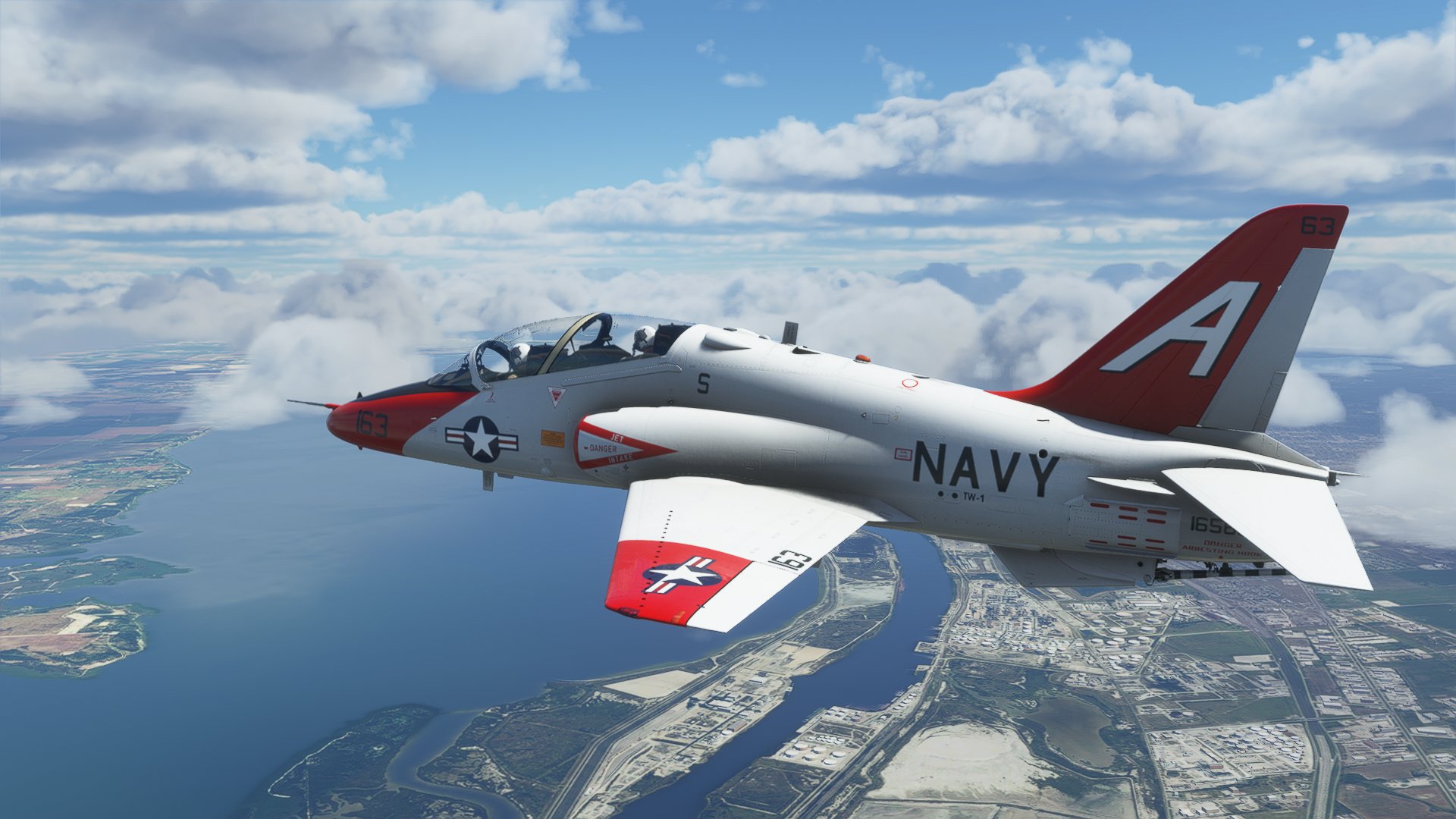
T-45 Goshawk version 2.83


As much as I'd like to abandon the T-45C, some minor and annoying inaccuracies pop-up... hence here we go again with a new release... in this case, I was notified that the MFD-ADI sky/ground colors were reversed (due a wrong interpetation on my side of the NATOPS graphics). Cockpit videos show the real thing very clearly - so here we go again - sorry for the inconvenience.

VERSION 2.83
- Fixed ADI graphics (light area = sky, dark area = ground)

Download link on the side bar as usual.