Showing posts with label trainer. Show all posts

Tuesday, March 9, 2021

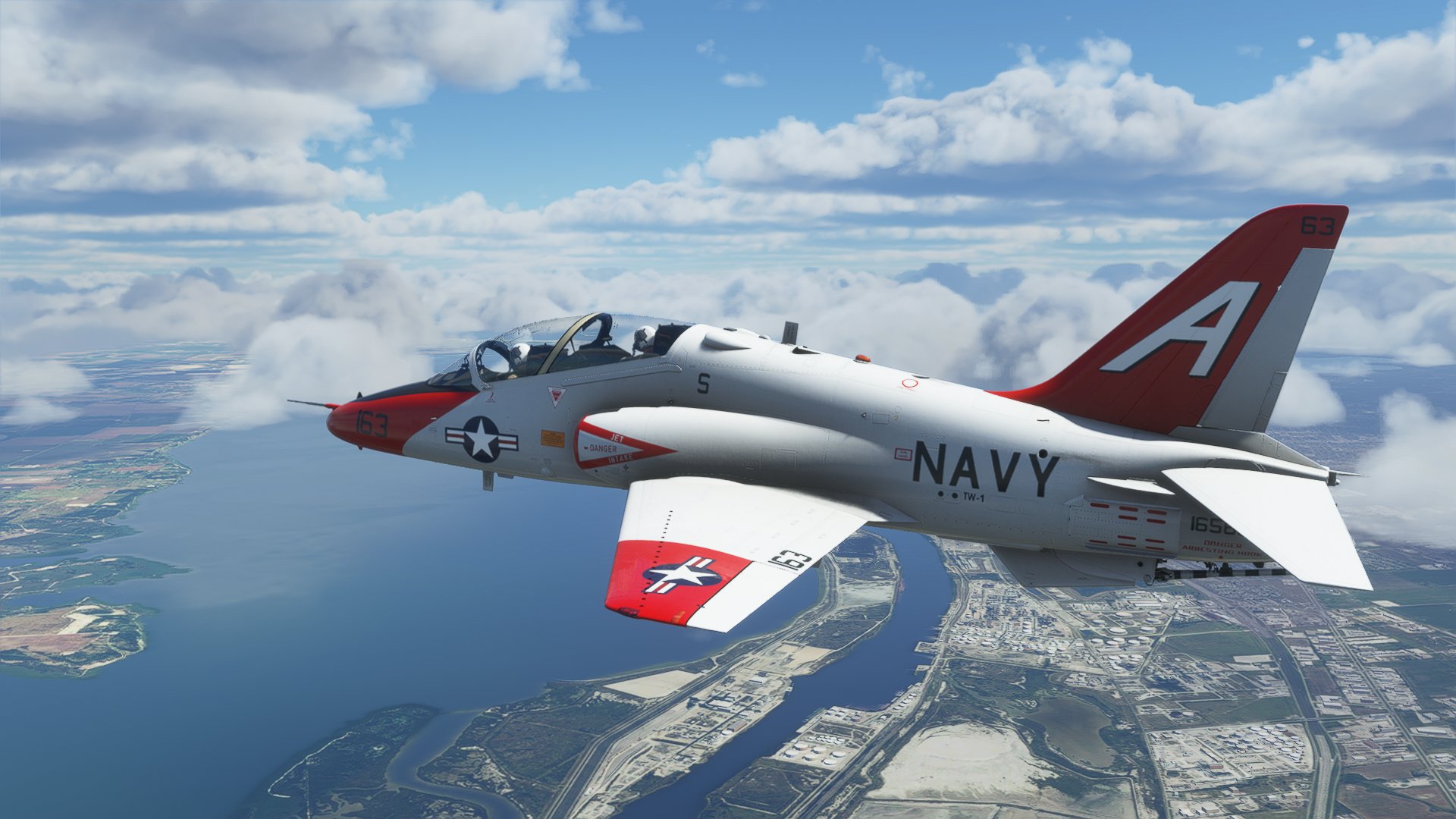
T-45C Goshawk for Microsoft Flight Simulator - version 1.00


The T-45C Goshawk for Microsoft Flight Simulator is now available for purchase! The package is available here:

MilViz Store: IndiaFoxtEcho - MilViz T45C Goshawk for MSFS2020

Orbx (through Orbx Direct): T-45 Goshawk - Orbx (orbxdirect.com)

SimMarket: simMarket: INDIAFOXTECHO - T-45C GOSHAWK - MSFS

...and should be available soon on the Microsoft in-game marketplace.

FREQUENTLY ASKED QUESTIONS:

- none at the moment -

POST RELEASE BUGS / CHANGE REQUESTS:

T45CPR001 - one flood light pokes through the fuselage at night on the starboard side of the aicraft. Already fixed in version 1.01 for Microsoft.
T45CPR002 - check functionality of ILS CDI/GS bars in the ADI page
T45CPR003 - nav light bug introduced by SimUpdate III - effects switch off while switching external/internal build (already solved in v1.01 for Microsoft)
T45CPR004 -  if not retracted manually, launch bar may protrude out of the fusalage.
T45CPR005 - weather occlusion does not seem to work... may be was disabled in the final build?
T45CPR006 - formation light switch INOP
T45CPR007 - several users complained about the in-game external sounds
T45CPR008 - poor performance on some systems, idea is to provide a "lite" version

Wednesday, November 4, 2020

SIAI-MARCHETTI S-211 FREEWARE RELEASE FOR X-PLANE 11


As promised, to celebrate the fifth anniversary of commercial operations of IndiaFoxtEcho Visual Simulations, I have decided to re-release the SIAI-Marchetti S-211 for X-Plane 11.30 as freeware.
The package can be downloaded by clicking here.

I'd also take the chance to offer my apologies to X-Plane 11 users as I have not been able, so far, to support that simulator adequately. X-Plane 11 is a great flight simulator, and is, in many respects, superior to Microsoft Flight Simulator in my opinion (for one, the flight modeling approach of XP11 is better and way more flexible).
I am exploring other way to support this platform in future - in the meantime I hope you will enjoy the S-211 - a fun little jet which, in real life, did not reach the popularity it deserved IMHO.

Tuesday, June 9, 2020

M-346 Master v1.00 Released


The M-346 is finally available on SimMarket for purchase! As usual I will try my best to keep it up to date and meet and possibly exceed customer expectations. Thanks to all the development team and testers - I am quite happy with the final product I hope you will like it!

The M-346 Master is available for purchase HERE

You have a look at the manual HERE
Aside, for a mistake in the final build, the Italian Air Force livery texture has some missing markings - this will be fixed in the first patch, but for the time being you can download the correct texture HERE - it goes into the texture.AMI61 folder.

Monday, April 20, 2020

M-346 MASTER Beta Test and To-do List


IMPORTANT! All Beta test slots have been assigned. NO NEW APPLICATIONS WILL BE ACCEPTED.

BETA 1 of the Aermacchi M-346 Project is finally here! The build is not really feature complete but it is completely flyable and ready for test.

BETA TEST ACCESS INSTRUCTIONS

To apply as a Beta tester for this project, please send me and email at indiafoxtecho@gmail.com with the following information:
- Real world and simulation experience (Note - Beta is open to ALL levels of experience...I ask the question just to know what is your level of aeronautical knowledge)
- Your system CPU, GPU, RAM and OS
- The simulator you intend to test the M-346 on (exact version of P3D, and if it is with or without VRSTP)
- Any special reason why you think you should get the Beta (be honest, no flattery please)

The subject of the email shall be: M-346 Beta Test Application

Please DO NOT apply if you do not think you have the time to test it (consider 3-4 hours minimum).
Also, just to make it clear, this is NOT a paid position - in any form. I will decide to provide or not complimentary copies to testers at the end of the Beta stage.

BETA VERSION INSTALLATION INSTRUCTIONS:

The package embraces the "Add-on" approach available in P3Dv4 or v5 - therefore package shall be installed in your Prepar3D Add-ons folder in your Documents folder.

AIRCRAFT OPERATION INSTRUCTIONS:

A WIP manual that includes operational checklists is available for download by clickling HERE. The checklists are close to the real world one, but have been (partially) amended to reflect changes in the simulation. Testers are encouraged to go through the checklists and report discrepancies.

The aicraft embraces a COLD AND DARK approach.
If you start your scenario on the ground, the aircraft will shut down all its systems forcing you to a full start.
While you are encouraged to follow the checklist and report any major inconsistency, AT MINIMUM, to start the aircraft you must follow these steps:

- BATTERY ON

- RIGHT GENERATOR ON

- LEFT GENERATOR ON

- APU MASTER/STOP PUSHBUTTON (left console, close to the MFD) -> PUSH (the APU START button lights up and shows "RDY")

- APU START PUSHBUTTON ->  PUSH (the caption becomes RUN and blinks, indicating that the APU is starting up...when the blinking stops the APU is running)

- RIGHT ENGINE MODE SELECTOR KNOB -> Set to START/IDLE (the START pushbutton illuminates)

- RIGHT ENGINE START -> PUSH (the button starts to blink, when the blinking stops it means that the engine is running and APU can be turned off).

- APU MASTER/STOP PUSHBUTTON -> PUSH (APU stops running)

- REPEAT START PROCEDURE FOR LEFT ENGINE

NOTE: To arm the ejection seats, you must remove the safety pin AND set the arm switch to ARM. The procedure must be repeated for both seats, unless the ejection sequence lever in the backseat has been set for solo flight.

NOTE: Checklist would request you to perform the EGI Alignment procedure...which is however entirely optional. Despite the IN/GPS page readings, navigation accuracy is not affected by the procedure, which has been included only for users who want to perform it.

WHAT IS *NOT* INCLUDED IN THE BETA:

The aircraft is fully flyable and should not have glaring omissions. However, at present, the following features are missing or incomplete.
- Electronic Warfare (note: in the real world, the vanilla and the FT versions do not have it...addition is planned for the FA version)
- HMD support (still TBD)
- Special Alert system
- Voice alert system (it's in there...but needs improvement)
- UFCP steering point, waypoint and flight plan management
- Pre-Planned A/S Targeting
- Targeting Pod

HOW TO REPORT BUGS:

The preferred way to report bugs is to add a comment to this post, specifying what is the experienced malfunction and when it happens. Pics are welcome.
Alternatively, an email is good to. Comments are preferred so that other users can see them.
It is not a race, so take your time. The simulation is quite complex, so it may take some time to get acquainted with the plane… I'd suggest you log at least a couple of hours before submitting any feedback.
Also, PLEASE, before posting a bug make sure it is not already in the list below.

COLOR KEY

Red - Higher priority: a severe bug that may hamper the usage of the aircraft
Yellow - Lower priority: definitely a defect, but not a high priority to solve it
Green - Problem solved, o mitigated to the level that it is acceptable.Dark Green - Problem solved or mitigated before the Beta 1 release.
Blue - Comment, nice-to-have features or suggestions


CHANGE REQUEST LOG AND TO-DO LIST

Latest build:  Beta1
Last modified: 16/05/2020

Total logged 178
Red items 0
Yellow items 14
Green items 159
Blue items 5
Progress towards release: 94%

EXTERNAL MODEL

M346EX01 - Pylon disappears when A/S ordnance is dropped - Fixed
M346EX02 - Singapore livery: incorrect color of fuel tank bottom - Fixed
M346EX03 - NAV lights too strong  - NOTE: This happens only on P3Dv5. P3Dv5 lights seem overexposed. Bug identified - missing new P3Dv5 parameters. NOTE - THIS ALSO APPLIES TO LANDING LIGHTS IN VC.
M346EX04 - Speedbrake actuator piston not always aligned stem. ANIMATION REDONE
M346EX05 - Smokewinders hung without rails in P3Dv5. Solved - same bug of M346OT16.
M346EX06 - Unintended INOP clickspots in external view
M346EX07 - Request to remove green tint from HUD (green tint was actually done on purpose for better contrast) - Green tint much less pronounced.
M346EX08 - Minor glitch in pilot animation - Fixed
M346EX09 - Veryfy dimensions and position of the pilot figures - Pilot figures approx 175cm tall, seem OK.
M346EX10 - Tweaked pilot figures animation for (slightly) better match with the controls.
M346EX11 - First stage compressor blades not animated.

M346EX12 - Landing lights too strong (P3Dv5 plaftorm problem) - Added custom light, much weaker than the default.


COCKPIT

M346VC01 - Warning system incomplete - Fully implemented
M346VC02 - Ejection Sequence Lever not implemented
M346VC03 - Autopilot Altitude Knob not working - Implemented
M346VC04 - UFCP Autopilot mode is missing - Implemented
M346VC05 - Oxygen System: Implemented
M346VC06 - STALL indication missing from ADI - Implemented
M346VC07 - ALIGNMENT indication missing from ADI - Added OPTIONAL EGI ALIGNMENT PROCEDURE
M346VC08 - FAIL TRAIN MODE not implemented
M346VC09 - Gear Lever Warning - Implemented
M346VC10 - FCR page rewritten according to flight manual - Done
M346VC11 - HSD format missing - Added simple HSD format mode
M346VC12 - Checklist format missing - Added CHECKLIST format
M346VC13 - TGP format graphics missing - ADDED
M346VC14 - MAX DECK MIN DECK indication from tactical pages.
M346VC15 - Caution system incomplete - Completed.
M346VC16 - CAWS Test Switch not implemented - Implemented
M346VC17 - Fixed incorrect AO in LMFD panel area - Fixed
M346VC18 - COM1 COM2 selector not working (but can be switched with volume keys)

M346VC19 - GPS DRIVES NAV1 linked to navigation mode - Implemented
M346VC20 - CLOCK/STOPWATCH UFCP mode implemented
M346VC21 - UFCP mode Flight Plan missing ADDED Simple FP ans SP modes, need documentation
M346VC22 - UFCP mode Waypoint missing - IMPLEMENTED: add and delete waypoint, and set as ground target
M346VC23 - UFCP mode BARO-RAD missing - IMPLEMENTED
M346VC24 - UFCP mode SBS missing - IMPLEMENTED
M346VC25 - Missing A/S symbology from HUD - ADDED
M346VC26 - Caption on severance command incorrect
M346VC27 - Caption on oxy system command incorrect
M346VC28 - MFD Power controls

M346VC29 - HSD FORMAT TO ACT AS SENSOR FUSION (Nice to have)
M346VC30 - Incorrect Left And Right Battery Discharge voice alert if Lgen or Rgen become inoperative - Modified code: alert will play only if battery voltage is critically low.
M346VC31 - Special Alert System Incomplete

M346VC32 - Test Light Switch Inop - Added
M346VC33 - Seat Firing Pins Not Present - Added

M346VC34 - SMS Store Acceptance Procedure Not Implemented - Implemented, also change and reload configuration can now be performed within the SMS screen.

M346VC35 - Missing labels from TAXI/LANDING Switch - FIXED

M346VC36 - TAXI/LANDING Switch works only for landing - FIXED

M346VC37 - Takeoff-trim button not working - Added
M346VC38 - Takeoff-trim indication on digital display needs to be revised - modified so that it does not show when autotrim is active

M346VC39 - Link TCT switches to relevant functions - FIXED
M346VC40 - L and R BLEED warning light should blink during aircraft power up.
M346VC41 - Check BATT warning lights - Now functional
M346VC42 - Cannot get out of EGI Alignment Procedure
M346VC43 - Persistent Battery Discharge Warning during APU start

M346VC44 - Improve HUD symbology visibility downward (should be at least 10 degrees) for correct visibility during landing -> FIXED FOR BETA 2
M346VC45 - HUD does not power up through Control+Shift+R Shortcut. FIXED
M346VC46 - Request to park FPM at the edge of the HUD FOV. - IMPLEMENTED, also added FPM LIMITED symbology

M346VC47 - Brightness of HUD considered not sufficient - To be checked.
M346VC48 - Altitude lock on CADI format is not centered (offset by 200ft approx). FIXED
M346VC49 - Check Autopilot symbology on glareshield - Confirmed to be correct
M346VC50 - Missing Autopilot symbology on CADI format - Fixed
M346VC51 - Flood lights way too strong in P3Dv5 HF1 - To be checked. Seems OK on my system. FIXED
M346VC52 - Graphic hole on the virtual cockpit (left kneeboard area) - FIXED
M346VC53 - MASTER CAUTION reset not working - MASTER CAUTION reset now silences all Caution and Warning except Special Messages
M346VC54 - Switch material not conveted to PBR - Fixed
M346VC55 - HUD - check position of clock - Checked Correct
M346VC56 - HUD - check speedbrake symbology - Fixed, added speedbrake symbology as per flight manual
M346VC57 - HUD - check speed dials - Checked correct as per Flight Manual
M346VC58 - HUD - check VOR/TACAN pointer - Added, only for VOR. Also fixed on Waterline (as opposed to following the FPM/CDM)
M346VC59 - HUD - request to add AoA caret - Added
M346VC60 - MASS Switch - rotates in the opposite direction. FIXED
M346VC61 - TRU unit missing from front cockpit. ADDED
M346VC62 - Digital displays are backlit when aicraft is powered off.
M346VC63 - Request to increase color coding contrast of TSD - Unselected items are now 40% darkerM346VC64 - VOR/ILS non selectable in TSD - Fixed
M346VC65 - Fuel pump switch INOP - Made it operable but has no real function in the sim

M346VC66 - MRK and TACAN knobs incorrectly animated - FIXED
M346VC67 - GPS Zero Switch and PTT switch incorrectly animated. - FIXED
M346VC68 - BLEED knob is off-center. on the OFF postion. - FIXED

M346VC69 - HUDR does not work during flight.

M346VC70 - Explosive cord missing smooth group - FIXED
M346VC71 - Canopy actuator is missing - Modeled, but not convincing… decided to leave it out.
M346VC72 - Rear cockpit PTT switch does not work
M346VC73 - Rear cockpit FCS Panel switches do not work
M346VC74 - Rear cockpit Audio Panel switches do not work - Fixed

M346VC75 - Landing Light animation missing - Fixed
M346VC76 - Rear Cockpit main panel switches not working

M346VC77 - Brake lever rotates during activation - 45 deg counterclockwise as per flight manual
M346VC78 - Emergency fire controls do not work in rear cockpit M346VC79 - Limit the stick visibility clickspot area - Fixed
M346VC80 - Harmonize Pan speed view in copilot cockpit
M346VC81 - Reduce HUD Graphic Area
M346VC82 - Introduce tinted glass for the HUD

M346VC83 - Check Alignment of A-A symbology on HUD
M346VC84 - Check Alignment of A-G symbology on HUD
M346VC85 - Add FPM to CADI
M346VC86 - Change SMS Page so that configuration must be accepted with MASS in standby
M346VC87 - Redone GHD Display to comply with the flight manual
M346VC88 - Master Caution does not flash in reality
M346VC89 - MENU pages are completely black and do not overlay on existing graphics.
M346VC90 - A/A and A/G modes are not selectable when Gear Down and WOW - Fixed
M346VC91 - Request to make REAL/SIM switch functional

M346VC92 - PARS not operative
M346VC93 - Alt SEL incorrectly labeled "right engine start switch" - Changed to autopilot altitude selector
M346VC94 - ICE warning appears at incorrect temperature - Changed logic to lower values

M346VC95 - FCS PAGE Wheel brake temp always displayed - FIXED

M346VC96 - CADI PAGE unnecessary digits in millibar indication - Fixed
M346VC97 - Misalignment between digits and altitude tape
M346VC98 - Truncated digits if more than 10 waypoints in flight plan, TSD and HSI pages. Fixed

M346VC99 - Incorrect HUD indication  above M1.00 Fixed
M346VC100 - Scenery leakage through cockpit model neardby left side of ejection seat - FIXED
M346VC101 - Altitude tape limited to 32000ft - Extended to 42000ft
M346VC102 - Cannot manually select waypoints from FP or TSD page - Fixed
M346VC103 - Zulu Time missing from TSD page - Fixed
M346VC104 - TCT switches EWS and TGP are incorrectly animated - FIXED (item renumbered due to mistake)
M346VC105 - Swapped VEH TSD control for NDB control

M346VC106 - Fix minor misalignment of Brightness and Audio Power Switches
M346VC107 - Implement APP mode in the HUD - Added CDI and Glideslope if VOR/ILS mode is detected and NAV mode is selected. Fixed on the waterline as opposed to follow the velocity vector.

M346VC108 - Implement FPM-CDM button in UFCP (order CDM, FPM, Waterline, CDM+FPM) - IMPLEMENTED
M346VC109 - Implement SP mode in UFCP - Simple SP Mode implemented
M346VC110 - Fixed bug preventing radio frequencies to be set correctly with new UFCP
M346VC111 - Fixed bug preventing TACAN channel to be set correctly with UFCP

M346VC112 - Implement HUD Declutter
M346VC113 - Add ARM caption to HUD
M346VC114 - Taxi light apparently can be switched on even if there is no electrical power
M346VC115 - Master Caution Reset does not work in rear cockpit

FLIGHT MODEL

M346FM01 - Disable Autotrim below 170 kts
M346FM02 - Roll rate too high (opinion of tester) - Checked against flight manual and confirmed by pilots.
M346FM03 - Idle power too high - Check engine performance
M346FM04 - Request to implement carefree handling

M346FM05 - Top speed too high - Check against flight envelope. NOTE: Official figures as follows:
0.87Mach at sea level, 1.0Mach at 20000ft. 1.15Mach max speed achieved during test flights, in slight dive. - Revised transonic drag coefficients

M346FM06 - Nosewheel steering insufficient. - Increased NWS angle and differential braking
M346FM07 - Park Brakes unable to stop the aircraft at high throttles
M346FM08 - Aircraft seems to move (very slowly) if park brake is engaged. 

M346FM09 - Aircraft engines can be started also in NORM mode in the real aircraft. - FIXED
M346FM10 - General feedback - slightly overpowered (5-10%?) - Revised drag coefficients
M346FM11 - Real world aircraft limit AoA is supposely 25 deg. NOTE: other sources indicate 30, 35 and 40 degrees al for limit AoA. NOTE: Flight manual clearly indicates that stall advisory is at 17° AOA. NOTE: Official figures seem to be as follows: STALL warning at 17° or 18° AoA depending on FCS mode. Real AoA limit: 25° deg. - Revised AOA limits

M346FM12 - Wheels not touching the runway (just few cm) on P3Dv5 - Revised contact points

M346FM13 - Oleo animations incorrect and do not match gear compression.

M346FM14 - Drag too low… difficult to decelerate the plane with throttles at idle. New drag index.
M346FM15 - Internal fuel tank capacity slightly different from real plane - FIXED
M346FM16 - EGT too low even at idle and on the ground
M346FM17 - NH at idel should be 56/57

M346FM18 - Basic empty weight does not include oil and hyraulic fuel. Should be 5300 - FIXED
M346FM19 - Change avionic reference speeds with EAS. - IMPLEMENTED


OTHER

M346OT01 - Cockpit animation is way too fast - slowed downa and added custom sound
M346OT02 - Sound package missing - Draft sound package implemented, needs refinements
M346OT03 - Air-to-Surface Tacpack functionality missing - Implemented
M346OT04 - Consider adding aural warnings 
M346OT05 - Laser code rejected by avionic system - Implemented
M346OT06 - TGP Laser Spot fine adjust not working - ADDED

M346OT07 - Add APU Sound - Added
M346OT08 - Pre-Planned target mode not implemented

M346OT09 - IFF Switch and Warning not Implemented - IFF requires user to power up the unit. Will report REPLY in green if the current L&S target is FRIEND
M346OT10 - Add a "ready to start the engines" button shortcut
M346OT11 - Turn GEN OFF for cold start
M346OT12 - Set EGI Alignment to COMPLETE if start is airborne

M346OT13 - HUD does not power up automatically via "ready to start" shortcut - Fixed initialization code in Beta 2.
M346OT14 - Keyboard shortcuts need to be revised/completed.
M346OT15 - Configurator. Rear pilot seems to reappear in the seat when aicraft is airborne. - Fixed code for Beta 2. Problem was a animation code snippet leftover from the Eurofighter.
M346OT16 - Configurator/SMS IRIS-T left underwing not connected to pylon (without Tacpack) - Fixed SMS code in Beta 2
M346OT17 - Configurator GBU-12 on pylon 2 non selectable. Right inner GBU-12 cannot be removed from the configurator (unless Clear All button is used). - Fixed configurator code in Beta 2
M346OT18 - Configurator BRD-4-250 on pylon 2 non selectable. Right inner BRD can only be removed from the configurator (unless Clear All button is used). - Fixed configurator code in Beta 2
M346OT19 - Configurator - Smokewinder left and right not connected to pylon without Tacpack - Fixed SMS code in Beta 2

M346OT20 -  Configurator - if chocks are not removed they stay on during motion and flight. Chocks and streamers will not disappear if aircraft is not stationary.
M346OT21 -  Configurator - if ladder is not removed, it stays on during motion and flight. Ladder will now disappear if aircraft is not stationary or if canopy is not open.

M346OT22 -  Sound system bug: crash due to missing sound files during certain conditions (engines out, engine or APU fire) - Fixed typos in sound DLL configuration.
M346OT23 - Check behavior of weapons release. FIXED - weapon selection from MFD did not include commands to SMS to select the proper pylon, hence did not work as intended.
M346OT24 - Replace stall sound

M346OT25 - Add 2D HUD display
M346OT26 - Add 2D MFD display for cockpit builders

M346OT27 - Add Taxi/Landing Light Shortcut

M346OT28 - Check selective Jettison functionality with Tacpack - Checked correct, but works only for certain stores
M346OT29 - Check emergency Jettison functionality with and without Tacpack - Checked correct

M346OT30 - Sign Tacpack files for multiplayer - Files signed

M346OT31 - Add information to the manual (e.g.HUD power switch)

M346OT32 - Replace STALL sound
M346OT33 - ADD BRD Functionality - ADDED THROUGH TACPACK


END OF LIST


Friday, October 4, 2019

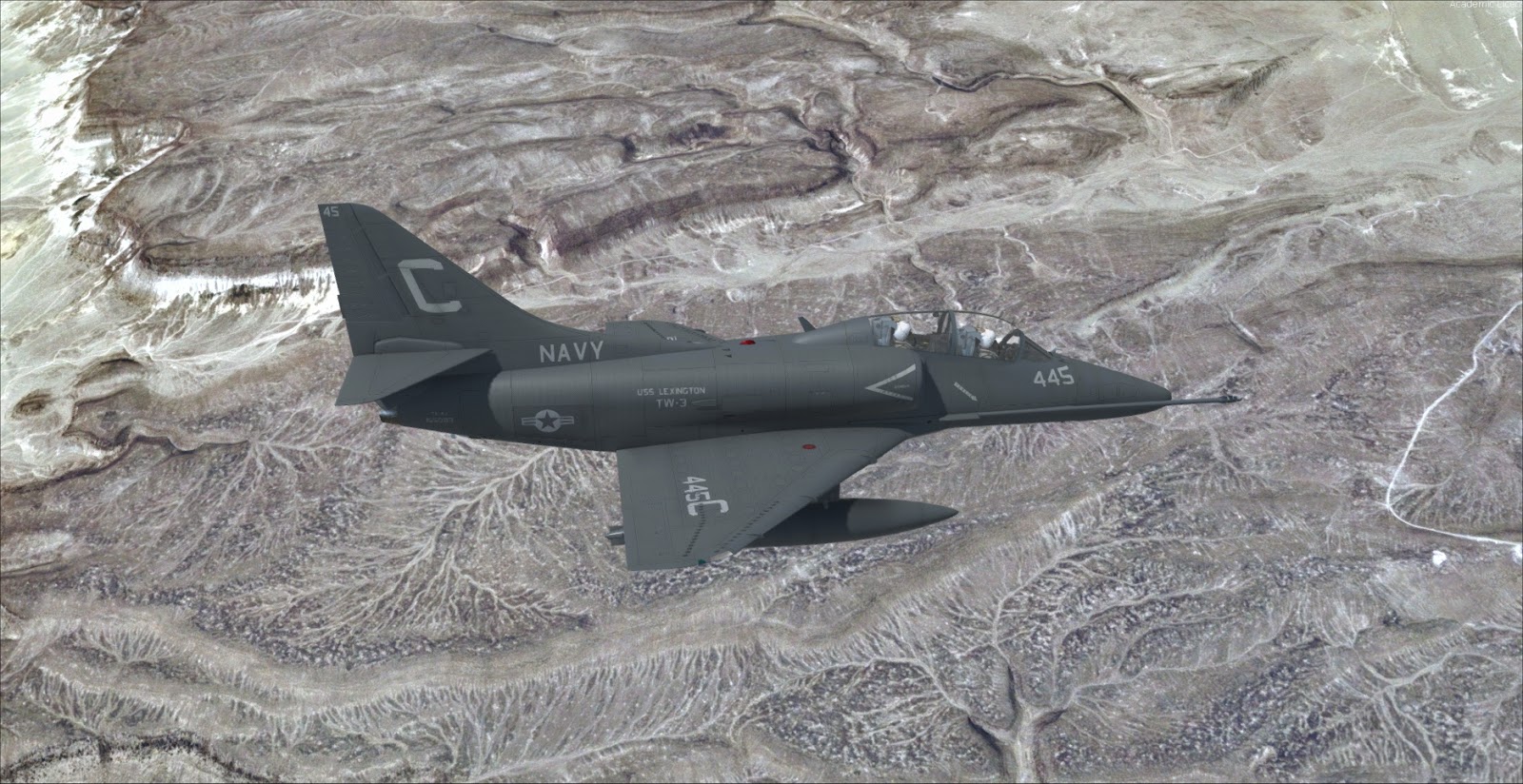
TA-4 Skyhawk for P3Dv4.4 version 1.07 released


The TA-4 package has been updated to version 1.07...here are the full release notes:

CURRENT VERSION: 1.07
VERSION 1.07 - October 3rd 2019
- Fixed issue preventing ground service carts from showing if selected by the menu
- Slightly reworked mirror effects
- Fixed ADI and backup ADI behavior (hopefully)
- Fixed missing 3D screws in rear cockpit
- Added VMAT-102 repaint courtesy of Matt Levi
- Added VF-43 repaint

There is a small mistake in the VF-43 textures, as the high visibility roundels are missing from the wings… updated textures can be downloaded HERE

Monday, September 2, 2019

TA-4 Skyhawk for Prepared V4.4+ Flight Manual


Should you be interested in seeing what the TA-4 for Prepar3D v4.4 does (and does not) simulate, HERE is the (tentatively final) flight manual…

Most of the text was taken from an old TA-4F/J manual scanned into a .pdf file… I used an OCR software to extract the text, but there were a number of characters and words misinterpreted by the software (and then English is not my first language) - I got rid of a number of those errors but still there are dozens of them. Corrections and proof-reading are welcome.

Major deviations from real world flight manual are highlighted as "SIMULATION NOTE(s)" - meaning that what follows is valid in the simulation only and may not apply to real life.

Manual can be downloaded by clicking HERE.

Last, the Release Canditate 1 Build is complete - it will be distributed ASAP (unfortunately I am a little busy in these days) - on the good side (basic) implementations of NWS and APC systems were added. The latter is not super-precise, but kinda works - up to you to tell if it actually helps you in Landing on the boat or not

Wednesday, March 13, 2019

SIAI Marchetti S-211 for Aerofly FS 2 - update to version 1.04


The latest update to Aerofly FS2 has introduced some changes that broke the compatibility with the S-211. The aircraft was still selectable from the menu, but could not be loaded (the sim reverted to the default C172 upon loading).
Apparently the compatibility issue is confined to the generator code, which has been replaced.
Here is an update to fix the issue.


CHANGE LOG:

Version 1.04
13/03/2019
- Changed generator code for compatibility with latest version of Aerofly FS2

Updated version (full install) can be downloaded from the side bar or by clicking HERE.

Monday, December 18, 2017

SIAI Marchetti S-211 Beta Testing Applications


First, thank you all for the interest you have shown to my SIAI Marchetti S-211 project! I know this is not a very popular aircraft - and frankly I do not expect this to be a big commercial success - but it is a nice jet, and I believe that its new incarnation, the Aermacchi M-345 has a very good potential.

Just to recap the scope of this project: the intent is to provide a reasonably realistic representation of the SIAI-Marchetti S-211 light jet trainer. The project features a realistic analog cockpit and flight model - and a visual model which is buit with attention to frame rates (I think it is essential in a trainer).
The package will also contain models of the M-311 / M-345 prototypes (inlcuding the Frecce Tricolori livery) and the M-345 prototype. These will feature the new digital cockpit which is being developed by Aermacchi. These "digital" models are kind of a bonus feature, as they information on these models is still quite scarce, but they should serve well as a depiction of the difference between digital and analog training.
This is a PAYWARE release - price will be in line with my previous releases.

Should you have some time to spare (say 2-3 hours at least) and should you want to help with the Beta testing phase, you can apply by sending an email to indiafoxtecho@gmail.com with:

- SUBJECT OF THE EMAIL MUST BE "S-211 BETA TESTING"
- System specifications (no need to go in minute details, just CPU, GPU, RAM and OS)
- Which simulators you intend to test the S-211 on (FSX:A, FSX:Gold, FSX:SE, P3Dv2, P3Dv3, P3Dv4)
- Please specify if you own Tacpack and/or intend to test it in multiplayer
- Your knowledge/experience in real and simulated aviation
- Also, please include any special reason why you want to test this aircraft

...just to set the record straight (as I had some remarks in the past), non paid job (but you get to keep the test copy).

Also, the Beta test "slots" are limited (15-20 maximum) as in my experience it is the best way to test these products. I will pick testers with various skills, knowledge and system specs - so if you do not get in the Beta it does not mean that you "do not qualify"...it may be just because there are other testers with similar skills or system.

Last, the Beta will be released around Christmas.

Thursday, April 7, 2016

T-45 Goshawk version 2.83


As much as I'd like to abandon the T-45C, some minor and annoying inaccuracies pop-up... hence here we go again with a new release... in this case, I was notified that the MFD-ADI sky/ground colors were reversed (due a wrong interpetation on my side of the NATOPS graphics). Cockpit videos show the real thing very clearly - so here we go again - sorry for the inconvenience.

VERSION 2.83
- Fixed ADI graphics (light area = sky, dark area = ground)

Download link on the side bar as usual.

Saturday, April 2, 2016

T-45C Goshawk version 2.82 release - sorry for the inconvenience!

 
Following a report from an user, a significant bug has been identified on the latest release of the Goshawk - basically the latest Virtual Cockpit was built with the wrong ModelDef.XML file (which is the file that governs the associations between the 3D model and variables, click spots and visibiliyu conditions during MDL compilation...I have several for the various aircrafts). As result the Data Entry Panel was mostly unusable. It was not my intention to released yet another update to the Goshawk but this is a show-stopping issue to me and I felt it needed to be fixed.
Here is a new version that should fix the problem. Download link on the side bar. Once it is confirmed to work it will be uploaded to Avsim and Flightsim.
Sorry for the inconvenience!


VERSION 2.82 - Released on April 2nd 2016

- Previous build was compiled with wrong Modeldef.xml resulting in several Data Entry Panel issues. Rebuilt with correct XML coding.
- Fixed minor bug with DECLUTTER function in DEP
- Fixed minor bug with DEPRESSION function in DEP


Saturday, March 5, 2016

T-45C Goshawk version 2.81


Here is a small update to the T-45C to fix a couple of minor defects that I felt a little annoying... Probably I should not waste my time with such small issues, but if you are not a maniac on small things probably you would not venture in a crazy hobby like this...
The main change is that now, by default, the glass refection effects on HUD and gauges glasses has been removed - this is because with the new dynamic enviromental mapping of P3Dv3.1 they looked odd (they were reflecting the runway, for example)... old model is provided a backup.

VERSION 2.81
- Fixed bug in visual model that caused an attempt to load a non-existent texture sheet.
- Removed dynamic glass refection effect in VC, as it looked weird with P3DV3.1 dynamic environment mapping (old models are supplied as backup)
- Added option VC model with no geaometry (only HUD) for cockpit builders, along with some information on local variables used in the code

Thursday, December 31, 2015

T-45C Goshawk Version 2.80 - and a note on rolling ships in P3Dv3.1


Here is an unplanned update to the Goshawk - as the Goshawk has always been my test vehicle for experiments, I had a number of small improvements that I never released... and I decided to polish them a little and release a new version (although the project is officially "closed")... so here we go with version 2.80...

Also, a quick note on P3Dv3.1:
One cool feature of P3Dv3.1 is that, if water is set on ULTRA settings, boats and ship will pitch and roll according to the waves (which in turn are influenced by the wind). Needless to say, it makes carrier (or helicopter) operations much more challenging. However, unfortunately some visual effects (notably night lighting and fresnel lights) do not follow the boat properly so this LM has DISABLED for standard carriers by default, as it was very confusing at night. You can enable or disable this effect on a per-vehicle basis by using a new parater in the contact points section (if 1 the boat will not roll, otherwise it will):
[contact_points]
always_use_avg_surface=1 //always use the average surface elevation
Anyway, back to the T-45C, here are the release notes. Download from Google Drive from the side bar, as usual.

VERSION 2.80
- New NACES seat 3D model courtesy of Vertical Reality Simulations (same as their Superbug)
- New Control stick model for Virtual Cockpit
- Minor improvements to Virtual Cockpit details
- Added “Remove Before Flight” ribbons (will show/hide with SHIFT+E then 3 control)
- Added HUD, engine intakes and exhaust covers (will show/hide with SHIFT+E then 4)
- Standardized pilot figures to have the same look as the Military Avatars Package
- Added skinned meshes animations to pilot figures (head movement, throttle, stick left/right,
pedals left/right)
- Fixed bug that caused HUD to flicker in P3Dv2 and v3
- Added clickable areas to external model for P3Dv3 (to use in external views or Avatar mode)*:
– canopy opening lever
– crew access steps
– engine/HUD covers (click nearby the engine intake)
– remove before flight ribbons (click on certain parts of the landing gear and tailhook)
- Fixed miscellaneous incompatibility issues and typos in configuration files
- Rationalization of files and duplicates for “WORKING MIRROR” feature...now all the models
are in the main MODEL folder, while you need to install the relevant aicraft.cfg and model.cfg
to activate or deactivate the feature
- Fixed minor animation bugs
- Pilot figures now have automatic or user controllable visibility conditions**
- Improved configurator, now has also crew figure control buttons, as well as ribbons and covers
visibility control and refuel options**

NOTES:

* covers and ribbons are not “individually” controllable... clicking on a cover or a ribbon
will remove all of them. This was basically a test to check how practical it was to have a
virtual walkaround

** By default pilot visibility is set in AUTO mode. In this mode pilot will always show unless:
– The relevant weight station il loaded with 89 pounds or less
– The RPMs are below 5% and the speed of the aicraft is below 5 kts and the aicraft is on the ground and the parking brake is set.
The configurator allows the user to MANUALLY select to HIDE the crew, or show both the student
and the instructor or only the student. MANUAL selection will always force the selected
condition unless CREW AUTO button is pressed (and automatic visibility is restored)

Tuesday, December 22, 2015

Projects updates... and season greetings!


First, thanks a lot your your continued support to my projects - as you may know this has been a very special year for my flight simulation efforts, as I finally established my own registered "company". This is still just a hobby for me, but having proper fiscal organization allows me to invest more money and embark in more ambitious projects - the new F-35 is the first result of the new organization, and, for example, the new visual model is a direct outcome of my decisions. Making it a freeware project was simply not an option - development costs being way too high for freeware.

So, what is next? Here is the list of the projects currently on my drawing board:

NEW PROJECT - Eurofighter Typhoon:If you follow my Facebook page, you know that I have been doing some work on an Eurofighter model. The vast majority of the documentation on this aicraft is still classfied, but I believe I have enough information to create a decent simulation. I did some work on the external model (which is shown in the picture above) and the VC - and it looks good so far. I'll continue working on this to check if there are unforeseen showstoppers... but so far so good.
This is meant to be a payware project - and hopefully should land on the same quality level and price range of the F-35 (and possibly a little more accurate in terms of avionics). The main development platform will be P3Dv2.5 (for the moment...may be I'll move to V3) but it should be backward compatible to FSX (possibly with the exception of PIRATE/TFLIR imaging).

NEW PROJECT - Aermacchi MB.339 (ON HOLD)
An obvious extension of the MB.326 project, the MB.339 is one aicraft I still intend to do. I did some work on a preliminary external model - which needs texturing and a decent VC. One of the targets of this project is to achieve a very high visual efficiency in terms of frames-per-second. At present I have no time to work on this...and the project is on hold. In my intentions this would be a freeware project.

NEW PROJECT - Grumman E-2/C-2 (Feasibility stage - ON HOLD)
I also made a feasibility study on the E-2 and C-2 aicrafts - they are probably the only carrier aicrafts for which we do not have decent models... A payware project would be doable, although I do not have time for this right now.

PROJECT UPDATE - F-35 Lightning IINeedless to say, I am continuing to keep track of the bug reports and suggestions... as of today, we have not yet reached the critical mass to release another update...but if I'll find some time in the next few weeks I will update the project anway.

OTHER PROJECT UPDATES

T-45C Goshawk - Although this project is officially closed, I have been using it as testbed for various things...so my private build is actually a little bit better than what you guys have... In particular there are a number of small visual improvements that some of you may like.

F-14D Tomcat - Still not happy with it. And as much as I appreciate Aerosoft's F-14X, I believe that a new, and better, Tomcat is possible.

S-3B Viking - Yes...I know. I promised an update for it a long time ago. It is still unfinished, and IMHO is the worst of the bunch in terms of quality. But still...may be one day or another I will find the will to complete it. Or at least release the AI tanker model...

MB.326 - Very few bugs reported... I am not completely happy with it, but I am not sure I will have much time for it.

So, looks like the 2016 will be quite busy... we'll see.
In the meantime thanks once again for your support, feedback and help...and BEST WISHES for a Merry Chirstmas and a Happy New Year!

Tuesday, March 10, 2015

Aermacchi MB.326 version 1.10 release


Time for the first update to the Aermacchi MB.326. No big changes but several small fixes to some minor defects that were part of the original 1.00 build.

Changes as follows:

VERSION 1.10
9th March 2015
- Added pilot visor animation (secondary exit SHIFT+E then 2)
- Fixed multiple issues with G version weight and balance configuration
- Fixed multiple issues with G version Tacpack configuration
- Fixed bug showing interanl gun effects on G version
- Fixed bug preventing LIGHT TEST switch to work in FSX
- Fixed bug that made landing gear lever Mouse Area non working in FSX
- Fixed bug preventing FUEL PUMP switch to work in FSX
- Added support for MATRA M-155 rocket pod in Tacpack
- Fixed checklist and reference speed html files

As usual, download is on the side bar.
For the moment this and the F-14D update will only be hosted on this blog because, for some reason, uploading to Avsim and Flightsim is painfully slow from my home in these days...

Aside, in the near future I will probably start releasing P3Dv2-only updates for some projects... more news soon.

Wednesday, February 11, 2015

Aermacchi MB.326 version 1.00


After more than one year of work, here is the Aermacchi MB.326 version 1.00 release. This is a very special model for me, as I had the unique chance to fly on the only MB.326 in flight conditions in Europe - that was my first (and hopefully not last) ride in a military jet... and needless to say it was awesome, and I completely fell in love with this aicraft.
First thing I'd like to thank Alessandro Barbarini who created the fantastic external textures I am sure you will enjoy. They look awesome, and raised the quality bar significantly.
Also, I'd like to thank Roy Holmes, for a very realistic flight model, and Mario Motta for his modules, which bring payload configuration capabilities and VACMI support, and flight testing (Mario has hundreds of flying hours in the real Macchino). Also, a big thank you to Serge Luzin who provided a great sound package, based on real world recordings (in cockpit sounds come straight from the recordings of my own flight).

The model supports BOTH Sim Skunk Works vACMI and Vertical Reality Simulation Tacpack weapon packages. By default, it is set to support vACMI - please see the documentation on how to enable Tacpack of you use the latter.

I had no time to squash all the bugs, and I am sure more will pop-up after a the release... still it should be OK as is for the vast majority of the users.
It is a "control+e" model, meaning it is not meant to provide a 100% exact simulation of the real aicraft... but you should be able to start it "cold and dark" and use it as a basic military trainer. Actually our target was to create a realistic and complete freeware rendition of this fantastic light jet... we are happy with the result, and we hope you will be too.

Have fun!
...and yes, the download link is in the side bar, as usual!

Monday, January 12, 2015

End of Beta stage and paintkit release


Thanks for the oustanding feedback on the MB.326 Beta - I am going through the bugs list and I have already solved many of them. As consequence, the Beta1 build is now outdated, and I will withdraw it from download in the next few days.If you want to download the Beta, I urge you to do so in asap. I will keep on collecting feedback and fixing bugs. I am looking to release version 1.00 within a couple of weeks in the worst case.

Aside, on top of the excellent work he did for the liveries, Alessandro was so kind to provide me (and you) with a paintkit for the MB.326, in layered PSD format.
This file is provided "as is" - no guarantee of any kind and no support whatsoever will be provided.
Please:
- Note that the intended usage of these files is to create freeware liveries for the MB.326. Please refrain from redistributing these files or content derivative of these files for profit.
- Please DO NOT share or distribute repaint until version 1.00 of this package is officially released from this blog. We may need to make changes to the package and to the folder structure...most probably including a specific folder to support twin seater versions with MK.540 engine.
If you promise you will stick to these (simple) rules, you are welcome to download the paintkit by clicking HERE.

Sunday, January 4, 2015

Aermacchi MB.326 Package - Public Beta Release


NOTE: BETA VESION IS NOW OUTDATE BY THE NEWER INTERNAL BUILDS, THEREFORE IS NO MORE AVAILABLE FOR DOWNLOAD.
THE OFFICIAL 1.0 RELEASE SHOULD BE AVAILABLE IN A COUPLE OF WEEKS...PLEASE BE PATIENT!
Here we are with the public Beta version of the Aermacchi MB.326 - this is a very special project for me, as this is the only military jet I had the pleasure to fly in reality (yes - I was in control for few minutes, but still it was an amazing and unforgettable experience).
First thing, I'd like to thank all the people involved in this project:
Alessandro Barbarini, who volunteered to redo the external textures and did an Amazing job and was a continous driver for improvements; Roy Holmes who created a very realistic flight model (I invite you to check it against actual flight manuals and be amazed by the accuracy), Mario Motta who provided additional coding and flight testing (Mario has hundreds of real-life flight hours on the 326) and Serge Luzin who, as usual, created an exceptional sound package (some of it is based on recordings taken on my joy-ride).
THANK YOU ALL - IT HAS BEEN A GREAT FUN WORKING WITH YOU ON THIS ONE!!!!
That being said, here are some things you need to know about this Beta version:
  • This package depicts several versions of the Aermacchi MB.326, which can be divided in two-seater unarmed versions, two-seater armed versions and single-seater armed versions.
  • There is only one virtual cockpit model. This is sort of an average between the different layouts of the mid-late 70's... hence it is similar, but not exactly the same, as any real-life version. This is a compromise I had to make to keep the project to a manageable size.
  • The project has been tested in FSX:Acceleration and in P3DV2. It has not been tested in FSX-Steam Edition, nor in FSX:SP1/SP2 and may not work.
  • The package supports both VACMI from Sim Skunk Works and Tacpack from Vertical Reality Simulations. Those are two add-on packages that allow FSX/P3Dv2 to have working weapons functionality. At the time I am writing, VACMI is the only one that supports P3Dv2.
To make weapons work with VACMI
The package should work without any modification under VACMI. You should, however, disable collisions with other aircrafts - otherwise, releasing a bomb may cause a collision with the aircraft. NOTE - with VACMI the following weapons will not work: MK.76, Magic 550, all guns and gunpods (cosmetic only)

To make weapons work with TACPACKIn order to make weapons work with Tacpack you MUST replace the panel.cfg in the PANEL subfolder of the MB326E folder, with the one contained in the panel_TACPACK_backup. This MUST BE DONE ONLY ON THE MB.326E folder.
NOTE 1 - with Tacpack the following weapons will not work: Matra F2 and 155 rocket pods. 2 - Beta files are not signed for multiplayer in Tacpack. If the server has anti-cheat turned on, you will be kicked out.

To fire weaponsIn order to fire a weapon, apart obviously from loading it in the configurator, you must:
- Switch the Trigger selector switch to ARMT & CAM
- Switch the MASTER ARM to READY
- Select the weapon station you wish to employ (upon pressing the key it turns green if the station ammo is not zero)
- If the weapon you wish to fire is a cannon, you must also turn on the gun power switch
- Within Tacpack: trigger fires all the forward firing weapons, pickle drops the droppable ones.
- Within VACMI: brake key (usually mapped to trigger) fires any weapon
NOTE - Guns visual effects should work even if you have no weapon package installed.

Bug reports
I will keep track of the bugs/change requests in my usual way, that is filling and updating the following list:

Bugs and change request lists
LAST UPDATE 5/2/2015

Visual Model:
MB326MDL1 - Inner frame of canopy on single-seater model has defective geometry (visible when canopy is open, single seater model only). Fixed, 3D part redone.
MB326MDL2 - Position light reflection too big. Fixed, created bespoke effect.
MB326MDL3 - Aileron trim animation not working. Actually this was not coded in the .mdl. - no time to redo all the models, considered a minor issue -> moving forward with this. 
MB326MDL4 - Upper beacon light way too strong. Fixed, created bespoke effect.

Virtual Cockpit:
MB326VC1 - HSI pointer no.2 points to wrong direction. Should point towards selected NDB. station.
MB326VC2 - NDB frequency cannot be selected in the Virtual Cockpit. Fixed. User can now click in the ADF window to select the frequency.
MB326VC3 - Gear warning light does not work. FIXED. Gear warning light now works.
MB326VC4 - Would be cool to have model-specific VC (specific VC for K model, and/or one for unarmed models)- CLOSED - created additional folder with two seater model with MK.540 engine
MB326VC5 - Throttle animation does not work in the released model. FIXED - Wrong system simulation files went into Beta build. Please download BETA1A.
MB326VC6 - Miscellaneous avionic malfuctions. FIXED - Wrong system simulation files went into Beta build. Please download BETA1A.

MB326VC7 - HSI/RMI button do not work in FSX. They work fine in P3Dv2. Difficult bug to solve...it appears to be related to detection of Mouse click areas. FIXED - Reset scale in 3D model fixed it
MB326VC8 - Oxy button linked to Master Arm. FIXED animation in 3D model
MB326VC9 - Cabin pressure altimeter not working. FIXED animation in 3D model
MB326VC10 - Radio and advisory panels remain lit even in power is absent from the main bus.
MB326VC11 - Canopy lock lever not working in FSX (but works in P3Dv2, likely to be a reset-scale bug). FIXED reset scale solved the issue.
MB326VC12 - Clock "hours" needle not working. FIXED animation sequence in 3D model. NOTE: it may also apply to other projects.
MB326VC13 - Turn coordinator seems to have inverted motion.
MB326VC14 - Upper beacon light too strong.
MB326VC15 - Pitot heat indicator not working. FIXED - Pitot heat now working.
MB326VC16 - Check rudder trim switch animation. FIXED - implemented standard trim rocker animation.
MB326VC17 - One nav button inop, also in general, only standby frequencies can be changed. Closed. Fixed nav button, still user can only change standby frequencies.
MB326VC18 - Radio power button not working, also, avionics switch button missing. Fixed.
MB326VC19 - Emergency landing gear not working
MB326VC20 - Canopy frame texture improvement. Fixed - Redone all canopy texture and improved geometry.
MB326VC21 - Gunsight support graphical improvement. Open.
MB326VC22 - Control stick graphical improvement. Closed. Redone model and textures.

MB326VC23 - Ejection seat graphical improvement. Open
MB326VC24 - Further reduction of instrument glass reflection. Closed. Increased effect transparency by 50%.
MB326VC25 - Provide option to remove canopy scratches etc. Closed. Provided alternate texture in "optional_features" folder.
MB326VC26 - Trim NEUT flag indications not working. Closed. Fixed formulas in Modeldef.xml
MB326VC27 - EXT FUEL TRANSF gauge does not work. Closed. Albeit fuel transfer functions are not implemented, EXT FUEL TRANSF flag will now show ON if there is more than 5% fuel in any of the external fuel tanks.


Flight Model:
MB326FM1 - Currently "G" models (which have Viper 540 engine) do not have a specific flight model assigned. Added custom folder. Fixed.
MB326FM2 - Real Aircraft had no autopilot... change autopilot setting accordingly on all aicrafts. Fixed. Autopilot removed. 

Sound package:
MB326SND1 - Gear warning horn sound does not work. FIXED
MB326SND2 - Gun sound effects do not work. FIXEDMB326SND3 - Add high-G breathing sound. FIXED 


Weapons functionality:
MB326WP1 - Tacpack incompatibility (loads still suspended after release). FIXED - Wrong system simulation files went into Beta build. Please download BETA1A.
MB326WP2 - Minigun visual effect on STA2 does not work. Could not replicate the bug. ON HOLD - CLOSED. This is dependant on visual effect settings / rendering engine. Code is correct, just does not show in some cases.
MB326WP3 - Under VACMI, when selecting STA6 release, STA5 is fired. FIXED - Bug in Tactical module, found and fixed.
MB326WP4 - Under Tacpack, gun trigger does not seen to work. FIXED - Identified bug in Tactical module
MB326WP5 - Under Tacpack, files NOT signed for multiplayer. Intentional in the Beta.

MB326WP6 - Under Tacpack, cannot load SUU-11 on STA2. FIXED - Bug in Tacpack.ini file, wrong assignment for that station.

General and Others:
MB326GEN1 - Checklist and product documentation are missing.
MB326GEN2 - Removed repaint of the aicraft involved in the Casalecchio di Reno accident.
MB326GEN3 - Write a flight manual. Note: T-45 flight manual included by mistake.
MB326GEN4 - Minor mistake in scrape points, light assignment, fuel system in aicraft.cfg Fixed
MB326GEN5 - Tacpack debug screen instead of GPS - Fixed.
MB326GEN6 - Nav radio 2 not configured but present - Removed NAV2 radio from radio panel.
MB326GEN7 - Old texture set left in by mistake and unreferenced - Fixed, texture set removed.
MB326GEN8 - Abnormally high data packet consumption in multiplayer - Fixed. - Bug in gun effect code. 


Color key as follows:

RED - Severe problem. Product should not be released until the issue is solved, or, should the problem become too difficult or time consuming to solve, users must be clearly notified of the defect. Solving such issues is a very high priority.

ORANGE - Moderately severe issue...it will be perceived as a defect by most users. High priority.

YELLOW - Minor issue. Better fix it, but low priority...and will not be noted by most users.

GREEN - Issue solved, still on the list for the record or verification.

BLUE - Possible improvement / nice to have: product is not defective as is, but could be better. May be introduced with an update later on.

How to download the BETA:
Beta version is now outdated and is no more available for download.

Saturday, September 20, 2014

T-45C Goshawk version 2.70 (final?) release


As previously announced, here is a further update to the T-45C Goshawk project. Specifically, and tentatively, this is meant to be the last and final update to the project. Of course it is possible that I have made some mistakes and introduced new bugs... so there may be a fix if there are major mistakes.
Anyway, the intent is to cease the support and updates for this project, given that I do not have enough time to keep on updating my older planes while making new ones. I am really sorry for this, but I cannot support this anymore. So, support and updates for older projects will cease to allow the full scale development of new ones (announcement soon!)...

This version introduces working mirrors for P3Dv2 users (which are OFF by default... you need to manually install the feature...see the information below) and a new canopy glass rendering which includes scratches - I am sure that some of you will not like it, so there is an option to remove them (again, see information below). I also though it was worth making an extra effort and remaster all the external features, which now have more details and should hopefully look better. Here is the full list of changes:

VERSION 2.70
- Improved canopy reflection, which hopefully will fit better to P3Dv2 rendering engine
- Addition of canopy "scratch" texture as implemented in the S-3, with option to remove it.
  NOTE: To remove the scratches from the canopy look into the OPTIONAL FEATURES/NO SCRATCHES subfolder and:
  grab the scratch_reflection.dds and replace the default one in the TEXTURE folder.
  You may want to backup the original files.  
- Optional VC model with working mirrors for P3Dv2 users (comes at a frame rate hit)
  NOTE: To install this feature, please look into the OPTIONAL FEATURES/WORKING MIRRORS subfolder and:
  1 - Replace the aicraft.cfg with the one in this folder.
  2 - Replace the T45C2.mdl in the MODEL folder with the one in this folder. 
  You may want to backup the original files. 
- Fix to ADF digital display
- Improved graphics of some gauges, and new ASI/Machmeter and Altimeter models
- Remove the environmental reflection from the external model (users reported rendering problems)
- Fix to a minor backlighting issue in cockpit view
- Fix to a minor glitch in the weapon configurator
- Remastered external textures with additional details
- Helmet visors are now down by default: Exit-3 command will raise them (SHIFT+E and then 3)
- Swapped ADI/HSI default configuration
- Setting pilot or instructor weight to 0 will make the relevant crew figure disappear.

Download from the side bar as usual.

Monday, July 21, 2014

T-45C Goshawk updated to version 2.66...


***************************************************
NOTE: VERSION 2.65 HAD WRONG ANTI-CHEAT KEYS.
KEYS HAVE BEEN UPDATED IN VERSION 2.65
***************************************************

Following the release of Tacpack version 1.4.1.6 (which introduces training bombs), here is a small upgrade to the T-45C Goshawk. I took the chance to introduce some fixes and add a couple of user-requested features like the 2D MFDs. Download from the side bar as usual.
VERSION 2.66
- FIXED TACPACK ANTI-CHEAT KEYS
VERSION 2.65
NOTE: BEFORE INSTALLING THIS VERSION YOU SHOULD COMPLETELY DELETE THE PREVIOUS ONE.
- Added (subtle) environment reflection to the external visual model
- Added working training bombs (requires Tacpack 1.4.1.6), to implement this payload stations have been changed as follows:
  applying 125lbs to wing pylons will make the bob rack appear; applying 25lbs to the auxiliary stations will make a bomb appear.
- All A/S weapons in Tacpack are now released by pressing the Pickle
- It is possible to pick CCIP option in the MFD/STRS page.
  Note that neither the CCIP or the manual depression reticle have been tested for alignment and they are almost a gimmick.
- Added station direction indication for VORs to the MFD-HSI page
- Added station direction indication for Tacpack-spawned Tacans to the MFD-HSI page
- Added station direction indication for NDBs to the MFD-HSI page (fictional, added for training purposes)
- Added ILS needles to the MFD-ADI page
- Fixed minor backlighting bug in Virtual cockpit
- Fixed minor texturing bug in Virtual cockpit
- Added code to provide automatic retraction of the launch bar
- Added pop-up 2D MFD panels (SHIFT+5 and SHIFT+6) - soft keys on the 2D panel are controlled via "touch screen"
- Minor tweaks to low speed flight dynamics
- Tweaks to .fx effects (should get rid of the infamous red blinking of the VC)
- Manual (finally) upated to reflect recent changes

Tuesday, May 6, 2014

New Project Announcement: Aermacchi MB.326 (and derivatives)!


The most frequent question I am asked about my Flight Simulator project is by far "Can you do a good model of [insert favourite plane here]?"
F-4, F-16 and EF-2000 are the most recurrent requests, by the way.
Well, I think I had already clarified that my next project (after the S-3B Viking, I mean) will be the Aermacchi MB.326.
If you follow this blog or read my facebook page, you will surely know why: some months ago I had the chance to fly in the beautifully restored Aermacchi MB.326E owned by Renzo Catellani and I completely fell in love with this great machine.
Another reason why it seems to me a great choice is that so far I have mostly made U.S.Navy models, and I have neglected the aeronautical heritage of my own country.
And a third reason is that it has been a huge commercial success, and the aicraft has a huge base of worldwide fans.

For those who did not know (from Wikipedia), the MB-326 is a light military aircraft designed in Italy. Originally conceived as a two-seat trainer , there have also been single and two-seat light attack versions produced. It is one of the most commercially successful aircraft of its type, being bought by more than 10 countries and produced under licence in Australia, Brazil and South Africa.It set many category records, including an altitude record of 56,807 ft (17,315 m) on 18 March 1966. More than 600 were built.

The model will be developed according to Flight Simulator X: Acceleration SDK, and will be compatible with Prepar3d.
The base model will be, or course, the Aermacchi MB.326E, which is a two-seater armed version (6 underwing hard points). Starting from this base model, it should be relatively easy to:
- convert it to an ealier unarmed version (i.e. the original MB.326 design)
- create a single seater attack version (such as the MB.326K)
...and, well, it is also true that many parts are common or similar to the MB.339, so may be this will come sometime in the future.

As for the weapons, my plan is to support the Tacpack and include all the relevant weapons that will be available (not many at the moment... MK.82, additional guns and rocket pods).

In terms of time frame, I will first release the S-3B Viking (full release may take a couple of months)...so do not expect anything before the next winter.

Here is how it looks in Prepar3D at the moment (boy the cloud shadows are really something!)...
 
..and here is yours truly in control of the real deal :-) !