Showing posts with label Prepar3D V4. Show all posts

Tuesday, June 9, 2020

M-346 Master v1.00 Released


The M-346 is finally available on SimMarket for purchase! As usual I will try my best to keep it up to date and meet and possibly exceed customer expectations. Thanks to all the development team and testers - I am quite happy with the final product I hope you will like it!

The M-346 Master is available for purchase HERE

You have a look at the manual HERE
Aside, for a mistake in the final build, the Italian Air Force livery texture has some missing markings - this will be fixed in the first patch, but for the time being you can download the correct texture HERE - it goes into the texture.AMI61 folder.

Tuesday, April 14, 2020

F-35 Version 3.67 for Prepar3D V5 - New Installer


************************************************
EDIT - A small glitch has been detected in the F-35A PBR models (both in payware P3Dv4 and v5, v5 stock aircraft) so that if spoilers are deployed and rudder is fully deflected to the left, the right rudder detaches from the vertical stabilizer.
You can download a fix by clicking HERE - this is an XML file that goes into the panel/FCS subfolder of the F-35A - whatever version you have - and limits the movement of the rudder. SimMarket installer will be updated to V3.67.
*************************************************
Prepar3D V5 is launching today and will include a (somewhat simplified) version of my F-35A/B/C models. However there are some changes in the default file names that generate an filename incompatibility with the payware version.
I have therefore created a new installer that will both change the names of the files affected and will also change their cross reference.
The new installer contains ALL the previous patches/updated.

IMPORTANT: the new installer embraces the "ADD-ON" approach of Prepar3D, that is the files of the add-on are NOT placed in the simulator folders, but rather are stored in a separate addo-on folder.
The default location of this add-on folder is \Documents\Prepar3D v5 Add-ons - this is where you should point your installer to.
All add-ons in this folder will be discovered automatically by the simulator and can be switched on and off at will.

PREPAR3D V4 USERS: despite its label, the new installer will also work with Prepar3D v4 and some users may prefer to use it as it also installs all the patches. You can do that, but, if you have previous versions of the F-35 installer, before doing that you should MANUALLY DELETE the F-35A, F-35B and F-35C folders in your SimObjects\Airplanes folder

SimMarket customer should have received an email notification. All the other major distributors of the F-35 are now out of business: if you were one of their customers and wish to receive the new installer drop me an email at indiafoxtecho@gmail.com with proof of purchase and (if you have one) your SimMarket account references (at it may be easier for me to provide a download link through their servers).

NOTE - IN MY INTENTIONS, THIS IS THE FINAL UPGRADE OF THE VERSION 3.00 F-35. I AM WORKING TO SEE IF IT IS POSSIBLE TO BRING THE F-35 TO THE NEW MICROSOFT FLIGHT SIMULATOR.

Thursday, December 19, 2019

A-4E/F/G/H/K SKYHAWK RELEASED AND PAINTKIT DOWNLOAD LINK


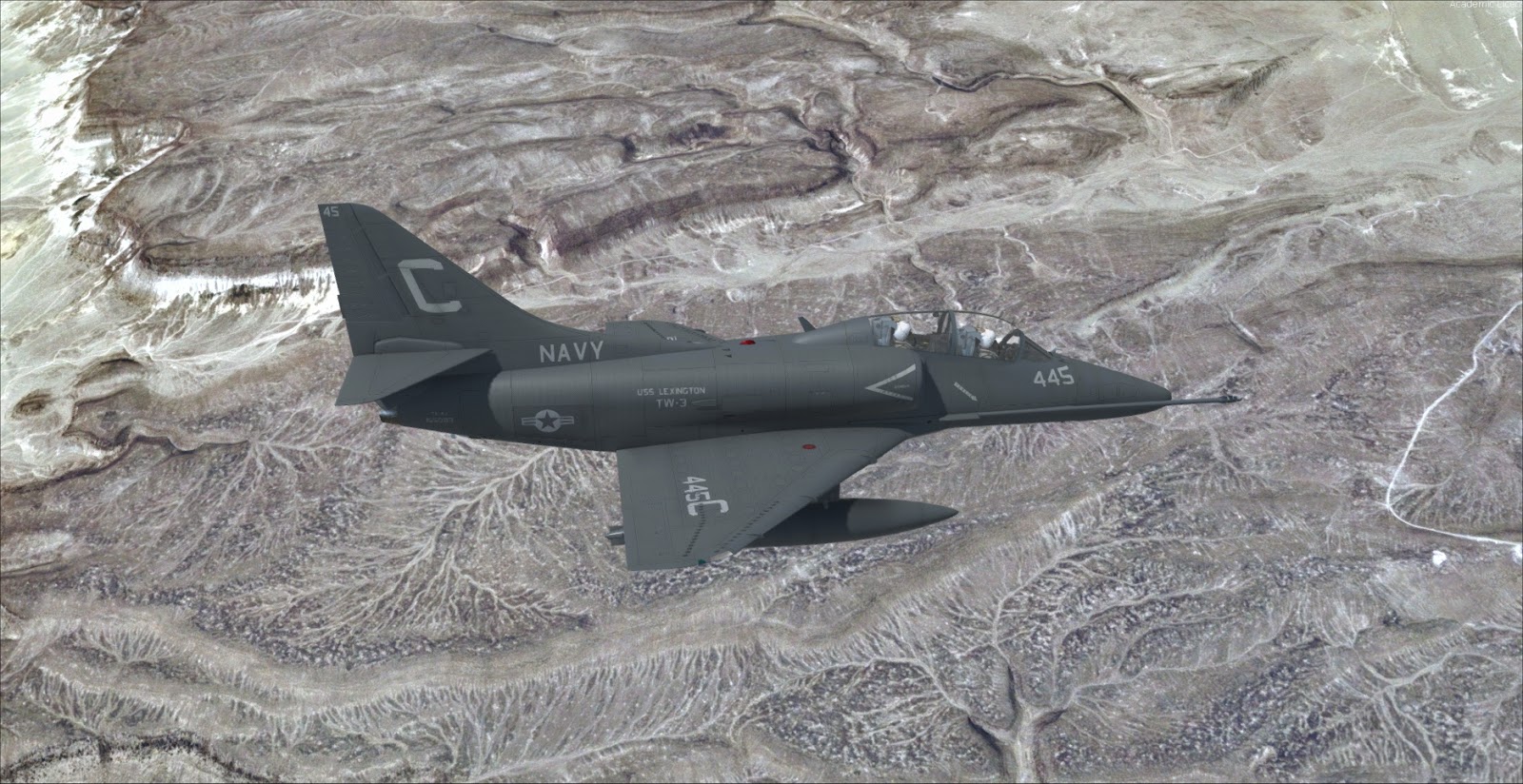
Just a quick heads-up to let you know that the single seater Skyhawk PBR Edition (for Prepar3D v4.4 and above) has been released through SimMarket and can be purchased HERE.

the paintkit for the single-seater Skyhawk is available. It is very similar to the TA-4 one, so if you have painted the twin seater it should be very easy to use.
Paintkit is availble from the side bar or by clicking HERE.

Sunday, November 24, 2019

A-4 Single Seater Beta for P3Dv4.4/v4.5


As per my usual procedure, here is the post meant to collect the feedback from the A-4 Beta Testing. This post is (almost) constantly update with the "accepted" bugs and suggestions, color coded to reflect their status. "Accepted" means that I have understood what the testers reported, I could replicate it (or at least be sure this is not a misinterpretation or an error from the tester) and I have "accepted" it as a item to be addressed.

To apply for the Beta please send and email to indiafoxtecho@gmail.com with:
- SHORT description of your system: just CPU, GPU, RAM
- Exact version of the simulator you are running (A-4 requires at least P3D v4.4)
- If you have Tacpact installed or not
- SHORT description of real and virtual flying experience

SUBJECT OF THE EMAIL SHALL BE "A-4 BETA TESTING"

Precedence will be given to users and testers of the TA-4J as they are more familiar with the plane.

Color code

RED means that it the defect has been categorized as a major issue. This is typically a showstopper (operation of the aicraft is impossible or severely inhibited) and must be addressed before the product release.

YELLOW means that it is definitely an issue for the project, that should be addressed before the product release, but not as critical as a "red" issue

GREEN means that either the issue is very minor (and will not be noticed by most users), or the problem is non-existent (feature reported as bug) or that is was an red or Yellow issue that has been solved

BLUE means suggestions or ideas to improve the product

I am not sure if a flight manual will be available before the Beta is released, most probably not, but here are some peculiar things you need to know before operating the aicraft.

REPORTING BUGS
The preferred way to report bugs is to post a comment on this blog (so that everyone can see it). Otherwise, email messages with "TA-4J Bug Report" as subject are fine.
It is better, before posting, if you check if thebug you have spotted is already in the list below or in the comments.
Bugs or change request are evaluated ASAP and, if confirmed and accepted, added to the list below.

ACCEPTED BUGS AND CHANGE REQUEST LIST

This list was updated on 01/12/2019 21:00AM CEST
The latest Beta version is 1, released on 13/12/2019
Internal Beta (not released) version Beta 2 last built: 13/12

Total lines (excluding suggestions) 16
Current red lines 0
Current yellow lines 2 (of which 0 rejected for various reasons)
Current green lines 21
Current blue lines 0
Progress towards release: 91%

EXTERNAL VISUAL MODEL:
A4P3DEXT01 - Canopy animation missing - FIXED 01/12
A4P3DEXT02 - Smoke pipe exhaust missing from Blue Angels specific model - FIXED 12/12
A4P3DEXT03 - Remove guns from SuperFox models - FIXED 01/12
A4P3DEXT04 - Tail planes are not perfectly aligned (all models) - FIXED 01/12
A4P3DEXT05 - Minor glitch in windshield seal geometry - FIXED 09/12
A4P3DEXT06 - Added specific model for A-4G/K (with bent probe and spoilers but no hump) - FIXED 12/12

VIRTUAL COCKPIT:
A4P3DVC01 - Add missing canopy scratches - ADDED 01/12
A4P3DVC02 - Gunsight collimation mask does not work - FIXED 01/12
A4P3DVC03 - Request to animate the toe brakes - ADDED 07/12
A4P3DVC04 - Point of view too low - FIXED 05/12
A4P3DVC05 - Stick visibility does not work as intended… you cannot make it show once hidden. - FIXED 05/12
A4P3DVC06 - Captions on throttle panel incorrect - FIXED 09/12

FLIGHT MODEL:
A4P3DFMXX - NA

MISCELLANEOUS:
A4P3DMISC01 - Files are not signed for Tacpack multiplayer - SIGNED FILES 05/12
A4P3DMISC02 - Pocket checklist is for the TA-4J, not the A-4E/F...new pocket checklist is needed. - FIXED. Adapted pocket checklist to single seater.
A4P3DMISC03 - Flight manual is for the TA-4J, not the A-4E/F...new manual WIP. - FIXED 12/12
A4P3DMISC04 - Incorrect reference to TA-4 sound folder - FIXED 01/12
A4P3DMISC05 - Guns do not work as intended (check Tacpack code) - FIXED 01/12
A4P3DMISC06 - Inaccurate behavior of SideWinder missiles

A4P3DMISC07 - Sound dll configuration poiting towards the TA-4 folder - FIXED 04/12
A4P3DMISC08 - Israeli A-4 livery did not show as the numbering in aicraft.cfg was incorrect. FIXED 04/12 

A4P3DMISC09 - Tacpack STA5 release position is incorrect - FIXED 06/12
A4P3DMISC10 - Add smoke to Blue Angels modelA4P3DMISC11 - Create specific folder for upgraded A-4E with hump - FIXED 12/12

Sunday, November 17, 2019

F-35 Lightning II - Update to version 3.65.1 and thoughts


NOTE 1: version 3.65 had a small glitch that prevented correct indication of the CEX Tacan direction in the HUD heading tape in some cases… This has been fixed and the release has been updated to version 3.65.1

NOTE 2: updated to version 3.65.2 to fix incorrect BK-17 squadron assignment

The momentum of the real F-35 program keeps on growing and the plane is achieving a number of milestones around the world. So I decided to release yet another update to my virtual rendition which fixes a couple of bugs and introduces two meaningful repaints, specifically the livery of the No.617 Squadron RAF "the Dambusters" that made history being the first british squadron operating from the deck of the Queen Elizabeth, and VMFA-314 "Black Knights" that is the first USMC squadron flying with the "C" model of the Lightning II.

This is likely to be the last update for the F-35 for Prepar3D v4. I have some ideas to improve the models and I am looking forward to port it to the new Microsoft Flight Simulator… although it is more than likely that many functions, like STOVL flight and XML based MFD/HUDs, will not work in the new Platform (which is also unlikely to support any kind of weapon).
While I am trying to port some of my projects to X-Plane, at the moment I do not plan to convert the F-35 as I do not have the skill to bring it to the same level of functionality of the one done by AoA Simulations.

Anyway here is the change log of this update:

IMPORTANT! THIS UPDATE WILL WORK ONLY WITH P3Dv4.4 and is preconfigured to work with PBR models (so P3Dv4.4 / v4.5)

Version 3.65.1 - 18/11/2019
- Fixed glitch in TACAN direction flag in HUD, causing incorrect indication of the ship direction in some cases
- Fixed version number during MFD startup

Version 3.65 - 17/11/2019
- Added CEX navaids compatibility
- Added VMFA-314 "Black Knights" F-35C livery
- Added no.617 Squadron RAF "Dambusters" F-35B livery
- Fixed glitch in F-35C landing gear door animation on PBR models
- Fixed bug in TACAN to MHz conversion
- Fixed bug that allowed to continue flying in STOVL mode if out of fuel.
  When the engine stops running and the plane is not on the ground, STOVL mode will be deactivated.

SEE VERSION 3.60 FOR INSTALLATION

As usual, the upgrade can be downloaded from the side bar as usual or by clicking HERE.

Friday, October 4, 2019

TA-4 Skyhawk for P3Dv4.4 version 1.07 released


The TA-4 package has been updated to version 1.07...here are the full release notes:

CURRENT VERSION: 1.07
VERSION 1.07 - October 3rd 2019
- Fixed issue preventing ground service carts from showing if selected by the menu
- Slightly reworked mirror effects
- Fixed ADI and backup ADI behavior (hopefully)
- Fixed missing 3D screws in rear cockpit
- Added VMAT-102 repaint courtesy of Matt Levi
- Added VF-43 repaint

There is a small mistake in the VF-43 textures, as the high visibility roundels are missing from the wings… updated textures can be downloaded HERE

Sunday, September 15, 2019

TA-4 Skyhawk P3D v4 Release and Paintkit


With thanks to all the people involved in the development, and in particular to Roy Holmes for another great flight model, I glad to announce that the TA-4 Skyhawk/Scooter package is now available for purchase at SimMarket.

As normal for this kind of projects, a couple of minor glitches popped-up after release… no major issues at the moment. I am working to solve this, but I will wait another week before releasing an update - just in case more bugs are identified in the short term.

Also, the paint kit is now available for download here. The TA-4 had some of the best and flashiest liveries ever seen in a miltary jet… and picking the ones to include in the package was not an easy job. Can't wait to see what the community will create!

Aside, an FSX version and a single seater are both in the works...more news soon.

Monday, September 2, 2019

TA-4 Skyhawk for Prepared V4.4+ Flight Manual


Should you be interested in seeing what the TA-4 for Prepar3D v4.4 does (and does not) simulate, HERE is the (tentatively final) flight manual…

Most of the text was taken from an old TA-4F/J manual scanned into a .pdf file… I used an OCR software to extract the text, but there were a number of characters and words misinterpreted by the software (and then English is not my first language) - I got rid of a number of those errors but still there are dozens of them. Corrections and proof-reading are welcome.

Major deviations from real world flight manual are highlighted as "SIMULATION NOTE(s)" - meaning that what follows is valid in the simulation only and may not apply to real life.

Manual can be downloaded by clicking HERE.

Last, the Release Canditate 1 Build is complete - it will be distributed ASAP (unfortunately I am a little busy in these days) - on the good side (basic) implementations of NWS and APC systems were added. The latter is not super-precise, but kinda works - up to you to tell if it actually helps you in Landing on the boat or not

Wednesday, August 7, 2019

Minor Updates for the Eurofighter Typhoon and the F-35


Here are two small updated to my payware frontline fighters… VERY MINOR tweaks, so, unless you are extremely bothered by one of the issues listed below or have not updated your aircrafts at all, downloading these patches is not really necessary IMHO.

Eurofighter Typhoon

The main reason to update the Eurofighter Typhoon was that, in the lastest FSX build, I used the wrong compiler...this caused some controls in the VC not to work as intended. I took the chance to add some 3D details and fix a couple of minor things.

To install the update, you must have the payware Eurofighter Typhoon version 1.1X or later. The update will work either if you just used the latest full installer (version 1.10 - you can get it from your distributor of choice) or if you had already updated the aircraft to any later version.

This is the list of changes:

Version 1.30 - 07/08/2019
- Fixed a minor issue in ejection seat textures
- Replaced detail textures with 3D objects in VC (screws, rivets)
- Fixed minor 3D object misplacements in VC
- Fixed mouse area bug preventing some knobs from working correctly in FSX
- Fixed bug preventing keyboard release mode selection from working
- Restored mouse clicks and animations for some (non functional) switches

The update must be installed manually (see the README file) and is provided in both 32bit (for FSX:A, FSX:Gold, FSX:SE and any version of P3D prior to v4) and in 64 bit (for P3Dv4.4 and v4.5) formats. Note that P3Dv4.0 to P3Dv4.3 are NOT supported by the 64 bit version (as it uses PBR).
The patch is available from the side bar.

F-35 Lightning IIIf the Eurofighter patch is a very minor one, the one for the F-35 is negligible: basically I spotted some duplicate airframe geometry in the F-35B PBR cockpit model. This causes some minor visual glitches when looking over your shoulders in VC (apart from an unnecessary waste of video resources).

To install the update, you must have the payware F-35 Lightning II version 3.5X or later. The update will work either if you just used the latest full installer (version 3.50 - you can get it from your distributor of choice) or if you had already updated the aircraft to any later version.

This is the (very long) list of changes:

Version 3.62 - 07/08/2019
- Removed duplicate geometry from F-35B cockpit causing unnecessary video memory consumption and visual glitches.


The update must be installed manually (see the README file) and will work ONLY with P3Dv4.4 or above (as it is a PBR model).  The patch is available from the side bar.

Monday, July 15, 2019

TA-4J Skyhawk for Prepar3Dv4.4+


As per my usual procedure, here is the post meant to collect the feedback from the TA-4J Beta Testing. This is (almost) constantly update with the "accepted" bugs and suggestions, color coded to reflect their status. "Accepted" means that I have understood what the testers reported, I could replicate it (or at least be sure this is not a misinterpretation or an error from the tester) and I have "accepted" it as a item to be addressed.

RED means that it the defect has been categorized as a major issue. This is typically a showstopper (operation of the aicraft is impossible or severely inhibited) and must be addressed before the product release.

YELLOW means that it is definitely an issue for the project, that should be addressed before the product release, but not as critical as a "red" issue

GREEN means that either the issue is very minor (and will not be noticed by most users), or the problem is non-existent (feature reported as bug) or that is was an red or Yellow issue that has been solved

BLUE means suggestions or ideas to improve the product

I am not sure if a flight manual will be available before the Beta is released, most probably not, but here are some peculiar things you need to know before operating the aicraft.

Starting the engine

The TA-4 required external air power to start the engine. You can make the "Huffer" appear by selecting it in the configuration menu (SHIFT+4), but it will only appear if the aircraft is not stationary and parking brakes (wheel chocks) are not applied (icon is greyed out otherwise). You can make it appear also by clicking on the external air power connection door.
To start the aircraft you will need also electrical power (see below)

Electrical System

The TA-4 had no internal batteries. This means that the aicraft had its own electrical power only if the engine was running. The TA-4 had also an emergency generator which is not simulated.
To get electrical power while the engine is not running an external electical power cart was needed. You can make it appear and connect it to the aicraft on the ground by selecting it in the aicraft configuration menu (SHIFT+4) if the aircraft is stationary with parking brake applied (wheelchocks appear) or by clicking on the external electrical power door.

Fuel System
The fuel system is simulated in some detail and requires a good understanding of the real world one to be operated.

Weapon System
In order to fire a weapon, you must:
- Select the type of weapon you intend to use
- Power the relevant pylon
- Set the Master Arm Switch to ON
- Press the TRIGGER for forward-firing weapons (guns, rockets and missiles) or the PICKLE button for bombs.

Radio and Navigation System
- Combined Radio/ADF selector: will work as COM1 if set on primary, COM2 if set on both, ADF if set to ADF
- The NAV computer is not operational, but works as a GPS display
- The BDHI pointer 1 will always show the NDB station
- The BDHI pointer 2 will display: the next WP in the flight plan if set to NAV COMPUTER or the TACAN station if set to TACAN
- Note that TACANs are implemented in the legacy FSX version, that is channels are converted in frequencies and used as NAV1 instrument.

Flight Model

As far as we can tell, the flight model is pretty close to the real deal...but I can already see some of the comments about the roll rate. The A-4 family is famous for having an exceptionally high roll rate, and you can read several Pireps or see video interviews of pilot claming that the peak roll rate is 720°/sec. However (apart from the fact that rolls of more than 360° are explicitly forbidden by the flight manual) actual data points you can find on the internet seem to indicate that the real roll rate was lower (highest value measured I could find is 410°/sec). Current flight model is set to for a a peak of about 350°/s, which seems to be a realistic figure.

FLIGHT MANUAL

Flight manual will be available shortly and will be available for download HERE.

REPAINTERS

The Beta model is NOT intended for repainting. A full paint kit will be available at the release.

TO DO LIST
Actions that have already been planned but are have not been implemented:

- Make the NAV COMPUTER selector knob functional
- Implement white flood lights
- Implement correct visibilty conditions of the approach light
- Implement pocket checklist (placeholder at shift+5, no function)

TEST TEMPLATE

If you want to, you can use THIS template as guideline/checklist for the tests

REPORTING BUGS

The preferred way to report bugs is to post a comment on this blog (so that everyone can see it). Otherwise, email messages with "TA-4J Bug Report" as subject are fine.
It is better, before posting, if you check if thebug you have spotted is already in the list below or in the comments.
Bugs or change request are evaluated ASAP and, if confirmed and accepted, added to the list below.

ACCEPTED BUGS AND CHANGE REQUEST LIST
This list was updated on 23/08/2019 11:00AM CEST
The latest Beta version is 1, released on 21/07/2019
Internal Beta (not released) version 1.10 last built 23/08/2019

Total lines (excluding suggestions) 79
Current red lines 0
Current yellow lines 8 (of which 4 rejected for various reasons)
Current green lines 70
Current blue lines 1
Progress towards release: 88%

EXTERNAL VISUAL MODEL

TA4P3DEXT01 - Horizontal Stabilizers not sitting at the same angle? STATUS: small asymmetry in elevator postion detected. FIXED
TA4P3DEXT02 - Texture N518TA, Naval Aviation Anniversary decal reversed. FIXED.
TA4P3DEXT03 - Animation of horizontal stabilizer trim is reversed. FIXED

TA4P3DEXT04 - Blue Angels logo is wrong (it is the current BA logo with Hornets). STATUS: CLOSED (reworked logo)
TA4P3DEXT05 - Need to add specific uniforms/suits (at least for BA). STATUS: CLOSED
TA4P3DEXT06 - Request to add separate textures for front and rear pilot. IMPLEMENTED
TA4P3DEXT07 - Request to add animated pilots. IMPLEMENTED PILOT ANIMATIONS (arms, legs, heads).
TA4P3DEXT08 - VC-8 Aggressor livery typically had inner flap surfaces painted in red. STATUS: CLOSED (reworked texture).
TA4P3DEXT09 - Request to add chrome finish details to BA livery. STATUS: CLOSED (implemented)
TA4P3DEXT10 - Request to improve PBR materials on non-shiny liveries. STATUS: IMPLEMENTED
TA4P3DEXT11 - Request to improve PBR materials for selected details. STATUS: IMPLEMENTED
TA4P3DEXT12 - Approach lights should show only when tailhook is down or field bypass is on.
TA4P3DEXT13 - Revised wheelchocks condition. Wheelchocks now appear when park brakes are on. Skyhawks do not have park brakes, so setting them will activate the wheelchocks.
TA4P3DEXT14 - Need to add holdback bar. ADDED

VIRTUAL COCKPIT MODEL

TA4P3DVC01 - Gunsight assembly is slightly too big. STATUS: CLOSED. Added space for LOCK-ON and IN RNG advisory (alternate gunsight as used by later Skyhawks).

TA4P3DVC02 - Typo "attack" mode is misspelled. STATUS: CLOSED - Fixed typo in texture master layer.
TA4P3DVC03 - Gunsight crosshair not masked during High-G maneuvres. STATUS: OPEN - Difficult to fix without creating other issues, leaning towards keeping it as is. Not completely solved but much improved. Also, calibrated gunsight size.
TA4P3DVC04 - Request to minimize the stick visibility area. STATUS CLOSED. Now to make the stick visible again you need to click very close to the jettison handle.
TA4P3DVC05 - Request to reduce size of radios and GPS. STATUS CLOSED
TA4P3DVC06 - Rear cockpit POV lower than the front. STATUS CLOSED - Harmonized POVs but not completely identical (front one has to match the gunsight)
TA4P3DVC07 - Request to make PR bug operational. IMPLEMENTED
TA4P3DVC08 - Request to make airspeed bug operational. IMPLEMENTED

TA4P3DVC09 - Request to make RALT bug operational. IMPLEMENTED

TA4P3DVC10 - Request to implement AOA bug. IMPLEMENTED
TA4P3DVC11 - Typo fuel dump switch marked as "dump": STATUS: TO BE CHECKED. Note that a pilot-controlled fuel pump exists in the cockpit and serves to transfer fuel to from the wing tank to the fuselage tank - FIXED

TA4P3DVC12 - Check Pitot Anti-Ice Switch functionality. FIXED
TA4P3DVC13 - Check Engine Anti-Ice Switch functionality. FIXED

TA4P3DVC14 - Machmeter is currently a fixed scale (as opposed to rotating). Check if it possible to make it working against altitude. FIXED
TA4P3DVC15 - Request possibility to have more realistic lighting system (external lights). Note: at present the Aircraft implements only the default lighting system. - REJECTED, for code compatibility reasons.
TA4P3DVC16 - Request possibility to have more realistic cockpit lighting system (user controlled lights than can be dimmed) - REJECTED, for code compatibility reasons.
TA4P3DVC17 - Check AFCS ENGAGE button (seems reversed) - CHECKED. Switch was reversed, also note that autopilot in P3D will not activate if avionics are off, so it will not activate if radios are off in the TA-4J!
TA4P3DVC18 - Check ALT HOLD function - IMPLEMENTED, also solved a bug preventing heading hold from working
TA4P3DVC19 - Check AFCS panel functionality - FIXED. Autopilot master, yaw damper, alt hold, hdg hold now functional.

TA4P3DVC20 - Request to move GPS to other positions - Resized, moved to position 6
TA4P3DVC21 - Fuel system lights comes on when PRIMARY fuel control is selected (as oppesed to manual) - FIXED
TA4P3DVC22 - Flood light switch. FIXED. Flood lights were incorrectly tagged.
TA4P3DVC23 - Movement of the backup trim switch is reversed. FIXED.
TA4P3DVC24 - Elevator Trim Indicator Needle has a reversed animation. FIXED.
TA4P3DVC25 - Some switches of the right side light/ecs panel do not work. FIXED, although those switch had no fuction.
TA4P3DVC26 - AoA indexer in instructor cockpit not working. FIXED
TA4P3DVC27 - Recalibrate gunsight with new geometry. FIXED
TA4P3DVC28 - Missing Armament Advisory Light. FIXED

TA4P3DVC29 - Need to redo AoA Indexer visibility conditions. FIXED
TA4P3DVC30 - AoA flag visible even if power is on. FIXED, redone code for all flag animations.


FLIGHT MODEL:

TA4P3DFM01 - Ground steer radii too big? STATUS: to be verified. Modified to 70 degrees - CLOSED.
TA4P3DFM02 - Request to implement proper NWS
TA4P3DFM03 - Excessive fuel burn rate (potentially a bug in the fuel system)? STATUS: WRITTEN OFF (tester error)
TA4P3DFM04 - Speed brakes do not completely rectract (possibly a bug in the speedbrakes blowback feature?) STATUS: TO BE VERIFIED. Checked. Spoilers open/close correctly. Claim of tester was probably due to the fact that the time required for the light to go off is relatively long if the pilot uses digital spoiler control. Changed light condition so that the caution light turns on only if spoiler is deployed more than 25%.
TA4P3DFM05 - Tendency to tipover during arrested landings. - FIXED with better tailhook configuration settings.

OTHER:

TA4P3DMISC01 - Bug in the airplane configuration manager (most likely in the SMS system code): if Tacpack is not loaded, missile rails fail to appear when they should (all stations). STATUS CLOSED. Wrote special case code for when Tacpack is not loaded.

TA4P3DMISC02 - Bug in the airplane configuration manager (most likely in the SMS system code): if Tacpack is not loaded, external fuel tanks are always present (regardless of user selection). Status:CLOSED. Wrote special condition code.
TA4P3DMISC03 - Bug in the airplane configuration manager (most likely in the SMS system code): if Tacpack is not loaded, it is possible to have both the MK83 and BDU33 bombs on the centerline store. STATUS CLOSED. Several other bugs squashed.

TA4P3DMISC04 - Suggestion to make the smoke effect optional - Implemented
TA4P3DMISC05 - Suggestion to make the switches and knobs with multiple positions to work in both directions (currently they are "one way" as I thought it was easier for VR) - Reprogrammed all multiple position switches and knobs so that they now react to mouse wheel.

TA4P3DMISC06 - Suggestion to add cold and dark/ready to taxi option. Added control+shift+R as ready to start. The Aircraft will default to cold and dark.
TA4P3DMISC07 - Tracer bullets in visual effects shoot too high. STATUS:CLOSED. Significantly lowered tracer trajectories.
TA4P3DMISC08 - Sound Cone settings are so that engine noise is very quiet from some angles. STATUS: CLOSED. Mantained sound cone (as they work pretty well in the air) but redone engine samples.

TA4P3DMISC09 - Cannot launch from default and Javier's carriers (works only with SWS)… FIXED: Following entry should work and fix the issue:
[launch_assistance]s
launch_bar_pivot = 5.95, 0.0, -1 
launch_bar_lug = 5.95, 0.0, -7.9  

TA4P3DMISC10 - Control+SHIFT+C "Gun ready" shortcut does not seem to work - FIXED. Now orks as intended, also added W shortcut to for weapon selector.
TA4P3DMISC11 - CONTROL+J "Selective Jettison" shortcut does not seem to work - FIXED. Works as intended in conjuction with the EMER SEL allows the release of a given pylon. Also implemented CONTROL+SHIFT+J as "Emergency Jettison" (releases all bombs).
TA4P3DMISC12 - Control+SHIFT+W "Weapons Reload" shortcut does not seem to work. Works as advertised in the program (but you must be in VC).
TA4P3DMISC13 - Suggestion to include the TACAN Frequency conversion table. Added to both pocket cheklist and manual.
TA4P3DMISC14 - Suggestion to allow the user to select either the P3D or FSX TACAN system
TA4P3DMISC15 - Manual: LoP Para 3 line 1 "and" misspelled. Fixed in manual.
TA4P3DMISC16 - Manual: LoP Para 4 line 2 "of" missing. Fixed in manual
TA4P3DMISC17 - Manual: Para 1, missing words "of the aircraft in"
TA4P3DMISC18 - Igniters and other spelling errors present (Note, most of the manual comes from NAVAIR 01-40AVD-1 "NATOPS FLIGHT MANUAL NAVY MODEL TA-4F/TA-4J through an OCR software from a not-so-great source file, so multiple misspelling errors are possible). - FIXED TO THE BEST OF MY POSSIBILITIES.

TA4P3DMISC19 - Potential errors in the NAV1 to TACAN conversion decoding - STATUS: SOLVED: minor bug found in VHF to TACAN conversion code. NOTE: it may also affect other aicrafts of mine where the TACAN is not set directly, but throgh VHF frequency and then converted.
TA4P3DMISC20 - Request to add support for P3D TACAN system. REJECTED for code compatibility reasons.
TA4P3DMISC21 - Request to add support for TACPACK navaids - IMPLEMENTED
TA4P3DMISC22 - Request to add support for SWS navaids - IMPLEMENTED
TA4P3DMISC23 - Uncommanded SW release if guns selected - STATUS: SOLVED. Major mistake in the weapons code was energizing STA 1 circuit instead of circuits 14 and 15 (guns). This also explains why hitting targets was so difficult.
TA4P3DMISC24 - Allow airstart even if power is not connected if enough air is blowing through the compressor - FIXED
TA4P3DMISC25 - Request to implement LOCK-ON advisory light
TA4P3DMISC26 - Request to implement IN RNG advisory light
TA4P3DMISC27 - Request to implement CCIP - IMPLEMENTED
TA4P3DMISC28 - Add Pocket Checklist - IMPLEMENTED
TA4P3DMISC29 - Add visible feedback when the Aircraft is ready for catapult connection - IMPLEMENTED new configurator menu
TA4P3DMISC30 - Added basic A/A radar.

PRE-RELEASE ACTIVITIES

PRODUCT MANUAL - Missing weapon usage information, needs to be updated for the addition of new features (e.g. navigation system and CEX support) - UPDATED PRODUCT MANUAL COMPLETE!

TACPACK MULTIPLAYER VALIDATION - TACPACK MULTIPLAYER VALIDATION COMPLETE!

INSTALLER - TBC

RELEASE CANDIDATE 1 RELEASE TO TESTERS - TBD

EOF


Sunday, July 14, 2019

TA-4J Skyhawk for P3Dv4.4+ - Beta Test Application

I know that many of you were waiting for this so here we are with the Beta Test application post of the TA-4J for P3Dv4.4 and above - so, if you are willing to help with the testing, in this post you will find the instructions to apply.

A brief introduction to the project: this is the first project I have designed from the ground up to support specifically P3Dv4.4 / P3Dv4.5 features and above - basically with no regards with the limitations of the FSX compiler. At the moment, I plan to try and downgrade the model in future for FSX compatibility as a separate project… but early attempts failed and it is not granted that it will ever come to FSX.

As with any simulation, it is basically impossible to include each and every feature of the real aicraft, but my hope is that this may be the most complete rendition of the TA-4J to date (fingers crossed).
I am sure I left something important out...so, if you are selected for the test, you are encouraged to suggest additions and improvements.

As usual, I am looking for testers with various level of aviation experience and skill, but I am looking in particular for users who know the TA-4J aircraft and a passion for naval aviation.

Hardware requisites (suggested configuration):
- Quad core CPU with at least 2.8GHz clock
- 6GB minimum RAM, 8GB better
- Nvidia 960 video card or better, 2GB dedicated video memory minimum 
- 1 GB minimum free disk space for package installation

Software prerequisites:
- Lockheed Martin P3Dv4.4 or v4.5
- VRS Tacpack required for weapon functionality

As usual… the Beta tester for my projects is not a paid position, by any stretch of the imagination: you do it just for the fun of doing it.
If you are willing to help, send me an email to indiafoxtecho.gmail.com - the email shall contain:

- a BRIEF description of your system (no need of minor details, I just need CPU type and clock, RAM, video card and video memory)

- a brief description of your real world flight experience (if any) including (if any) your knowledge of the TA-4J Aircraft (note… the Beta is open to everybody: from teenage desk flyers to WWII aces - I just need to know who I am talking with!). No need of long and detailed stories...just a line or two will do.

- your experience with Prepar3D v4

The topic of the email shall be "Prepar3D v4 TA-4J Beta Testing" (note...I thought this was an easy requirement, but apparently it is not...but it is very important: it helps me a lot sorting the messages and it shows that you can comply with instructions).

Note it may take 2-3 weeks to reply and provide a download link… so be patient.

Saturday, April 20, 2019

Which Simulator Should You Buy (April 2019)?

Whenever I talk to people about my hobby, sooner or later during the conversation I always receive the same question: which simulator should I buy (and will my computer be able to run it)?
This is not an easy question, as it vastly depends on which kind of person you are talking to. He or she may be a gamer, an aviation enthusiast or an experienced pilot...and may prefer a long peaceful flight in an airliner, a scenic bush-flight over a wild region or an historically accurate air battle.
Therefore I typically reply with another question: what would you like to do in the simulator?
Depending on the question I will try and direct them to the simulator that may be the best fit between the ones I know (relatively) well.

So, as a quick recap and a go-to reference for the people I speak with, here is what I think of the simulators I use the most, and what I believe to be their strong and weak points as of today April 20th 2019.

But first, a word about the hardware:
In general you need a fast computer (I'd say a 3.0 GHz quad core minimum) and a good graphic card (by today standards a GTX 960 is probably the bare minimum). Some simulators run better than others, but running a modern flight simulator without a good computer is an exercise in frustration. A Windows PC is preferred over an Apple computer since not all the simulators are available on the latter.

Along with a fast computer with a good graphic card, you'll need memory (some sims can run with 4Gb but 8Gb should be the standard) and a sizeable available space in your hard drive. The required space will depend on the add-ons you will use, but I'd say that 256 Gbyte is the bare minimum...but be warned that many simmers typically have dedicated hard disks with 1 Terabyte or more: some add-ons (and in particular high detail photoreal sceneries) take a lot of space.

One last thing before we start: you'll need a flight stick. You do not necessarily need a replica of a real one, and you can buy a decent one for 40-50 Euros or less. But trying to use a flight simulator without one will drive you crazy. Be sure that it features a throttle control and a "twist" motion for the rudder.

Prepar3D v4
Published by: Lockheed Martin
Latest version: 4.5
Price: USD 59.95 (Academic); USD 199,95 (Professional)
Available on: Windows (64 bit)


Several years ago, Lockheed Martin acquired the rights to the Microsoft ESP platform, which was basically a tentative to market Flight Simulator X for professional simulation / visualization purposes. Lockheed Martin has constantly upgraded this simulator, adding a new rendering engine and a 64 bit code and maintaning a good backward compatibility with FSX. With the failure of Microsoft Flight and Dovetail Flight Simulator World, Prepar3D is the "de facto" heir to the venerable Flight Simulator legacy.
Disregard the incredibly expensive "Professional Plus" version which is meant for military use.

Strong Points:
- Backward compatibility with many FSX add-ons means that there are literally thousands of good quality add-ons, either free and payware. It is highly likely that a good rendition of your favourite plane or airport alreadyt exist for this simulator.
- Very flexible experience: you can fly anything from a glider up to a 747 anywhere around the world.

Weak Points:
- Default content is not great and the base scenery is outdated (looks a lot like Flight Simulator X). You'll need some add-ons to make it look good.
- Needs a very powerful computer to run well.

Recommended to:
Basically anyone who has an interest in flight simulation...but be warned: the default content is not great and you'll need to get some add-ons: there are some great freeware ones, but the best ones are typically payware.

Not recommended to:
Users who have no will to look for (and eventually buy) add-ons to improve the simulator.
Users interested in air warfare simulation: while P3D has a wide choice of (excellent) military aicraft, it does not support weapon functionalities by default (unless you buy the professional plus edition - which I do not recommend) although it can do that with packages such as vACMI, Tacpack or others. If you are interested in air combat you should first check DCS.

X-Plane 11
Published by: Laminar Research
Latest version: 11.33
Price: € 64,99
Available on: PC, MacOS, Linux


Strong Points:
- Simulation engines is based on an actual fluid dynamics model: arguably a superior approach with respect to table-driven engines like the one of FSX/P3D.
- Graphic engine runs well and does an excellent job in portraying small scale details.
- Some of the default aicrafts are really well done.
- Fantastic night lighting effects.

Weak Points:
- Default terrain textures are quite bland and repetitive. You'll need add-ons to make it look good.
- During the day, the default lighting engine is not great (poor water rendition, bland daylight brightness and shadows, poor cloud rendition).
- While there are some excellent add-ons out there, P3D in my opinion still has the lead with a wider selection of better quality add-ons (but the tide is changing).

Recommended to:
Basically anyone who has an interest in flight simulation. It is a great simulation and does a lot of things better than P3D (but not everything). If you have an Apple or Linux system, this is the best flight simulator you can buy. If you have a PC, choosing this over P3D may depend on your computer and which add-ons you would like to use.

Not recommended to:

Users interested in air warfare simulation: while XP-11 has a limited support for weapon functionalities, DCS is the simulator your should check first if you are looking for military flight operations

Aerofly Flight Simulator 2
Published by: IPACS
Latest Version: 2.
Price: € 59,99
Available on: Windows (64 bit), MacOS, Android


Aerofly FS 2 started as an attempt to bring a decent flight simulation experience to high end mobile devices and then was scaled up to a fully-fledged desktop experience. While its heritage still shows in the user interface, the fact that the simulator was designed for the limited resources of a mobile device makes it so that it runs really well on desktop computers, providing exceptionally good frame rates even if your hardware is not the latest and greatest. However there is no traffic, no multiplayer, no ATC and basically no weather system. It is just you, your plane and the photoreal scenery.

Strong Points:
- Exceptionally efficient graphic engine: runs really well and provides a fantastic performance in Virtual Reality.
- Very sharp photoreal textures (default scenery covers the majority of the western United States).
- Excellent choice of good quality default aircrafts. Both external and internal models are done really well.

Weak Points:
- No ATC, no traffic, no multiplayer: it is just your aicraft and the scenery.
- No water shaders, no cloud shadows, very basic clouds and almost non-existent weather system.
- Scenery coverage is limited to some areas of the world (coverage is slowly being expanded through add-ons).

Recommended to:
Anyone who would like to fly over a super-sharp phoreal rendition of the State of California or over the Grand Canyon. Flying in Virtual Reality is very impressive in terms of immersion and "feeling" due to the exceptionally high frame rate.

Not Recommended to:
Anyone looking into something more than basic flying: absence of traffic, ATC or multiplayer is a big drawback. And needless to say there are no military functionalities.

Digital Combat Simulator (DCS)
Published by: Eagle Dynamics
Latest version 2.5.4
Price: base software is FREE (one map, two planes)
Available on: Windows (64 bit)


Starting from the heritage of a successful combat flight simulator like Lock-On Modern Air Combat, Digital Combat Simulator (DCS) has become arguably the best air combat simulator available on an home computer. You can download the base software for free but it only features one map (Caucasus) and two planes (SU-25 Frogfoot and the TF-51 Mustang) - then you can buy a number of sceneries such as the Persian Gulf or the Nevada training range, and a growing selection of excellent aircrafts (including the F-14 Tomcat, the F/A-18 Hornet, the A-10 Thunderbolt and the AV-8B Harrier II). These add-ons are not cheap...but they are extremely realistic and detailed. WWII and Korean War warbirds are available too. DCS also includes a detailed simulation of ground vehicles and ships. 

Strong Points:
- Excellent rendering engine providing good performance and great scalability to small details
- The general quality of the add-ons is outstanding: while some of the planes are a little expensive, they are typically the best rendition available of the machine they depict.
- Arguably the best combat environment you can play on your PC

Weak Points:
- Some ground texture repetitions
- Weather engine is not great in some instances
- Scenery is divided in "maps" you need to buy. While they are large, you cannot fly anywhere in the world.

Recommended to:
Anyone interested in digital military simulations. DCS is the best combat simulator on the market.

Not Recommended to:
Anyone not interested in air combat. You may also want to check in advance if your favourite plane is or will be available for the platform, since the current selection of vehicles is somewhat limited.

Other Simulators:

The simulators listed above are the ones I know and use on a regular basis. But there are many Others you may want to consider… here are some of the most popular:

Flight Simulator X is still available on STEAM for 24,99 euros, although I think it is outdated and I do not recommend buying it. You may still consider it as an option if you do not own a high end PC.

Flight Gear is a collaborative effort to create an alternate, open source flight simulator platform - I have not checked it in a while but it seems way behind the simulations I have mentioned above.

If you are looking to WWII combat simulator, IL-2 Sturmovik is still considered by many the best simulator in that niche. I have to confess I have not tried it.

Believe it or not, Falcon 4.0 has still a large dedicated community that over the years has improved it considerably. Frankly I have not checked it in years and I think it is outdated.

...and then there are a many other simulators I have not played. But again these were just my two cents.